Create Seamless PBR Materials from AI Texture Prompts
Plan AI texture prompts for seamless PBR materials, then validate tiling, maps, scale and usability before adding them to production scenes.
When to use AI-assisted texture generation
Use this page when a generated texture looks promising but still needs review for tiling, map quality, prompt artifacts and production use.
AI texture prompts can produce interesting surfaces, but not every generated image is production-ready. A usable PBR material needs clean tiling, believable scale and maps that make sense for the surface.
Treat prompt output as a starting point. The review step should remove text artifacts, perspective lighting, shadows, non-repeatable objects and material details that cannot tile.
Example Prompts
- Seamless flat PBR texture of weathered oak planks, top-down orthographic material scan, no shadows, no perspective, clean tile borders, natural grain variation.
- Seamless concrete wall material, subtle pores, light trowel marks, neutral gray albedo, no text, no objects, no directional lighting, tileable edges.
- Seamless black leather grain texture for upholstery, fine pores, gentle wrinkles, even lighting, flat surface, PBR-ready material reference.
- Seamless sci-fi metal panel texture, modular rectangular panel lines, small screws and trims, clean albedo, no logo, no perspective, tileable hard-surface material.
- Seamless marble slab texture, broad gray veins, polished stone surface, top-down flat material, no reflections baked into color, clean repeatable edges.
Negative Prompt Checklist
- No text, watermark, signature, logo, UI, labels or numbers.
- No perspective camera angle, horizon, room scene, object layout or cast shadows.
- No people, hands, tools, plants, furniture or decorative objects.
- No strong baked highlights, spotlight gradients or directional shadows.
- No broken borders, half objects at tile edges or obvious non-repeatable motifs.
Quality Control After Generation
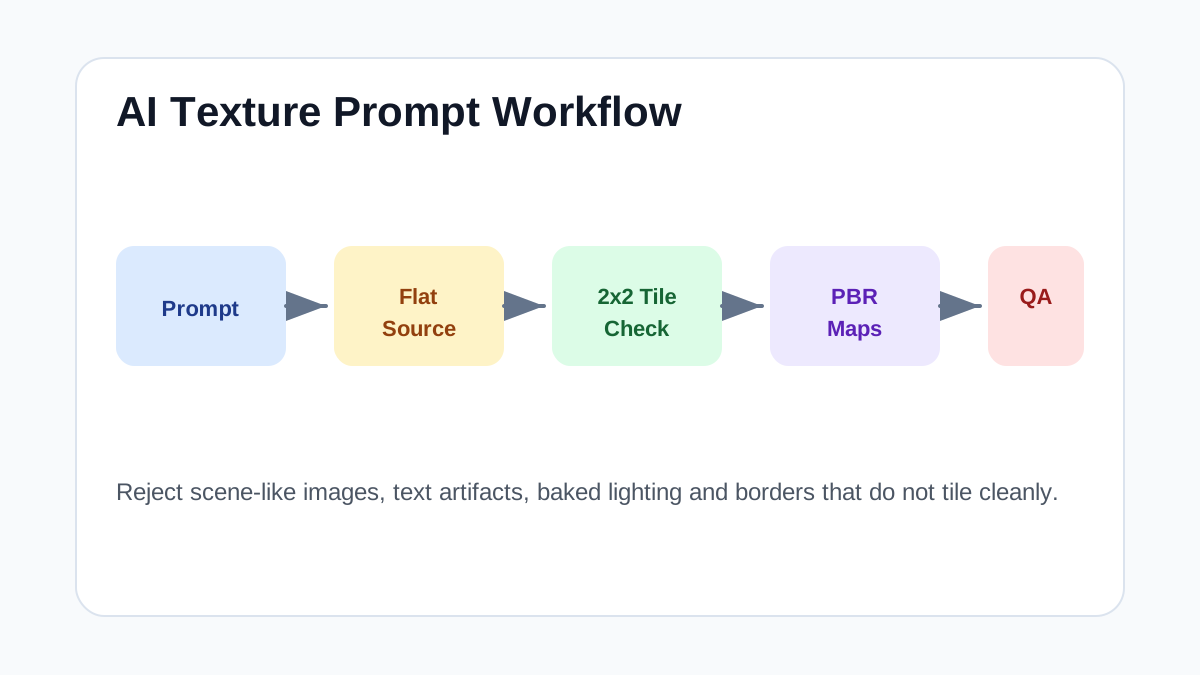
- Tile the image in a 2x2 grid and check all borders before generating maps.
- Remove outputs with baked lighting before deriving normal or roughness maps.
- Check that roughness and normal maps describe the same surface as the base color.
- Preview on a plane and a simple 3D object before publishing or downloading large sizes.
- Reject prompt outputs that look like illustrations, scenes or wallpapers rather than flat material surfaces.
Step-by-Step Workflow
- Write prompts that describe a flat material surface, not a scene.
- Avoid camera angles, dramatic lighting, objects and text.
- Generate or derive PBR maps only after the base tile is clean.
- Preview the material on a plane and a simple 3D object.
- Reject outputs with visible seams, baked highlights or random objects.
Quality Checklist
- The image tiles on all borders.
- Base color does not contain shadows or highlights.
- Normal and roughness maps match the visible surface.
- The final material has a clear use case in Blender, Unreal or Unity.
Common Mistakes
- Indexing unreviewed prompt pages as finished texture assets.
- Using decorative patterns as PBR materials without checking scale.
- Publishing generated maps that do not match the base texture.
Useful Next Steps
- Browse Seamless PBR textures for source materials that match this workflow.
- Use PBR Texture Generator to preview, pack or prepare maps before importing them into your scene.
- Return to the workflow guide library for related Blender, Unreal Engine, Unity and optimization workflows.
FAQ
Which texture maps do I need for Create Seamless PBR Materials from AI Texture Prompts?
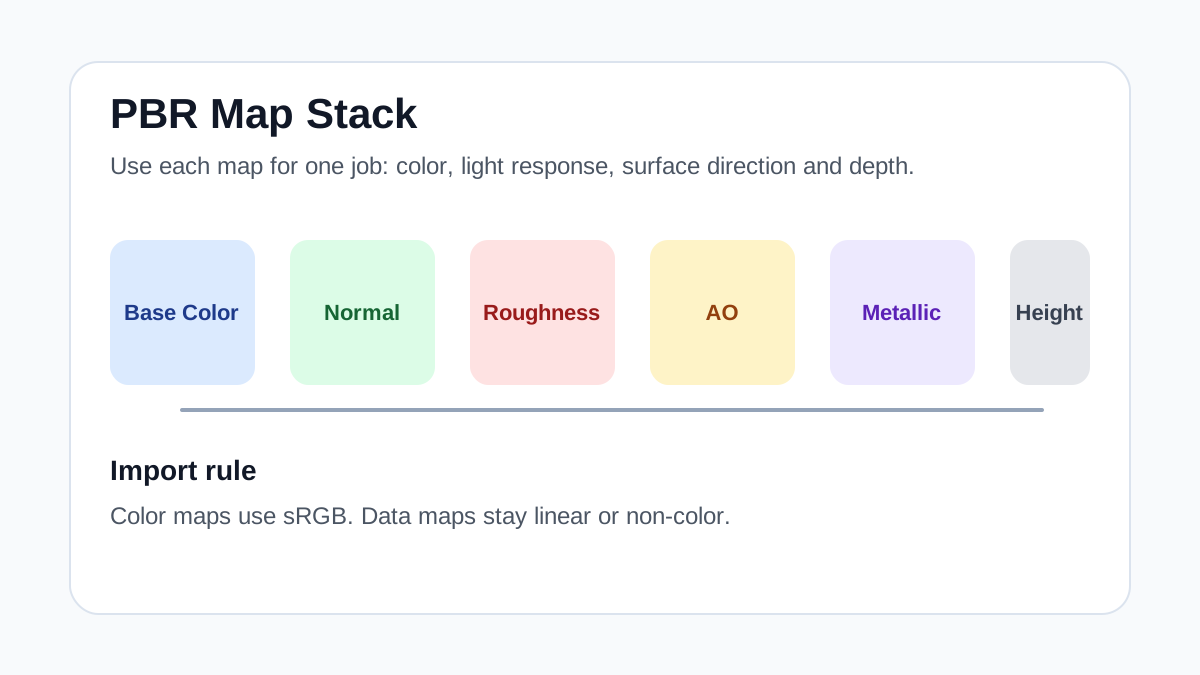
Start with base color, normal and roughness. Add AO, height, metallic or packed engine maps when the material and target renderer support them.
Should I always use 4K or 8K textures for this workflow?
No. Use 4K or 8K only for close camera views or hero assets. For background surfaces, 1K or 2K textures with good tiling and mipmaps are often more efficient.
How does this guide fit into a AI Workflow pipeline?
Use the guide as a setup checklist before final material tuning. Check scale, color space, map routing, tiling and performance in the target scene rather than judging the texture from the thumbnail alone.