Expert Guide to Inflated PBR Textures for Games Archviz and VFX
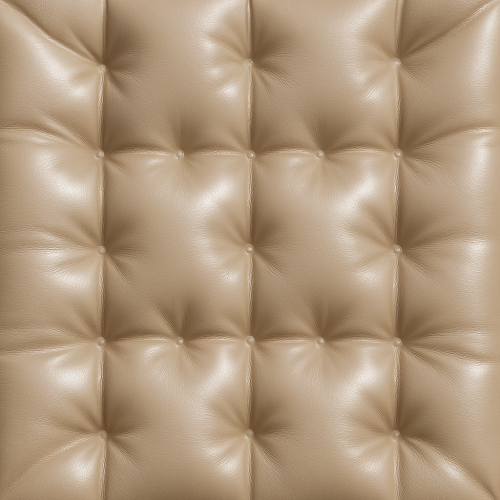
The acquisition of high-quality "inflated" PBR textures—a category encompassing materials such as padded leather, quilted vinyl, and stitched synthetic fabrics—demands a focused approach that reconciles the material’s distinctive volumetric geometry with the stringent requirements of physically based rendering workflows. Achieving accurate albedo, roughness, normal, ambient occlusion (AO), height, and where relevant, metallic maps hinges on the ability to capture intricate stitch details, subtle surface curvature, and micro-variations in the material’s response to light. In practice, three primary acquisition techniques dominate: high-resolution photogrammetry, 3D scanning, and macro photography, each with unique advantages and challenges.
High-resolution photogrammetry remains a powerful method for capturing inflated materials, particularly when the subject features complex surface undulations and a combination of woven or quilted textures with visible stitch lines. Photogrammetry’s strength lies in its ability to reconstruct dense geometry and generate texture maps derived from real-world lighting conditions, which can then be neutralized or re-lit in post-processing. However, the convex and concave curvatures characteristic of inflated surfaces—such as the puffed chambers of a quilted jacket or the inflated ribs of an airbag—present a challenge for traditional photogrammetric pipelines. These shapes can cause occlusions and inconsistent lighting, particularly along stitched seams or undercuts where self-shadowing is prominent.
To mitigate these issues, it is critical to control lighting during capture, favoring diffuse, even illumination that minimizes hard shadows while retaining enough contrast to reveal micro-geometry. Using a light dome or multi-directional LED arrays enables the capture of subtle normals and stitch relief without introducing specular highlights that confuse the photogrammetric reconstruction. Capturing multiple passes under different lighting angles allows for the generation of custom maps, such as a specular or roughness estimation, through photometric stereo-like techniques. However, ensuring that the specimen remains perfectly stationary across captures is paramount to avoid alignment errors in the derived texture maps.
Post-capture, the dense meshes generated by photogrammetry often require retopology or decimation to balance detail preservation with real-time engine constraints. Baking high-fidelity normal maps from the high-poly photogrammetric mesh onto a game-ready low-poly model is essential, as is generating curvature maps that emphasize the raised stitch lines and inflated surface bulges. Such curvature data can be leveraged during shader authoring in engines like Unreal Engine to enhance edge wear or dirt accumulation effects, adding realism to the final material.
3D scanning, particularly structured light and laser scanning, offers an alternative or complementary approach to photogrammetry. Scanning excels at capturing precise surface geometry, which is critical for inflated materials where the volumetric detail of the puffed regions and the recessed stitching must be accurately represented. The advantage of scanning lies in its ability to produce highly accurate depth information, which translates directly into superior height and normal maps for PBR workflows.
However, scanners can struggle with certain material properties common in inflated surfaces, such as glossy or semi-translucent coatings, which cause scattering or specular reflections that interfere with the sensor’s readings. To counteract this, surface preparation is often necessary, typically involving the application of a removable matte spray to reduce reflectivity. This step complicates the acquisition process and may alter the subtle surface textures, so it must be applied judiciously and documented for consistent results.
Scanning workflows necessitate careful calibration and alignment procedures, especially when capturing large areas that require multiple scans to be merged into a seamless whole. Stitching scanned data without introducing artifacts along the seams is particularly important for inflated materials, where any discontinuity in stitch lines or puffed sections will be visually jarring once tiled. To facilitate this, it is advisable to capture overlapping scan zones with sufficient redundancy and to employ robust registration algorithms during post-processing.
Once the raw scans are obtained, baking workflows similar to photogrammetry are applied. The high-resolution meshes inform the generation of normal, height, and curvature maps, while color information is often captured separately, either via integrated color cameras or through an additional photographic workflow. Ambient occlusion maps derived from these dense scans reinforce the perception of depth around stitch depressions and inflated bulges, critical for PBR shading accuracy.
Macro photography serves as a complementary technique, especially useful for capturing micro-variation details within inflated materials—such as the fine grain of leather, subtle surface imperfections, or thread textures in stitching—that are difficult to resolve in larger-scale photogrammetry or scanning. By using macro lenses and focus stacking techniques, artists can produce ultra-high-resolution albedo maps, capturing subtle color mottling and fiber detail that contribute to the material’s visual complexity.
To integrate macro photography into a PBR pipeline, the images must be carefully color-calibrated using standardized color charts and neutral gray references to ensure the albedo maps are free from lighting bias. Additionally, high-resolution micro-normal maps can be derived through photometric stereo or specialized software that interprets the fine surface variations from the macro images, providing enhanced micro-detail that complements the broader geometry captured by scanning or photogrammetry.
One significant challenge in using macro photography for inflated materials is maintaining seamless tileability. Because macro shots capture limited areas, texture authors must carefully select regions that can be tiled without obvious repetition or mismatch in stitch patterns. This often requires manual editing in tools like Substance Designer or Mari to clone, blend, and offset stitch lines and puffed sections, ensuring that transitions are both visually plausible and physically consistent with the underlying geometry.
Across all acquisition methods, achieving seamless tileability remains a critical concern. Inflated materials often feature repetitive stitch patterns and inflated chambers arranged in grids or tessellations. Capturing a sufficiently large area that includes multiple repetitions of these patterns is essential for generating tileable textures without visible seams. When physical capture of large samples is impractical, digital authoring techniques such as procedural pattern generation or manual cloning become necessary to extend or modify captured textures.
During post-processing, it is important to reconcile the physical geometry with the PBR maps to maintain consistency. For instance, roughness maps should reflect the varying wear on inflated surfaces; stitch lines might be smoother or glossier due to thread material, while puffed leather sections could display a more matte, worn finish. Ambient occlusion maps must enhance the perception of depth without darkening inflated bulges unnaturally. Height maps should capture subtle bulges and depressions, aiding parallax occlusion mapping or tessellation in real-time engines.
Calibration against reference materials is advisable to ensure that captured data aligns with physical reality. Using spectrophotometers or gloss meters during acquisition can inform the albedo and roughness map calibration, ensuring that the material responds correctly under different lighting environments. In Unreal Engine, for example, maintaining accurate roughness values is critical for achieving believable reflections and highlights on inflated surfaces, which often exhibit complex anisotropic or subsurface scattering properties.
Optimization is another key concern, especially given the typically high-resolution data produced by these acquisition techniques. Generating multiple mipmap levels, compressing texture maps appropriately, and baking ambient occlusion into base color maps where real-time AO budgets are limited can significantly improve runtime performance without sacrificing visual fidelity. Within Blender, baking and previewing these textures in Cycles or Eevee can assist in iterative refinement before exporting to game engines.
In summary, acquiring inflated PBR textures demands a multi-faceted approach that balances capturing volumetric geometry, fine stitch detail, and micro-surface variation. High-resolution photogrammetry provides broad coverage of inflated shapes and stitch topology but requires controlled lighting and careful post-processing. 3D scanning delivers precise depth data critical for normal and height map generation but may necessitate surface preparation and rigorous calibration. Macro photography excels at capturing micro-detail and albedo fidelity but poses challenges for seamless tiling. Combining these methods, supported by meticulous calibration, optimized baking workflows, and thoughtful post-processing, yields PBR textures capable of conveying the complex tactile qualities of inflated materials within real-time and offline rendering pipelines.
Creating inflated textures—those pillowed, quilted surfaces that suggest plushness or volumetric padding—requires a meticulous balance between geometric cues and material definition within the PBR workflow. Achieving convincing inflation effects hinges on the interplay of surface relief, subtle shading, and micro-variation, which can be efficiently realized through a hybrid approach combining procedural generation and photo-based authoring. This approach not only ensures repeatable, tileable results but also provides the flexibility to tailor the texture’s volumetric and tactile qualities for various applications in engines such as Unreal Engine or Blender’s Eevee and Cycles renderers.
The procedural generation of inflated textures typically begins by designing the underlying pattern that mimics the characteristic “pillowing” or “quilting” segmentation. These patterns often manifest as regularly spaced geometric shapes—circles, hexagons, diamonds, or squares—whose centers appear raised relative to their edges. Procedural tools, such as Substance Designer or Blender’s procedural nodes, allow the creation of these base shapes using noise functions combined with distance fields or cellular patterns. Employing distance transforms on these shapes facilitates the generation of smooth gradients that simulate the gentle curvature of an inflated segment’s surface.
Once the base pattern is established, height maps derived from these procedural shapes define the volumetric displacement of the surface. The height map must be carefully calibrated so that the maximum displacement corresponds with the expected physical scale of the inflated feature. For example, a quilted leather texture might have raised segments on the order of a few millimeters, whereas a plush fabric might exhibit softer, broader pillows. Calibration can be done by comparing the height map’s displacement in real-world units within a 3D viewport or engine, ensuring that the bumpiness is neither exaggerated nor flattened, which would compromise realism.
Normal maps are generated from the procedural height maps using standard conversion techniques, often through baking or shader-based normal generation nodes. These normals are crucial because they carry the fine curvature information that interacts with lighting to convey the inflated form. To enhance realism, it is essential to introduce micro-variation within these normal maps. Uniformly smooth normals can appear artificial; therefore, integrating subtle procedural noise or secondary detail maps—such as fine wrinkles or fabric grain—breaks up the uniformity. This micro-variation simulates the natural imperfections found in real-world materials, such as uneven stitching tension or slight compression in the padding, which influence light scattering and specular highlights.
Albedo (or base color) maps for inflated textures benefit significantly from photo-based authoring. While procedural color generation can produce consistent and tileable base colors, photographic inputs provide the nuanced chromatic complexity and texture necessary for authenticity. High-resolution photographs of quilted or pillowed materials, such as leather upholstery or padded textiles, serve as excellent sources. When integrating photographic content into procedural workflows, care must be taken to remove baked-in shadows and highlights to avoid conflicting with the PBR lighting model. Techniques like retouching in Photoshop or Affinity Photo, combined with frequency separation, enable the isolation of color information from lighting, producing clean albedo maps.
To fuse photographic elements with procedural detail, one effective strategy is using the procedural height or normal maps as masks or blending layers to modulate photographic textures. For instance, the raised segments can receive subtle color variation or wear patterns distinct from recessed areas, enhancing depth perception and tactile cues. Additionally, overlaying procedural noise or scratches on photographic albedo maps can introduce micro-variation, preventing the texture from looking artificially uniform or “photoshopped.” This blending approach also applies to roughness maps, where procedural noise can simulate variations in surface wear and fabric fuzziness, augmenting the otherwise smooth or uniform photographic roughness.
Roughness maps in inflated textures play a pivotal role in defining the tactile feel of the surface. Inflated materials often exhibit complex roughness patterns—raised segments may be smoother due to stretching or polishing, while recessed seams or stitches accumulate dirt and abrasion, increasing roughness. Procedural masks, derived from the base inflated pattern, can isolate these regions and allow precise roughness modulation. For example, a procedural curvature map can identify edges and folds where roughness should increase, while the center of inflated pillows may have lower roughness values. These maps can be further refined by blending in photographic data, such as dirt masks or fabric wear, to enhance realism.
Ambient occlusion (AO) maps complement the height and normal data by simulating the self-shadowing that occurs in crevices and seams of the inflated pattern. Procedural AO baking tools or mesh-based AO passes can generate these maps. Because the inflated surfaces often feature pronounced indentations along seams or quilting stitches, AO maps must capture these subtle shadows to anchor the texture visually within the environment. AO intensity should be balanced carefully; excessive darkening can flatten the appearance, while insufficient AO reduces depth cues. In real-time engines like Unreal, combining baked AO with dynamic lighting ensures consistent shadowing while preserving performance.
Metallic maps are generally less critical for inflated textures unless the material incorporates metallic elements such as decorative studs or zipper teeth. However, procedural masks generated from the base pattern can isolate these metallic regions efficiently. For purely fabric or leather inflated textures, the metallic channel remains at zero, ensuring physically accurate light interaction.
Tiling is a fundamental consideration for inflated textures, especially when covering large surfaces like upholstery or padded walls. Procedural generation excels here, as patterns can be designed to tile seamlessly with precise control over segment spacing and edge blending. When integrating photographic elements, it is essential to employ techniques such as edge masking, careful cloning, or procedural blending to avoid visible seams. Additionally, procedural detail layers, like noise or micro-scratches, can be tiled independently at different scales and offsets to mask repetition artifacts. In Blender or Unreal Engine, utilizing triplanar projections or world-space UVs can further assist in mitigating tiling artifacts, especially on complex or curved geometry.
Optimization for real-time usage involves balancing texture resolution and detail complexity. Inflated textures with fine quilting detail can require high-resolution maps to preserve sharpness in normal and height data. However, procedural generation enables level-of-detail (LOD) strategies, where lower LODs reduce pattern complexity or blur height variations, maintaining performance without sacrificing visual fidelity at a distance. In Unreal Engine, implementing material instances with adjustable parameters for pattern scale, roughness variation, or micro-normal intensity allows dynamic tuning of the inflated effect per asset or environment.
Practical authoring tips include starting with a high-contrast procedural height map to define the inflation profile clearly before layering photographic or noise detail. Use curvature or slope maps derived from the height to drive roughness and AO variation procedurally. When integrating photographic albedo, always desaturate and equalize color to maintain consistency across the texture tile and avoid color shifts under different lighting conditions. Baking cavity or curvature maps from the mesh can complement procedural AO for enhanced seam and stitch definition. Finally, in engines like Unreal, leveraging the subsurface scattering or translucency features for certain inflated materials (e.g., padded vinyl or synthetic leather) can add realism by simulating light diffusion beneath the surface.
In summary, the creation of inflated PBR textures is most effective when procedural generation defines the foundational volumetric pattern and material masks, while photographic inputs enrich the albedo and micro-variation layers. This synergy enables texture artists to produce highly realistic, tileable inflated surfaces that respond accurately to physically based lighting models in modern rendering environments. The approach demands careful calibration of height, normal, roughness, and AO maps, along with deliberate integration of micro-details to convey the softness, depth, and tactile quality characteristic of inflated materials.
Creating PBR textures for inflated materials demands a meticulous approach to map generation and consistency, ensuring that the visual characteristics of soft, volumetrically exaggerated surfaces are faithfully represented across various rendering engines. The unique challenge with inflated materials—those that exhibit rounded, puffed-out forms with subtle surface tension and pronounced volume—lies in balancing the stylized bulge with realistic surface detail, which must be encoded precisely in each PBR map. This necessitates a tightly controlled workflow from acquisition or authoring through to final export, governed by resolution uniformity, color space fidelity, and strict adherence to normal map conventions.
At the foundation of any PBR texture set lies the base color (albedo) map, which for inflated materials should avoid baked-in lighting or shading to preserve physically based interactions in real time. When authoring the base color, the artist must carefully calibrate hue, saturation, and brightness to reflect the material’s inherent color, accounting for subtle translucency or subsurface scattering that often affects inflated surfaces, such as rubbery or inflated plastic materials. To achieve this, high-resolution photographic references may be supplemented with hand-painted details to introduce micro-variations like faint blemishes, scratches, or color shifts, enhancing realism without overpowering the smoothness typical of inflated forms. Ensuring base color maps are stored in a linear color space (such as sRGB) and exported accordingly is critical; incorrect color space management can result in unnatural shading or highlight artifacts when rendered in engines like Unreal Engine or Blender’s Eevee and Cycles.
Normal maps for inflated materials demand particular attention to orientation and detail scale. Because these surfaces are generally smooth and rounded, the normal map must capture subtle curvature and surface tension effects without introducing harsh edges or noise that contradict the inflated silhouette. When authoring normal maps—whether baked from high-poly sculpts or generated through procedural means—the tangent space convention must be consistent with the target engine. For instance, Unreal Engine expects normal maps with a green channel inverted compared to OpenGL-based systems like Blender’s Eevee, which requires flipping the Y axis. Failing to maintain this consistency leads to incorrect lighting responses and surface shading errors. Moreover, maintaining the same resolution as the base color map prevents pixelation or blurring of fine surface details, preserving the illusion of soft volume. Artists should also consider adding subtle micro-normal variations to simulate surface imperfections such as fabric fibers on inflatable cushions or minute wrinkles on inflated rubber, which add tactile realism.
Roughness maps play a crucial role in defining how inflated materials interact with light, especially since these surfaces often exhibit a semi-glossy or satin finish with localized changes in specular behavior. During creation, roughness maps should be authored at the same resolution as other maps to avoid mismatches during filtering or mipmapping. Calibration of roughness values must be precise: too low and the surface appears unnaturally glossy, too high and it loses the characteristic sheen of inflated materials, which often have soft specular highlights due to their smoothness. Artists can use grayscale height or curvature maps derived from the high-poly source as a guide to modulate roughness, introducing controlled micro-roughness variation that mimics subtle surface wear or stretching effects. It is advisable to export roughness maps in linear color space to avoid gamma correction issues in the shader pipeline.
Ambient occlusion (AO) maps contribute to the perception of depth and volume, especially important for inflated materials where creases, seams, or folds define form. AO maps should be baked from a high-poly model with accurate ambient lighting to capture self-shadowing in concavities. Consistency in resolution with other maps is mandatory to prevent blurring or aliasing artifacts, which can diminish the crispness of shadowed details. When integrating AO with other maps in the shader, it is often combined multiplicatively with the base color or the roughness map to enhance visual richness. Storage of AO maps as grayscale images in linear space avoids unintended tonal shifts during rendering. In engines like Unreal, it is common to pack AO into the red channel of a composite texture to optimize performance, but care must be taken to maintain channel consistency and naming conventions for easy reuse.
Height or displacement maps are particularly nuanced for inflated materials because they can either reinforce the puffed volume or introduce secondary surface details such as seam bulges or subtle wrinkles. When authoring height maps, a mid-gray value should represent the neutral surface, with white and black encoding positive and negative displacements respectively. This neutral midpoint enables non-destructive displacement or parallax effects in shaders, critical for engines that support tessellation or parallax occlusion mapping, such as Unreal Engine. Resolution must be consistent with other maps, and the height data should be carefully calibrated in scale to prevent exaggerated or unnatural surface deformation. Because inflated materials often have smooth transitions, height maps are typically low-frequency, but high-frequency detail can be layered on to simulate surface texture without compromising the silhouette. It is advisable to use 16-bit grayscale formats to preserve subtle variations and prevent banding, especially when working with displacement.
Metallic maps are generally less relevant for most inflated materials, which tend to be non-metallic by nature. However, if the material includes metallic components—such as valve caps on an inflatable pool toy or reflective trim—these should be isolated into a dedicated metallic map channel with binary or smooth values ranging from 0 (non-metal) to 1 (metal). Consistency in resolution and color space (usually linear) remains a priority to ensure seamless integration with the rest of the texture set.
Throughout the creation process, maintaining strict naming conventions and folder hierarchies aids in pipeline efficiency and compatibility. File names should explicitly denote the map type and resolution, for example, “materialName_BaseColor_2048.png” or “materialName_Normal_2048.tga,” enabling automated tools and shader setups to correctly identify and assign textures. Preferred file formats depend on engine requirements; Unreal Engine favors TGA or PNG for their lossless compression, while Blender supports OpenEXR or TIFF for 16-bit maps. Color profiles must be embedded or clearly documented to avoid misinterpretation during import.
Tiling and UV layout considerations are paramount for inflated materials, as the exaggerated volume can cause texture stretching if UVs are not carefully unwrapped. Ensuring uniform texel density across seams prevents visible texture discontinuities, especially in base color and normal maps. Additionally, introducing subtle micro-variation through noise or detail masks within the roughness and normal maps breaks up repetitive patterns that would otherwise betray tiling artifacts. This approach is particularly effective when the inflated surface features repetitive elements such as stitched seams or embossed logos.
When importing into engines like Unreal or rendering in Blender, the textures should be tested under various lighting conditions to verify that the maps interact correctly and produce the intended soft, volumetric appearance. Calibration adjustments may be necessary; for example, tuning roughness levels or adjusting normal map intensity to avoid overly sharp shading that contradicts the inflated softness. Shader parameters must be configured to respect the color space and scale of each map, and engine-specific normal map import settings—like flipping the green channel in Blender—must be applied consistently.
In summary, the creation and consistent management of PBR maps for inflated materials demands a holistic workflow that prioritizes resolution uniformity, precise color space handling, and strict normal map orientation adherence. Each map must be carefully authored, calibrated, and optimized to capture the nuanced surface qualities that define inflated materials, ensuring seamless integration across diverse rendering engines and shader pipelines. Through disciplined technical execution and thoughtful artistic input, inflated materials can achieve a convincing balance of volumetric form and tactile surface detail in physically based rendering environments.
FAQ
What is covered in this guide?
This guide explains Expert Guide to Inflated PBR Textures for Games Archviz and VFX with practical notes for seamless PBR materials, texture setup, and production use.
Can I use these texture techniques in Blender, Unreal Engine, and Unity?
Yes. The workflow focuses on standard PBR maps and tileable materials that can be used in Blender, Unreal Engine, Unity, archviz, games, and VFX pipelines.
Where can I find textures for this workflow?
Use the AITextured texture library and the related texture links on this page to find seamless PBR materials and preview them before download.
Related Textures
 Procedural Stamped Sidewalk Concrete PBR Texture
 Procedural Fine Asphalt Road PBR Texture
 Procedural Pitted Concrete PBR Texture
 Seamless Concrete Pebble PBR Texture in 4K Resolution
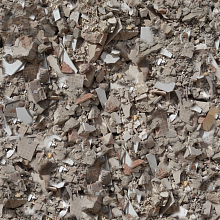 Seamless PBR Concrete Rubble Texture with Debris and Fragments
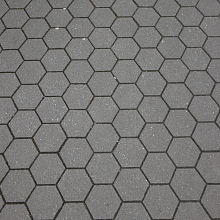 Seamless Hexagonal Concrete Tile PBR Texture 4K
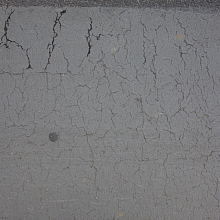 Cracked Asphalt Texture with Weathering