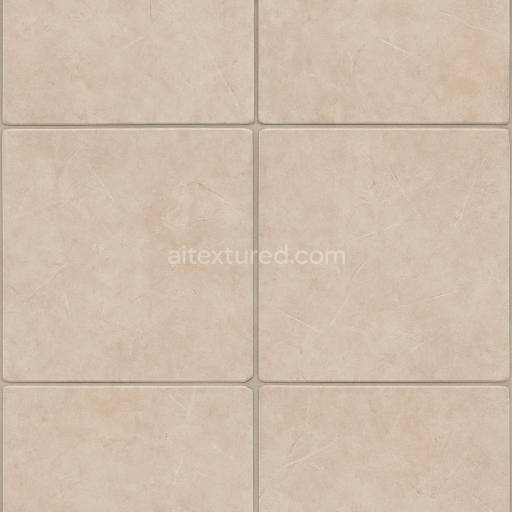
Tile Floor Surface With Grout Lines For Realistic Interior Architecture
Seamless texture (tileable) · PNG, WEBP, PBR ZIP.
| ID | seamless-3d-texture-pbr-8k-parquet-floor-wood-texture-for-luxurious-interior-architecture |
|---|---|
| Category | Architecture |
| Formats | PNG, WEBP, PBR ZIP |
| Size | 1k (1024x1024px), 2k (2048x2048px), 4k (4096x4096px), 8k (8192x8192px) |
| Tileable | Yes |
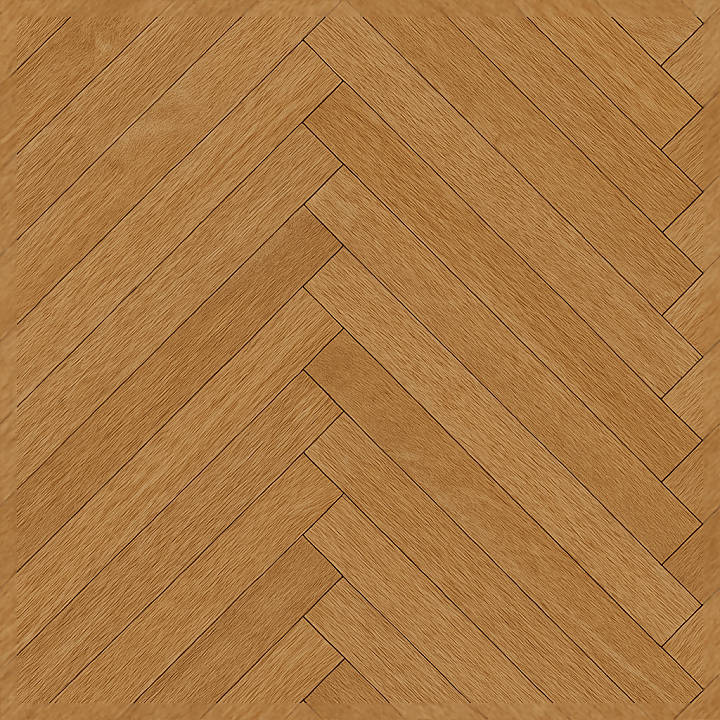
This seamless 3D texture represents a meticulously crafted parquet floor composed of natural oak wood planks arranged in an elegant geometric pattern typical of luxurious interior architecture. The parquet consists of rectangular oak elements precisely aligned to form a continuous, repeating design that highlights the grain direction and subtle variations in plank size and layout. Each plank surface exhibits fine wood fibers and natural grain patterns characteristic of mature oak, including gentle color shifts from warm honey tones to deeper amber hues. The texture captures delicate floor scratches and minimal signs of wear, adding a realistic layer of surface imperfection without compromising the refined appearance of the flooring.
The material composition reflects high-quality solid oak wood, where the substrate is dense hardwood with a tightly packed grain structure that contributes to low porosity and enhanced durability. The surface finish simulates a lightly polished yet matte lacquer coating, providing a subtle sheen that balances reflectivity and diffuse light scattering. Adhesive layers used in real parquet flooring, such as thin resin binders that secure the planks to the subfloor, are visually implied through the uniformity and tight fit of the planks, while the slight height variations and edges are emphasized via the height and normal maps. Colorants are naturally occurring pigments within the wood fibers, with no artificial tinting, ensuring an authentic and warm oak coloration.
The PBR workflow is fully leveraged in this 8K resolution texture, delivering exceptional detail and realism. The BaseColor (Albedo) map faithfully reproduces the oak’s natural color variations and subtle floor scratches. The Normal map enhances the perception of wood grain relief and the fine bevels between planks, contributing to depth and tactile quality. Roughness maps define the semi-polished surface finish, capturing the interplay between glossy lacquered areas and matte wooden fibers. Metallic maps are minimal to nonexistent, accurately reflecting the non-metallic nature of wood. Ambient Occlusion maps accentuate the shadows in plank joints and crevices, adding contrast and dimensionality. Height or displacement maps provide fine surface elevation differences, perfect for parallax or tessellation effects in real-time engines.
This texture is optimized for use in Blender, Unreal Engine, and Unity, supporting seamless tiling for expansive flooring without visible repetition. For best results, it is advisable to adjust the UV scale to match the real-world plank dimensions, ensuring accurate spatial representation. When tuning the roughness, subtle variations can enhance realism by simulating wear patterns or polishing inconsistencies. Additionally, blending height and normal maps can improve the depth effect on close-up renders, especially when using parallax occlusion mapping techniques. This comprehensive approach makes the texture suitable for architectural visualization projects seeking authentic, high-resolution oak parquet flooring details.
Import the texture maps into Blender with sRGB color space for albedo/base color and Non-Color for normal, roughness, metallic, AO, height, and ORM maps. Connect normal maps through a Normal Map node, then adjust UV scale with a Mapping node so the material repeats naturally on your model.
For the full step-by-step setup, see How to Use Seamless Textures in Blender. Browse related material examples in wood, concrete, and metal.
Yes. This texture is designed as a seamless tileable PBR material, so it can repeat across large surfaces without visible borders.
Use the download controls on this page: they expose the available PNG, WEBP or engine ZIP choices and supported resolutions for this asset.
Use the engine ZIP choices to package compatible source maps for Blender, Unreal Engine or Unity, then verify the imported material in the target application.
Commercial-use permission is not verified for this record. Confirm the original source and license before production use.
Generate maps from existing images, preview materials, convert channels, and package compatible inputs for Blender, Unity, and Unreal Engine.
Choose a verified workflow for generating maps, previewing tiling, converting channels, or starting from the texture catalog.
Derive Normal, Roughness, AO, Metallic, Height and optional ORM maps from one or more source images, then review the results.
Instant WebGL viewer: inspect materials on a sphere, plane, and cube. Check tiling and lighting in real time.
Re-packages maps per engine: Unreal (BaseColor + ORM), Unity (Mask/MetallicSmoothness), Blender (separate channels).
PNG ↔ JPG ↔ SVG: fast convert, SVG rasterize, embed/trace options, quality & background controls.
