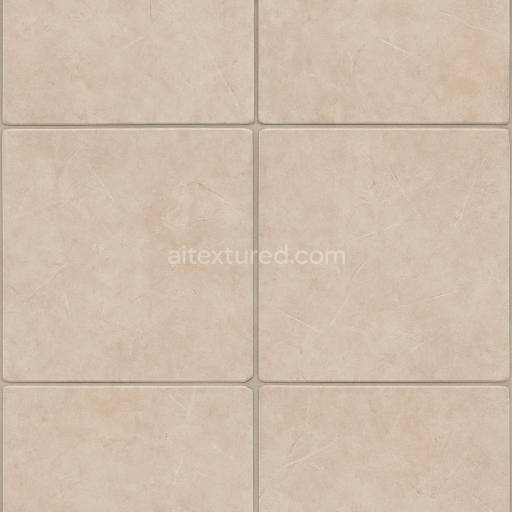
Tile Floor Surface With Grout Lines For Realistic Interior Architecture
Seamless texture (tileable) · PNG, WEBP, PBR ZIP.
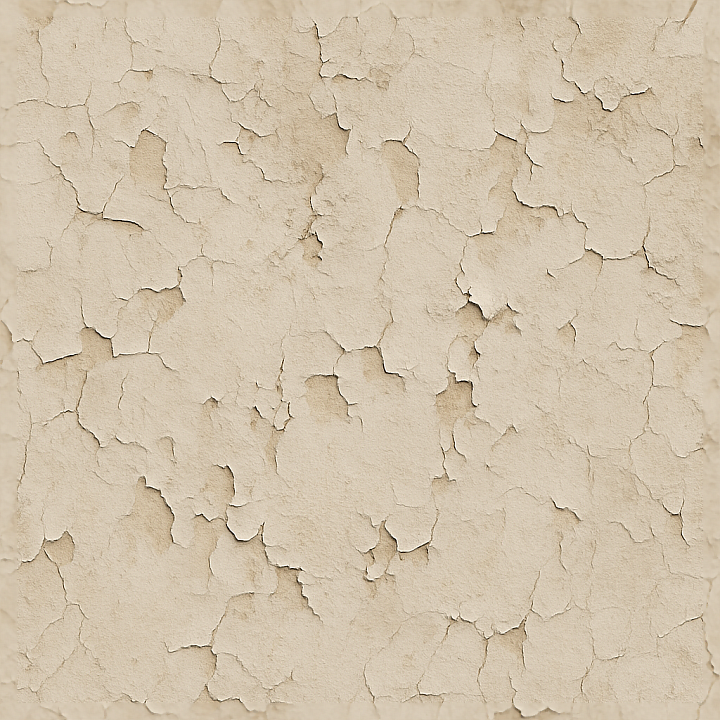
| ID | seamless-3d-texture-pbr-8k-plaster-wall-surface-with-cracks-for-realistic-architecture |
|---|---|
| Category | Architecture |
| Formats | PNG, WEBP, PBR ZIP |
| Size | 1k (1024x1024px), 2k (2048x2048px), 4k (4096x4096px), 8k (8192x8192px) |
| Tileable | Yes |
This seamless 3D texture represents a plaster wall surface characterized by natural, weathered imperfections, including fine cracks and paint chips that reveal the substrate beneath. The base material is a traditional lime-based plaster, commonly used in architectural finishes, consisting of a mineral-rich aggregate suspended within a calcium hydroxide binder. The plaster’s micro-structure includes subtle porosity and micro-fissures, which develop over time due to environmental exposure, moisture variations, and mechanical stresses. These features contribute to the texture’s authentic worn appearance. The surface exhibits a matte, slightly rough finish typical of aged plaster walls, with irregular paint layers that have partially eroded, exposing the plaster underneath and creating a complex interplay of color and depth across the surface.
From a geometric perspective, the texture is predominantly flat with shallow relief formed by random crack networks and paint chips peeling in fragmented patches. The cracks vary in width and depth, providing realistic displacement cues, while the paint chips contribute to fine detail and surface complexity. This subtle, non-repetitive pattern ensures the seamless tiling does not produce obvious seams or unnatural repetitions, making it ideal for covering extensive architectural surfaces. The color palette ranges from off-white plaster tones with muted beige and gray undertones to faded, weathered paint colors, enhancing the surface’s aged and distressed character.
In terms of PBR mapping, the BaseColor (Albedo) channel captures the diffuse coloration of the plaster and paint layers, including subtle variations caused by weathering and pigment degradation. The Normal map encodes the delicate relief of cracks and chipped paint edges, essential for realistic light interaction. Roughness values reflect the matte finish of the plaster, with slight increases in roughness at chipped and eroded areas, suggesting a more granular surface. The Metallic channel remains near zero, consistent with non-metallic plaster materials. Ambient Occlusion enhances shadowing within cracks and recessed areas to boost depth perception. The Height/Displacement map provides precise elevation data for fine surface undulations, enabling advanced parallax or tessellation effects in real-time engines.
Rendered at an ultra-high 8K resolution, this texture ensures exceptional detail and clarity, supporting close-up architectural visualization and immersive game environments. It is fully compatible and optimized for use in Blender, Unreal Engine, and Unity, facilitating seamless integration into varied workflows. For practical application, adjusting the UV scale to prevent overly repetitive patterns and fine-tuning the roughness channel can help achieve desired surface reflectivity. Additionally, blending height, parallax, and normal maps carefully can enhance depth perception without introducing artifacts, making this plaster wall texture a versatile and realistic choice for digital architects and developers.
Import the texture maps into Blender with sRGB color space for albedo/base color and Non-Color for normal, roughness, metallic, AO, height, and ORM maps. Connect normal maps through a Normal Map node, then adjust UV scale with a Mapping node so the material repeats naturally on your model.
For the full step-by-step setup, see How to Use Seamless Textures in Blender. Browse related material examples in wood, concrete, and metal.
Yes. This texture is designed as a seamless tileable PBR material, so it can repeat across large surfaces without visible borders.
Use the download controls on this page: they expose the available PNG, WEBP or engine ZIP choices and supported resolutions for this asset.
Use the engine ZIP choices to package compatible source maps for Blender, Unreal Engine or Unity, then verify the imported material in the target application.
Commercial-use permission is not verified for this record. Confirm the original source and license before production use.
Generate maps from existing images, preview materials, convert channels, and package compatible inputs for Blender, Unity, and Unreal Engine.
Choose a verified workflow for generating maps, previewing tiling, converting channels, or starting from the texture catalog.
Derive Normal, Roughness, AO, Metallic, Height and optional ORM maps from one or more source images, then review the results.
Instant WebGL viewer: inspect materials on a sphere, plane, and cube. Check tiling and lighting in real time.
Re-packages maps per engine: Unreal (BaseColor + ORM), Unity (Mask/MetallicSmoothness), Blender (separate channels).
PNG ↔ JPG ↔ SVG: fast convert, SVG rasterize, embed/trace options, quality & background controls.