Comprehensive Guide to Generated Textures for PBR Workflows in Games Archviz and VFX
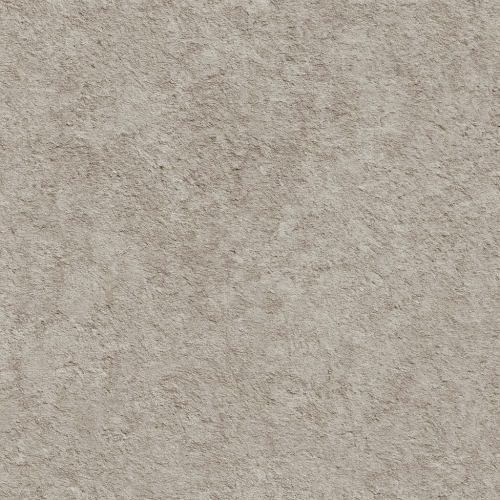
The foundation of high-fidelity generated textures in physically based rendering (PBR) workflows begins with the accurate acquisition of surface data from real-world materials. Among the most prevalent and effective methods for capturing such data are photogrammetry and 3D scanning technologies. Both approaches serve as critical sources for deriving the essential texture maps that define PBR materials: albedo (or base color), roughness, normal, ambient occlusion (AO), height, and metallic where applicable. Understanding the strengths and limitations of these acquisition techniques, as well as the subsequent processing workflows, is indispensable for producing reliable, tileable, and engine-ready textures.
Photogrammetry fundamentally relies on overlapping photographic images taken from multiple angles around a physical sample. By extracting common features across these images, photogrammetry software reconstructs a detailed 3D mesh along with its corresponding texture maps. This process captures the intricate micro- and macro-geometry of surfaces, preserving subtle variations in diffuse color and surface relief that are difficult to replicate procedurally. The resulting mesh and textures often serve as a rich data source for generating PBR maps, especially normal and height maps that encode surface detail. However, photogrammetry inherently produces raw data tailored to the scanned physical sample's geometry and lighting conditions, necessitating refinement and calibration to conform to PBR principles.
3D scanning, particularly structured light and laser scanning, operates on the principle of projecting known patterns or laser beams onto a surface and measuring deformation or reflection to reconstruct geometry with high precision. These scanners excel at capturing fine surface details and can produce dense point clouds or meshes that are geometrically accurate and metrically calibrated. When paired with high-resolution color capture systems, 3D scanners can deliver aligned albedo textures that faithfully represent material coloration without baked-in lighting artifacts. This makes them highly suitable for generating base color maps that are critical for diffuse reflectance in PBR workflows.
Once raw scans are obtained, the data must be processed to produce coherent, physically plausible texture maps. This begins with mesh cleanup and retopology to optimize geometry for texturing and engine compatibility. High-density meshes generated by scanning often contain noise, holes, and redundant vertices that impede efficient subsequent processing. Retopology or decimation is applied to maintain detail fidelity while reducing polygon counts to manageable levels for real-time rendering engines like Unreal Engine or content creation suites such as Blender.
Following geometry optimization, the next step is texture projection and baking. The objective is to transfer the high-resolution detail from the raw mesh onto a clean, UV-unwrapped low-poly mesh. This baking process generates normal maps that capture surface micro-variations without the overhead of complex geometry. The baked normal map is central to conveying surface detail under dynamic lighting within PBR engines. Simultaneously, ambient occlusion maps are baked to accentuate crevices and occluded regions, enhancing the depth perception of materials without direct lighting.
Albedo extraction requires careful calibration to remove baked-in lighting and shadows from the scanned color data. Raw color captures often include global illumination effects, specular highlights, and color bleeding that violate the assumptions of albedo as a purely diffuse reflectance input. Techniques such as color normalization, shadow removal algorithms, or manual painting corrections are employed to isolate the diffuse color component. This step is critical because improper albedo maps can compromise the physical accuracy of reflections and lighting responses in the final material.
Roughness and metallic maps, which govern the microsurface reflectance behavior and metalness respectively, are rarely captured directly by photogrammetry or scanning. Instead, these maps are authored or inferred based on material knowledge and calibrated against the base color and normal data. For example, metallic surfaces identified through scanning are assigned metallic values of 1 in the corresponding map, while non-metals are set to 0. Roughness is often generated through a combination of detail extraction from scanned micro-geometry, procedural noise, and artist-driven adjustments to simulate wear, scratches, or surface polish. Integrating such micro-variation is essential for avoiding repetitive or flat appearances, especially when textures are tiled in larger environments.
Tiling generated textures poses a unique challenge because raw scan data is typically irregular and non-repetitive. To produce seamless PBR textures, artists must employ advanced techniques such as patch-based synthesis, directional blur, or edge blending to remove visible seams and ensure consistent detail distribution. Tools within Blender’s texture painting suite or specialized software can facilitate this process by allowing manual or automated manipulation of texture borders. When done correctly, these techniques preserve the natural variation captured during acquisition while enabling the material to repeat across surfaces without obvious patterning.
Calibration between the various maps is vital for ensuring physical accuracy within rendering engines. The albedo, roughness, normal, AO, and height maps must be balanced such that their combined effect adheres to energy conservation principles and expected visual outcomes. For instance, excessive roughness combined with a high normal map intensity can cause unnatural scattering, while incorrect AO values can darken areas inconsistently. Regular cross-referencing with reference photographs and real-world material samples helps maintain this balance. Utilizing linear workflow color management and ensuring all texture maps are handled with proper gamma correction during export and import further supports consistent results.
Optimization for real-time engines like Unreal Engine involves additional considerations. Texture resolution, channel packing, and mipmap generation need to be tailored to balance visual fidelity and performance. For example, roughness and metallic maps are often combined into a single texture’s channels to reduce memory usage. Normal maps must be stored in a format compatible with the engine’s rendering pipeline, accounting for coordinate system conventions (e.g., DirectX versus OpenGL normal map orientation). Furthermore, using Unreal Engine’s material editor, artists can leverage masks and procedural overlays to add dynamic variation atop the baked generated textures, enhancing realism without increasing texture size.
In Blender, generated textures derived from scanned data can be integrated into physically based shader setups using the Principled BSDF shader, which natively supports all relevant PBR inputs. The height map can be utilized with displacement or bump nodes to augment surface detail, while AO maps can be multiplied into the shader to simulate localized shadowing. Blender’s robust node-based workflow allows precise control over texture influence, facilitating iterative refinement and fine-tuning before exporting assets to game engines or renderers.
In summary, photogrammetry and 3D scanning provide a powerful foundation for generating PBR textures by capturing real-world surface data with high fidelity. However, raw acquisition data requires meticulous cleanup, map extraction, calibration, and optimization to function effectively within PBR pipelines. Attention to detail in removing baked lighting from albedo, generating accurate normal and AO maps, authoring roughness and metallic layers, and ensuring seamless tiling is essential. When integrated thoughtfully into engines like Unreal or authoring tools like Blender, these generated textures enable artists to harness the complexity and authenticity of real materials while maintaining the flexibility and performance demanded by modern rendering workflows.
Creating physically based rendering (PBR) textures through generated means—whether procedural algorithms, photographic inputs, or a combination thereof—requires a thorough understanding of both the technical constraints of PBR workflows and the artistic nuances that produce believable, high-quality materials. The core objective is to build texture sets that accurately represent surface properties across the essential PBR maps: albedo (base color), roughness, normal, ambient occlusion (AO), height, and metallic, where applicable. Achieving this through generated textures demands careful attention to acquisition, authoring, tiling, micro-variation, calibration, and optimization to ensure seamless integration into real-time engines such as Unreal Engine or offline packages including Blender’s Cycles and Eevee.
Procedural texture generation leverages algorithm-driven outputs to produce tileable textures with parameterized control over surface attributes. Unlike purely photographic textures, procedural methods enable infinite variation and customization without the need for extensive source photography. This is particularly advantageous in environments requiring large-scale, repetitive surfaces where memory budgets and runtime performance are critical. Software tools such as Substance Designer, Quixel Mixer, and Blender’s node-based shader editors provide robust environments to author procedural PBR textures. These tools allow artists to construct networks of noise functions, pattern generators, edge wear simulations, and curvature maps that output consistent sets of PBR channels. For example, a procedural bark texture might start with a series of fractal noises layered and warped to simulate wood grain, combined with curvature-based edge roughness to mimic natural weathering. The procedural workflow inherently produces perfectly tileable textures by controlling UV coordinates or using seamless noise functions, which is essential for avoiding visible repetition in real-time engines.
Photographic input remains highly relevant for PBR texture creation, especially when realism hinges on capturing natural surface variations and subtleties. High-resolution photographs of physical materials are typically processed through software pipelines that extract and calibrate each PBR channel. Tools such as Substance Alchemist or custom workflows in Photoshop and affinity photo enable the generation of albedo maps by removing lighting and shadow information through color correction and normalization techniques. Roughness and metallic maps require more nuanced interpretation: roughness is often derived from analyzing specular reflections in the photographs or through manual painting and procedural overlays to enhance micro-surface variation, while metallic maps are usually binary or grayscale masks informed by material knowledge rather than direct photographic capture. Normal maps can be generated from the height information extracted via photogrammetry, depth maps, or displacement maps created with tools like xNormal or CrazyBump, which analyze luminance changes to infer surface detail.
A critical challenge in photographic texture authoring is achieving seamless tiling without visible seams or pattern repetition. This requires both technical and artistic intervention. Photographs rarely tile naturally, so the images must be carefully selected, pre-processed, and sometimes synthesized using blending techniques, offset filters, or content-aware fills. Hybrid approaches that combine photographic inputs with procedural tools can significantly enhance tileability. For instance, a photographic albedo map can be blended with procedural noise to introduce micro-variation and break up repetitive elements, while procedural edge wear generators can simulate natural erosion or dirt accumulation that would be difficult to capture uniformly in photographs. These hybrid methods also facilitate the creation of customizable materials where parameters such as roughness variation, dirt intensity, or metallic reflectivity can be dynamically adjusted, a powerful feature for asset reuse in large-scale environments.
Calibration of generated textures within the PBR framework is essential to maintain physical accuracy and consistency across different lighting conditions and engines. Albedo maps should be neutral in terms of baked lighting—avoiding baked shadows or highlights—and maintain accurate color values that correspond to real-world diffuse reflection. Roughness maps must be carefully authored to reflect microfacet distribution on the surface, affecting light scattering and glossiness. Overly smooth or noisy roughness maps can break realism. Normal maps require correct tangent space orientation and consistent intensity to avoid shading artifacts. Ambient occlusion maps, although not strictly part of the PBR workflow, are often baked or generated to enhance contact shadows and small-scale self-shadowing, adding depth without affecting physical correctness. Height maps, used for parallax occlusion or displacement, should be calibrated to match the intended surface relief without causing excessive distortion or popping under parallax effects.
Optimization is a vital consideration when generating PBR textures procedurally or from photographic sources. Procedural textures offer the advantage of parameter-driven texture atlases, enabling artists to reuse base materials with minimal memory overhead. However, high-resolution outputs or excessive procedural complexity can still impact performance, so balancing detail and resource usage is critical. Photographic textures often require resolution management, compression, and mipmap generation to optimize runtime usage. Ensuring that normal maps are stored in a proper color space (typically tangent space encoded in RGB channels) and using compressed formats supported by target engines (e.g., BC5 or BC7 in Unreal Engine) can improve performance without sacrificing visual fidelity. In Blender, generated textures can be baked into image maps for use in Eevee or Cycles, with careful attention to bit depth and color space conversion to preserve accuracy.
When integrating generated textures into real-time engines such as Unreal Engine, understanding the material pipeline is crucial. Unreal Engine’s physically based shading model expects textures in specific formats and color spaces: albedo maps in sRGB, roughness and metallic maps in linear space, and normal maps using normal map compression. The engine’s material editor allows dynamic parameterization, enabling procedural or hybrid textures to be manipulated in real-time, such as adjusting roughness or blending layers based on gameplay conditions. Similarly, Blender’s shader editor supports node-based procedural textures that can be baked into maps for export, or used directly within the renderer for preview. Artists should leverage engine-specific tools such as Unreal’s texture streaming and LOD systems to maintain performance while preserving texture quality.
Practical tips for authors include starting with a clearly defined material reference and physical property targets to guide procedural parameter ranges and photographic calibration. Maintaining a non-destructive workflow through node graphs or layered PSDs allows iterative refinement and easy adjustments to texture properties. When blending procedural and photographic elements, careful masking and edge blending prevent unnatural transitions or tiling artifacts. Attention to micro-variation—small-scale surface irregularities and noise—prevents the “flat” appearance often associated with generated textures. Finally, frequent testing in target lighting environments and engine previews ensures texture maps behave as expected under dynamic illumination, avoiding surprises in final renders or game builds.
In summary, generated PBR textures created through procedural algorithms, photographic inputs, or hybrid techniques offer powerful capabilities for producing realistic, customizable, and performant materials. Mastery of software tools, careful calibration of PBR channels, seamless tiling strategies, and optimization for engine requirements combine to enable textures that meet the demanding standards of modern physically based rendering workflows.
The creation and calibration of Physically Based Rendering (PBR) texture maps demand a rigorous approach to ensure that each map not only fulfills its individual function but also harmonizes with the entire material system. Central to this process are the Normal, Roughness, Ambient Occlusion (AO), and Height maps, each contributing a unique layer of detail and physical realism that must be carefully authored and calibrated to maintain fidelity across various rendering engines such as Unreal Engine and Blender’s Cycles or Eevee.
Beginning with Normal maps, their primary role is to simulate surface detail and microgeometry without increasing mesh complexity. Generated either from high-poly sculpts or procedural sources, normals require precise tangent space alignment and consistent encoding to avoid artifacts during shading. When authoring normals, it is essential to validate the map’s orientation and ensure the blue channel predominantly points outward, signifying the surface normal’s direction. Inconsistent normal maps can lead to lighting discrepancies, especially under dynamic lighting conditions common in game engines. Calibration involves verifying the normal map’s intensity, often controlled via a strength parameter during baking or within the material setup, to avoid over-exaggeration of surface details that break physical plausibility. In practice, subtlety is key: overly aggressive normal maps can cause unrealistic specular highlights or shadowing, disrupting the perception of surface roughness and material response.
Roughness maps dictate the microsurface scattering of light, controlling how sharp or diffuse reflections appear. Unlike legacy specular workflows, PBR roughness values must be physically grounded within a [0,1] range, where 0 represents a perfectly smooth, mirror-like surface and 1 corresponds to a completely rough, matte finish. When generating roughness maps, artists often face challenges in balancing visual interest and physical accuracy. Roughness should be derived from real-world references or procedural noise that mimics surface imperfections, such as subtle scratches or wear patterns, contributing to micro-variation that enhances realism. It is critical to avoid artificially “flat” roughness maps, as uniform roughness values can cause materials to appear plastic or lifeless under complex lighting. Calibration of roughness maps must consider the rendering engine’s interpretation of roughness: for instance, Unreal Engine uses roughness directly in its metallic-roughness workflow, whereas Blender’s Principled BSDF interprets roughness similarly but can be affected by the presence of clear coats or anisotropy parameters. Therefore, validating roughness values through iterative test renders under multiple lighting environments ensures consistent visual fidelity.
Ambient Occlusion maps contribute an additional layer of realism by simulating the soft shadows cast in crevices and occluded areas where ambient light penetration is limited. AO maps are typically baked from the high-poly geometry or generated procedurally using curvature and cavity extraction algorithms. While AO does not represent direct lighting, it enhances depth perception and contrast, especially in diffuse reflections. However, the calibration of AO maps requires careful consideration of their blending mode within the shader network. Overly strong AO can artificially darken surfaces, leading to loss of detail and an unnatural appearance. In PBR workflows, AO is generally multiplied with the base color (albedo) or combined in a manner that modulates the diffuse component without affecting specular reflections. When authoring AO for game engines like Unreal, it is common to pack AO into a dedicated channel or a combined texture atlas to optimize shader performance. Calibration also involves adjusting AO intensity to match the global illumination and baked lighting conditions of the target environment, ensuring that AO complements rather than conflicts with indirect lighting solutions.
Height maps, also known as displacement or parallax maps depending on the application, provide geometric detail by encoding surface elevation relative to the base mesh. Their creation often involves high-frequency detail extraction from sculpted models or scanned data, translated into grayscale images where white represents the highest surface points and black the lowest. Height maps are invaluable for enhancing silhouette detail and depth perception beyond what normal maps can achieve, particularly in offline renderers or game engines supporting tessellation or parallax occlusion mapping. However, calibration of height maps must be meticulous to prevent geometric artifacts such as self-intersections or unnatural surface undulations. The scale of the height map displacement relative to the mesh dimensions must be physically plausible, typically measured in world units or relative units mapped to the mesh’s UV space. Over-exaggeration can cause visual popping or texture swimming during animation or camera movement. Additionally, height maps should be filtered and mipmapped carefully to maintain detail at varying distances while avoiding aliasing. In Blender’s Cycles, displacement can be set to either bump or true displacement, and the choice influences how the height map is calibrated; true displacement requires accurate height values and mesh subdivision, while bump mapping relies on relative height differences and is less demanding geometrically. In Unreal Engine, height maps are most commonly used with Parallax Occlusion Mapping, necessitating careful tuning of height scale parameters and sample counts to balance visual fidelity and performance.
A crucial aspect throughout the generation of these maps is the management of tiling and micro-variation. Seamless tiling textures demand edge continuity and noise patterns that avoid obvious repetition, which can break immersion, especially on large surfaces. Procedural noise functions, multi-layered detail blending, and randomized detail masks are often employed to introduce subtle micro-variation, preventing the “flatness” that uniform textures produce. This micro-variation is particularly important in roughness and AO maps, where small-scale irregularities influence the perception of material complexity and authenticity. When authoring tileable maps for PBR, it is important to maintain consistent gamma and color space across all maps, with linear color space for roughness, normals, AO, and height, and sRGB for albedo. Failure to adhere to correct color spaces results in inaccurate shading and lighting computations.
Optimization is another integral consideration in the creation and calibration process. Texture resolution must be tailored to the viewing context and engine constraints. Excessively high-resolution maps increase memory footprint and reduce performance without commensurate visual gain, whereas too low resolution results in blurring and loss of fine details. Techniques such as mipmapping, anisotropic filtering, and texture compression formats supported by target engines (e.g., BC7 for Unreal Engine) help maintain quality while optimizing runtime performance. Furthermore, packing multiple grayscale maps into individual channels of a single texture (for example, roughness, AO, and metallic in the RGB channels) is a common practice to reduce draw calls and memory usage, but this demands precise calibration to ensure that each map’s channel data does not interfere or cause artifacts.
Cross-engine consistency requires awareness of differences in how each renderer interprets PBR maps. While the metallic-roughness workflow dominates engines like Unreal Engine and Blender’s Principled BSDF shader, subtle differences in shader implementation, lighting models, and post-processing effects can impact the final appearance. For instance, Unreal Engine’s default materials assume linear roughness input and often require gamma correction for roughness textures, whereas Blender handles roughness as a direct linear input by default but may require authoring in linear space to avoid tone mapping confusion. Similarly, the interpretation of AO and height maps may differ based on engine or shader settings, so it is advisable to conduct side-by-side comparisons and adjust maps accordingly. Utilizing engine-specific tools such as Unreal’s Material Editor or Blender’s Shader Editor for real-time preview and iterative calibration is essential in this regard.
In conclusion, the creation and calibration of Normal, Roughness, Ambient Occlusion, and Height maps for PBR materials is a nuanced process that balances physical accuracy, artistic intent, and technical constraints. Success hinges on precise map generation from reliable sources, careful control of intensity and scale, adherence to color space conventions, and rigorous testing across target engines and lighting conditions. When executed with attention to detail, these calibrated texture maps coalesce into materials that respond convincingly to light, contributing to immersive and believable digital environments.
FAQ
What is covered in this guide?
This guide explains Comprehensive Guide to Generated Textures for PBR Workflows in Games Archviz and VFX with practical notes for seamless PBR materials, texture setup, and production use.
Can I use these texture techniques in Blender, Unreal Engine, and Unity?
Yes. The workflow focuses on standard PBR maps and tileable materials that can be used in Blender, Unreal Engine, Unity, archviz, games, and VFX pipelines.
Where can I find textures for this workflow?
Use the AITextured texture library and the related texture links on this page to find seamless PBR materials and preview them before download.
Related Textures
 Procedural Dark Tree Bark PBR Texture
 Procedural Aged Oak Plank PBR Texture
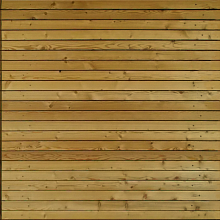 Seamless PBR Wood Planks Texture Featuring Natural Grain in 4K
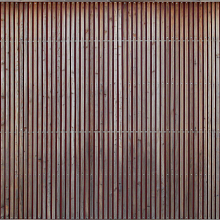 Seamless Wooden Facade PBR Texture in 4K Resolution
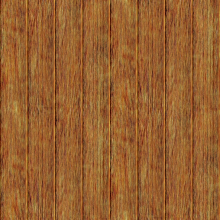 Rustic Aged Wood Planks Texture for 3D Modeling and Rendering
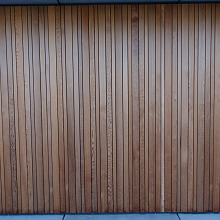 PBR Texture of Vertical Wooden Planks Wall
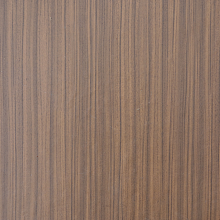 Seamless PBR Wood Texture Featuring Vertical Natural Grain Patterns
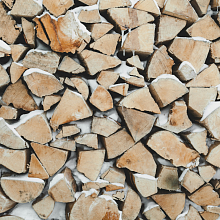 Natural Wood Logs Texture with Snow for 3D PBR