Furniture Leather PBR Textures for Photorealistic 3D Upholstery
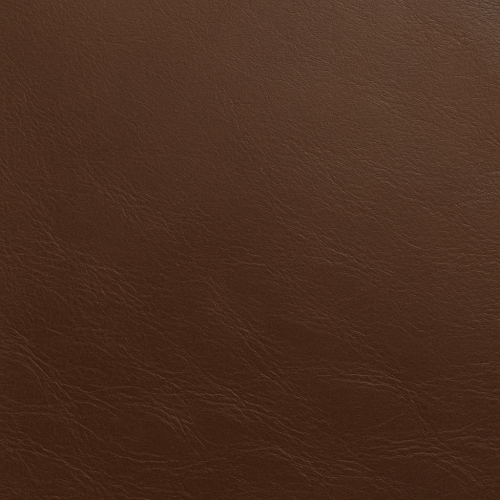
Acquiring high-quality, photorealistic PBR textures for furniture leather requires meticulous attention to detail throughout the capture and authoring process. Leather’s complex surface characteristics—ranging from fine grain patterns and micro-creases to subtle variations in gloss and color—present unique challenges that necessitate specialized workflows, particularly when using photogrammetry and scanning techniques. These methods, when properly executed and integrated into PBR workflows, provide the nuanced data essential for realistic rendering in engines such as Unreal Engine or Blender’s Cycles.
Photogrammetry remains a prevalent approach for capturing furniture leather textures due to its relative accessibility and ability to capture large surface areas with high fidelity. However, leather’s inherent properties complicate the process. The material’s anisotropic reflectance and soft specular highlights can cause inconsistent lighting and glare in photographs, potentially obscuring fine grain and crease details. To mitigate this, controlled lighting setups employing diffuse, polarized light sources are critical. Polarization filters on both the light sources and camera lenses help suppress specular reflections, enhancing the visibility of the leather’s microstructure. Additionally, indirect or cross-polarized lighting reduces hot spots and preserves the integrity of the albedo data, which is paramount for the base color texture in PBR workflows.
The photographic capture should be conducted with a high-resolution camera equipped with a macro lens to resolve the leather’s micro-variations. Close focus distances allow for detailed capture of the grain and subtle surface imperfections, which are vital for textural realism. However, macro photography narrows the depth of field, necessitating focus stacking techniques to maintain sharpness across uneven leather surfaces. This approach ensures that both creases and fine grain remain sharply defined, providing critical input for the normal and height maps.
Capturing multiple angles around the sample surface is essential for photogrammetry software to reconstruct accurate geometry and surface normals. Overlapping images with consistent exposure and white balance settings are required to avoid color shifts and ensure seamless texture projection. Calibration targets and color checkers placed within the scene facilitate post-processing calibration, enabling correction of color accuracy and exposure consistency across the dataset. This step is crucial because inaccuracies in the albedo map can cascade, affecting the roughness and specular interpretation in the material.
Once the photographic data is collected, the photogrammetry software (e.g., RealityCapture, Agisoft Metashape) generates dense point clouds and textured meshes. A critical challenge here is balancing geometry resolution against mesh complexity. Leather surfaces exhibit intricate height variations due to creases and grain but do not require excessively high polygon counts for real-time applications. Therefore, generating a mid-poly mesh that captures the primary surface undulations while using displacement or height maps to convey micro-detail is an optimal strategy. Baking these height variations into normal and height maps preserves the tactile quality of the leather without incurring prohibitive performance costs.
For the normal map, deriving high-frequency details of the grain and creases is essential. When baking, care must be taken to use a tangent space normal map aligned consistently with the target engine’s coordinate system. This ensures accurate lighting interaction in real-time renders. The height map should capture broader surface undulations and deeper folds in the leather, providing data for parallax occlusion mapping or tessellation, which further enhances realism in engines like Unreal Engine.
Ambient occlusion (AO) maps are equally indispensable for leather texturing. AO accentuates creases and depressions where shadows naturally accumulate, adding depth and grounding the material in its environment. AO can be baked from the high-resolution mesh or approximated using curvature-based methods during authoring. The AO intensity must be balanced carefully; overly strong AO can make leather appear artificially weathered or dirty, while insufficient AO results in a flat appearance.
Roughness, a critical parameter in the PBR workflow, governs how light scatters on the surface. Leather features a highly variable roughness profile, with worn or polished areas exhibiting smoother, glossier reflections, and creased or grainy areas showing increased roughness. Capturing roughness directly through photogrammetry is challenging since it requires measuring surface reflectance properties rather than geometric detail. Instead, roughness maps are often authored by analyzing the albedo and normal maps, combined with photographic references under controlled lighting. Advanced workflows utilize multi-angle imaging or reflectance transformation imaging (RTI) to extract roughness variations. When unavailable, hand-painting roughness maps supplemented by procedural noise and curvature masks can simulate realistic roughness variation. Calibration against photographic references ensures that roughness values adhere to physically plausible ranges, crucial for accurate energy conservation in PBR shaders.
Metallic maps are generally unnecessary for furniture leather as the material is non-metallic. However, subtle metallic effects can occasionally appear in leather with metalized finishes or embedded metallic threads. In such cases, metallic values remain low and localized, with careful masking to avoid disrupting the overall dielectric behavior.
After acquiring and generating these texture maps, tiling and micro-variation introduction become paramount for practical use in large-scale furniture assets. Leather surfaces are rarely uniform; they exhibit natural imperfections, color shifts, and grain orientation changes across a hide. Creating seamless tileable textures that preserve micro-variation requires a combination of careful photo selection, texture blending, and procedural techniques. Image processing tools such as Substance Designer or Blender’s node-based compositor allow for edge correction and blending to minimize visible seams. Furthermore, incorporating noise and mask-driven variation layers breaks up repetitiveness, simulating the organic randomness of real leather.
Calibration and optimization of texture maps for target engines are the final steps before deployment. Ensuring that textures adhere to the linear workflow conventions of Unreal Engine or Blender’s rendering systems prevents gamma-related artifacts. For example, albedo maps must be stored in sRGB color space, while roughness, normal, AO, and height maps remain in linear space. Texture resolution should be balanced against performance constraints; common resolutions for furniture leather range from 2K to 4K depending on the asset’s screen presence. Mipmapping is essential for maintaining visual quality at distance while optimizing GPU memory usage.
Efficient use of texture channels can further optimize performance. For instance, packing AO, roughness, and metallic maps into different channels of a single texture reduces draw calls and memory overhead. Normal maps require separate storage due to their unique data format and compression requirements.
In rendering engines, applying these textures involves configuring physically based materials with appropriate shader parameters. Unreal Engine’s Material Editor allows for fine-tuning of roughness and normal map intensity, enabling artists to dial in the precise look of leather under various lighting conditions. Blender’s Principled BSDF shader provides similar control, with built-in support for subsurface scattering, which can be subtly employed to simulate the slight translucency found in some leather types.
In conclusion, the acquisition of furniture leather PBR textures through photogrammetry and scanning demands a highly disciplined approach to lighting, capture, and post-processing. Addressing the challenges posed by leather’s reflective properties, fine grain, and surface complexity ensures that the resulting albedo, roughness, normal, AO, and height maps convey the material’s tactile nuances. Coupled with careful tiling, calibration, and engine-specific optimizations, these workflows enable the creation of convincing, high-performance leather materials suitable for demanding real-time and offline rendering applications.
Creating high-fidelity furniture leather textures within a physically based rendering (PBR) workflow demands a nuanced approach that leverages both procedural generation and photographic editing to capture the material’s complexity, natural variation, and wear characteristics. Leather’s distinctive qualities—its organic grain, subtle surface imperfections, and evolving patina—pose challenges for seamless tiling and realistic shading, especially when textures must hold up under close inspection in real-time engines like Unreal Engine or offline renderers integrated with Blender. This section explores a hybrid authoring pipeline that synthesizes procedural methods with photographic data, aiming to produce versatile, tileable leather materials optimized for PBR workflows.
At the foundation of any leather texture is the accurate capture and representation of its albedo (or base color) and roughness maps, which govern the diffuse color response and micro-surface scattering respectively. Photographic captures of leather surfaces provide invaluable data for albedo, often revealing the subtle chromatic shifts and localized discolorations that define its character. However, raw photo captures inherently suffer from lighting inconsistencies, specular highlights, and perspective distortions. Thus, preprocessing steps involving color calibration, neutral white balancing, and highlight removal are essential. Calibrating color data against standardized color charts during capture or using color correction software ensures consistency across texture sets, a critical factor when combining multiple leather variants or patches in a scene.
The roughness channel, which controls the microsurface reflectance scatter, requires careful extraction and refinement. Photographs typically capture specular highlights influenced by directional lighting, which do not directly translate to roughness values. To isolate roughness, one effective approach is to use multiple photographic captures under controlled lighting conditions—diffuse, cross-polarized, and specular—to separate albedo from reflectance properties. These captures can be combined in an image processing pipeline (using software like Substance Designer or custom scripts) to generate roughness maps that faithfully reproduce the leather’s tactile feel, from the smoothness of worn areas to the coarser grain in less handled regions.
Normal and height maps are critical to conveying the three-dimensionality of leather grain and creases. Photogrammetry or photometric stereo can be employed to generate high-resolution normal maps from real-world leather samples. However, photographic normal maps often contain noise and directional biases that must be mitigated through procedural retouching. Procedural generation excels here by enabling the synthesis of controlled micro-variations in grain and pore structure. Using noise functions shaped by anisotropic patterns that emulate leather fibers and grain orientation, artists can overlay procedural details onto photographic normals to fill in missing microstructure or to introduce variation that breaks tile repetition. Height maps, often derived from displacement or ambient occlusion data, can be procedurally enhanced to emphasize wrinkles, creases, and scuffs, which are essential to conveying the material’s tactile wear.
The ambient occlusion (AO) channel is vital for reinforcing the perception of depth in crevices and grain indentations, particularly in low-light or indirect lighting scenarios. AO maps for leather benefit from a hybrid approach: photographic AO captures, typically derived from baked geometry or scanned data, provide a realistic base, while procedural AO layers can augment shadowing in micro-creases and pores. These layers should be calibrated to avoid overly darkening the albedo or roughness textures, preserving the subtle interplay of light that characterizes genuine leather surfaces.
Seamlessness and tileability represent a persistent challenge when authoring leather textures. Photographic leather samples rarely tile naturally due to their organic, irregular patterns. To address this, procedural techniques can be integrated into the texture pipeline to generate base grain patterns that tile perfectly. These base patterns act as a scaffold onto which photographic detail is blended using mask-driven compositing. Techniques such as gradient domain blending or seam-aware cloning help to minimize visible seams in the photographic data itself. Furthermore, offsetting and rotation of procedural noise layers at multiple scales can introduce micro-variation that disrupts obvious repetition without breaking tileability. When working in Substance Designer or Blender’s texture nodes, it is effective to implement parametric controls that adjust grain scale, contrast, and orientation, allowing rapid iteration and adaptation to different leather types—from smooth aniline to heavily pebbled top grain.
Optimization is a continuous concern, especially when deploying leather materials in real-time engines. The PBR workflow typically involves four to five texture maps per material (albedo, roughness, normal, AO, and height), which can inflate memory usage and shader complexity. To mitigate this, channel packing strategies are advisable—for example, packing roughness, metallic (if any), and AO maps into individual color channels of a single texture. Since furniture leather is non-metallic, the metallic map is often a black mask, but in some special cases (such as leather with embedded metallic threads or decorative studs), this channel can be repurposed. Additionally, normal map compression must be carefully balanced to preserve fine grain detail without introducing banding. In Unreal Engine, using BC5 (or “Normal Map”) compression format is standard, while Blender benefits from consistent normal map space conventions (tangent vs. object space) to ensure fidelity.
Calibration between PBR channels is critical to avoid visual inconsistencies. For leather, the albedo should never contain baked-in shadows or specular highlights, which can disrupt the shader’s energy-conserving model. Correspondingly, roughness maps must be free from abrupt contrast shifts unless intentionally representing wear or gloss spots, as these can cause lighting artifacts. Height maps derived from procedural sources should be subtle enough to enhance silhouette without causing severe tessellation artifacts at runtime. It is also beneficial to test the material under multiple lighting environments—including HDRI and dynamic lights—to evaluate the interaction of roughness and normal maps in varying conditions.
In practical terms, the integration of procedural and photographic methods within Blender or Unreal Engine offers distinct advantages. Blender’s node-based shader editor allows procedural noise and grunge textures to be layered and dynamically adjusted alongside image textures, enabling artists to fine-tune the balance between organic imperfection and tileability. Furthermore, Blender’s displacement modifiers can leverage height maps for micro-displacement, adding realism in close-up renders. Unreal Engine’s Material Editor supports similar blending techniques, with the added benefit of runtime parameterization that can dynamically adjust roughness or tint based on gameplay conditions or wear states. Both engines support triplanar mapping as a fallback for challenging UV layouts, helping to reduce seams on complex furniture models.
Ultimately, the fusion of procedural generation and photographic editing is not merely a convenience but a necessity for producing leather textures that stand up to the demands of modern PBR rendering. Procedural elements inject essential micro-variation, ensuring that the leather appears natural and non-repetitive across large surfaces, while photographic data grounds the material in authentic color and grain detail. By carefully calibrating and optimizing each PBR channel, and by employing advanced blending and tiling techniques, artists can create leather textures that convincingly convey the nuanced tactile qualities and aged character of real furniture leather, all while maintaining performance and flexibility across diverse rendering platforms.
The creation of physically based rendering (PBR) maps for authentic furniture leather surfaces demands a meticulous approach that balances empirical observation, technical precision, and artistic interpretation. Each map—BaseColor (albedo), Normal, Roughness, Metallic, Ambient Occlusion (AO), and Height—plays a distinct yet interrelated role in simulating the complex interplay of light and material properties intrinsic to leather. Achieving an authentic representation requires not only accurate source data acquisition and thoughtful authoring but also careful calibration and optimization tailored for real-time engines such as Unreal Engine or offline renderers like Blender’s Cycles or Eevee.
Beginning with the BaseColor map, it is critical to capture the subtleties of leather’s chromatic variations without baked lighting or shadows, as these are handled by other maps and the rendering engine’s lighting model. Leather surfaces are rarely uniform; they exhibit a range of hues influenced by tanning processes, dye saturation, and wear-induced discoloration. To generate a precise BaseColor map, high-resolution, well-lit photographs are often taken using diffuse, neutral lighting setups to avoid specular highlights and shadows. These images require careful color correction and desaturation of any incidental lighting effects, a process that can be aided by color charts or reference standards captured in the scene. Alternatively, procedural or hand-painted albedo maps can be employed but must incorporate subtle variations in hue and saturation to avoid visual flatness. In terms of tiling, leather’s natural grain and pores necessitate seamless patterns with micro-variation to prevent obvious repetition; this can be achieved by blending multiple photographic samples or layering procedural noise and detail masks.
The Normal map serves as the primary driver for simulating leather’s microstructure, including its grain, pores, creases, and wrinkles. These fine surface details are crucial for conveying the tactile and aged characteristics of furniture leather, which often features both smooth, polished areas and rougher, cracked regions. Normal maps are typically derived from high-resolution mesh scans or photogrammetry data, converted into tangent-space normal maps through baking workflows. When such data is unavailable, height maps or displacement maps can be converted into normal maps using tools like Substance Designer or xNormal. It is important to calibrate the intensity of the Normal map carefully; an excessively strong normal can exaggerate the grain and produce unnatural shading artifacts, whereas a weak normal map might fail to break up the surface sufficiently. Incorporating micro-variations within the normal detail, such as varying pore size and wrinkle depth, enhances realism. Additionally, layering secondary normal details that simulate embossed or stitched patterns common in furniture leather can provide further authenticity.
Roughness maps are pivotal for defining the specular response of leather surfaces, dictating how sharply or diffusely light reflects. Leather is characterized by a complex roughness profile that varies significantly across the surface. Polished or worn areas exhibit lower roughness values, producing glossier, more reflective highlights, while untreated or aged sections show higher roughness and thus more diffuse reflections. Accurate Roughness maps can be extracted from photographs under polarized lighting or using specialized devices such as gonioreflectometers; however, in most workflows, these maps are authoring artifacts derived from grayscale height data or painted manually based on reference imagery. Micro-variation and noise should be introduced to mimic the heterogeneity of the leather finish, preventing the surface from appearing unnaturally smooth or plasticky. In real-time engines like Unreal Engine, roughness maps often require gamma correction and channel packing optimization to ensure linear interpretation by the shader, where roughness is generally stored in the G or B channel of packed textures. Calibration against physical reference materials is recommended to match the perceived glossiness and reflectivity under standard lighting conditions.
The Metallic map is generally minimal or absent for leather, as it is an organic, non-metallic material. In PBR workflows, leather’s metallic value remains at zero to ensure the physically correct diffuse and specular behavior. However, in certain specialized cases—such as leather surfaces with embedded metallic threads or hardware integrated into upholstery—selective use of the Metallic map may be warranted. In these situations, careful masking must be employed to isolate metallic features without contaminating the broader leather surface, which would otherwise disrupt the material’s characteristic diffuse response.
Ambient Occlusion maps contribute by simulating the self-shadowing of the leather’s micro-geometry, enhancing depth perception and emphasizing crevices, seams, and pores. AO maps are typically baked from high-poly models or generated from curvature maps and height data, creating grayscale masks that darken occluded areas. In leather textures, AO is subtle but vital for grounding small wrinkles and folds within the surface, preventing them from appearing unnaturally flat under ambient lighting. When authoring AO maps, it is important to avoid excessive darkening, which can lead to a muddy or overly contrasted appearance. Instead, a balanced AO map that can be blended multiplicatively with the BaseColor or applied as a separate mask in the shader ensures nuanced shading. Furthermore, AO maps can be combined with height or curvature maps to enhance wear patterns, such as darker occlusion near creased or compressed zones where dirt accumulation or aging occurs.
Height maps, closely related to displacement or parallax maps, provide geometric depth information that can modulate surface relief beyond what normal maps achieve. For furniture leather, height maps capture major surface undulations like deep creases, stitching, or embossed logos, as well as subtle grain elevation changes. These maps are often grayscale images where white represents raised areas and black indicates recessed zones. Height maps can be derived from photogrammetry scans or created procedurally using fractal noise and curvature data. When utilized in engines like Unreal or Blender, height maps enable effects such as parallax occlusion mapping or tessellation displacement, which enhance realism by physically altering the rendered silhouette and light interaction. However, height map resolution and intensity must be carefully managed to avoid artifacts such as excessive polygon displacement or silhouette distortion. Optimizing height maps involves balancing detail fidelity with performance constraints, often by focusing displacement on large-scale features while relying on normal maps for micro-detail.
Throughout the authoring process, tiling and micro-variation are fundamental considerations. Leather surfaces rarely exhibit perfectly uniform patterns; subtle shifts in grain orientation, pore size, and color variation break up repetition and prevent the uncanny “texture tiling” effect. Techniques such as blending multiple texture samples, applying procedural noise overlays, or using randomized masks can introduce this variation. Additionally, edge blending or gradient masks can be implemented to simulate natural wear and fading at seams or high-contact areas, enhancing authenticity.
Calibration is essential to ensure that the final PBR maps interact correctly with the lighting model of the target engine. This involves verifying the linearity of textures, correctly interpreting color space (sRGB for BaseColor, linear for others), and adjusting the intensity of normal and roughness maps to match real-world reflectance values. Using standardized reference materials and test scenes within Unreal Engine or Blender allows artists to iteratively refine their textures, checking for consistency across different lighting environments. Shader parameters and texture channel packing strategies should be optimized to maximize performance without compromising visual fidelity, especially for real-time applications.
In conclusion, the generation of PBR maps for furniture leather surfaces is a nuanced process that demands a comprehensive understanding of leather’s physical and optical properties. Each texture map contributes uniquely to the material’s realism—from the subtle chromatic shifts in BaseColor to the tactile micro-geometry encoded in Normal and Height maps, the nuanced reflectance controlled by Roughness, and the depth-enhancing effects of Ambient Occlusion. Mastery of acquisition techniques, authoring workflows, calibration, and engine-specific optimization enables the creation of leather materials that convincingly convey the warmth, wear, and texture essential to authentic furniture rendering.
FAQ
What is covered in this guide?
This guide explains Furniture Leather PBR Textures for Photorealistic 3D Upholstery with practical notes for seamless PBR materials, texture setup, and production use.
Can I use these texture techniques in Blender, Unreal Engine, and Unity?
Yes. The workflow focuses on standard PBR maps and tileable materials that can be used in Blender, Unreal Engine, Unity, archviz, games, and VFX pipelines.
Where can I find textures for this workflow?
Use the AITextured texture library and the related texture links on this page to find seamless PBR materials and preview them before download.
Related Textures
 Procedural Stamped Sidewalk Concrete PBR Texture
 Procedural Fine Asphalt Road PBR Texture
 Procedural Pitted Concrete PBR Texture
 Seamless Concrete Pebble PBR Texture in 4K Resolution
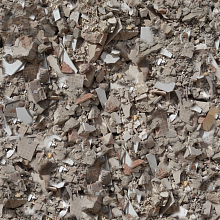 Seamless PBR Concrete Rubble Texture with Debris and Fragments
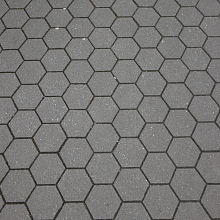 Seamless Hexagonal Concrete Tile PBR Texture 4K
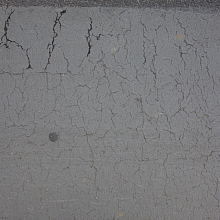 Cracked Asphalt Texture with Weathering