Creating Ultra-Realistic PBR Textures for Transparent and Translucent Materials in 3D Pipelines
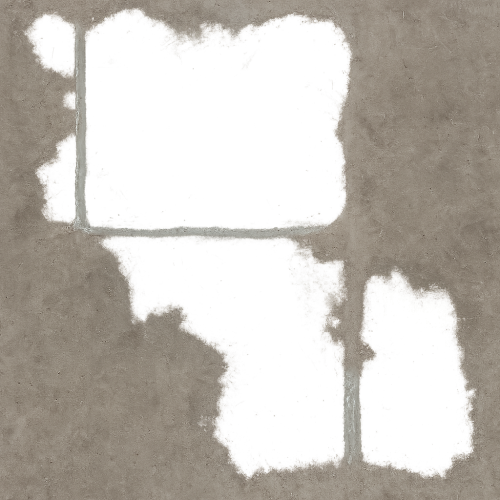
In physically based rendering (PBR), the pursuit of ultra-realistic textures hinges on a rigorous understanding of how materials interact with light at a fundamental level. Transparent and translucent materials, by their very nature, diverge significantly from opaque surfaces in their optical behavior, demanding specialized attention when authoring textures and configuring shaders within modern 3D pipelines. Unlike opaque materials, which primarily reflect and absorb light at their surfaces, transparent and translucent materials permit light to transmit through their volumes, experiencing refraction, absorption, and scattering in complex, wavelength-dependent ways. Mastery of these phenomena is essential for generating PBR textures that convincingly emulate materials such as glass, plastics, liquids, ice, skin, and other semi-transparent substances.
At its core, the distinction between transparent and translucent materials in PBR revolves around how they handle light transmission and scattering. Transparent materials allow light to pass through with minimal scattering, maintaining clarity and sharpness of images seen through them. Translucent materials, however, scatter light internally, diffusing transmitted light so that objects behind them appear blurred or obscured. This scattering arises predominantly from the material’s microstructure and internal heterogeneities, which govern subsurface light transport. In the context of PBR, these behaviors necessitate integrating multiple texture maps and shader parameters that extend beyond the conventional albedo, roughness, and metallic channels typically employed for opaque surfaces.
Light interaction with transparent and translucent materials involves several intertwined physical processes: transmission, refraction, absorption, and subsurface scattering (SSS). Transmission quantifies the fraction of incident light that passes through the material, requiring precise characterization in the material’s opacity or transmission maps. Refraction, governed by Snell’s Law, describes the bending of light rays as they traverse interfaces between media of differing refractive indices (IOR). Accurately modeling refraction demands knowledge of the material’s IOR, which varies with wavelength and temperature; this parameter is often encoded in shader settings rather than texture maps but must be calibrated to align with the physical material’s optical properties. Absorption attenuates transmitted light exponentially with depth, modulated by the material’s absorption coefficient, which can be approximated through careful albedo and subsurface color map authoring. Subsurface scattering further complicates light transport by diffusing light beneath the surface before it exits, creating soft, volumetric glow and color bleeding effects characteristic of skin, wax, or frosted glass.
In practical PBR workflows, acquiring and authoring texture maps for transparent and translucent materials requires a nuanced approach that captures these optical complexities. The base albedo map, traditionally representing diffuse reflectance, must be adapted to include transmission color and absorption characteristics. For instance, materials like stained glass or colored plastics necessitate albedo maps that encode the tinting of transmitted light, which impacts both the direct color seen through the material and the subsurface scattering coloration. Unlike opaque materials where the albedo is often a straightforward diffuse reflectance map, here it must be carefully calibrated against physical measurements or reference captures to ensure that transmitted and scattered light is represented correctly.
Roughness maps remain critical in defining the microfacet distribution of surface normals, influencing both specular reflection and the clarity of transmitted light. In transparent materials, higher roughness values simulate frosted or etched surfaces, diffusing reflections and refractions, while low roughness values produce clear, mirror-like transmission. Normal maps complement roughness by introducing micro-variations in surface geometry, which further modulate light scattering and refraction directionality. When authoring normal maps for transparent/translucent materials, it is crucial to consider how these microstructural perturbations affect light paths, as even subtle deviations can dramatically alter visual outcomes, especially under environment lighting.
Ambient occlusion (AO), while predominantly used for opaque surfaces to enhance perceived depth and contact shadows, can have a more nuanced role in translucent materials. In some workflows, AO maps are repurposed to modulate subsurface scattering intensity or transmission opacity, essentially defining regions where light penetration is reduced due to occlusion by internal structures. However, this application demands careful calibration to avoid unrealistic darkening in transmitted light regions. Height or displacement maps further contribute by introducing macroscopic surface variations that influence light refraction angles and scattering volumes. In systems like Unreal Engine or Blender’s Principled BSDF, height maps can be leveraged alongside parallax occlusion mapping or tessellation to simulate volumetric depth, enhancing the sense of material thickness and internal complexity.
One of the critical challenges in authoring PBR textures for transparent and translucent materials lies in calibrating these maps to physical units and ensuring consistency across channels. Unlike purely opaque materials, where relative values suffice, transparent/translucent materials benefit from quantitative calibration against real-world optical measurements. For example, transmission maps should ideally be linearized and calibrated to represent actual transmittance percentages, while roughness and normal maps must be consistent with the expected microfacet distribution and surface microgeometry of the physical material. This calibration is essential when targeting advanced rendering engines such as Unreal Engine 5 or Blender’s Cycles and Eevee, which support complex subsurface scattering models and volumetric transmission shaders. Properly calibrated textures ensure that engine-specific shader parameters—such as IOR, absorption coefficients, scattering distance, and anisotropy—can be tuned effectively to reproduce realistic light transport.
Optimization is another vital consideration in the texturing pipeline for transparent and translucent materials. These materials inherently demand higher computational costs due to complex light interactions and volumetric calculations. Therefore, authors must strike a balance between texture resolution, channel packing, and map complexity. For instance, combining transmission and opacity information into a single texture channel can reduce memory usage without sacrificing fidelity. Leveraging mipmapping strategies that preserve high-frequency details in normal and roughness maps while allowing lower resolution for transmission maps can optimize rendering performance, particularly in real-time engines. Additionally, procedural noise or micro-variation textures can be layered with hand-painted maps to introduce subtle irregularities in transmission and scattering, breaking uniformity and enhancing realism without excessive texture size.
In terms of pipeline integration, the choice of shader models and engine-specific features profoundly influences the ultimate realism achievable with these textures. Unreal Engine’s Subsurface Profile system, for example, allows artists to define scattering properties per material, interacting with meticulously authored maps to simulate volumetric translucency and color bleed. Blender’s Principled BSDF shader consolidates multiple complex parameters into a physically plausible model, accepting albedo, roughness, normal, transmission, and subsurface maps to deliver high-fidelity results. Understanding how these engines interpret texture data and how shader parameters interact with authored maps empowers artists and technical directors to fine-tune materials iteratively. Practical tips include using engine viewport previews with calibrated HDRI lighting setups to evaluate transmission color fidelity and scattering effects under diverse illumination conditions, ensuring textures behave predictably in situ.
Ultimately, the foundation for creating ultra-realistic transparent and translucent PBR textures rests on a deep comprehension of light-material interaction principles and the deliberate, calibrated authoring of diverse texture maps that encode surface and volumetric optical properties. By transcending the simplistic paradigms of opaque texturing and embracing the complexities of transmission, refraction, absorption, and subsurface scattering, artists can harness the full potential of modern PBR pipelines. This foundational knowledge facilitates the generation of textures that not only look plausible but respond dynamically to lighting environments, delivering compelling realism across interactive and offline rendering contexts.
Capturing and generating source data for physically based rendering (PBR) textures of transparent and translucent materials presents unique challenges that demand a nuanced approach blending empirical acquisition with procedural refinement. Unlike opaque surfaces, transparent and translucent substances—such as glass, ice, and resin—interact with light through complex refraction, subsurface scattering, and varying degrees of translucency. This intrinsic complexity necessitates careful consideration during both the capture and authoring phases to achieve ultra-realistic results within modern 3D pipelines.
Photogrammetry, long a staple for high-fidelity texture acquisition, requires significant adaptation when applied to transparent and translucent materials. Traditional photogrammetric workflows rely on distinct surface features and diffuse reflectance, but transparent surfaces often lack sufficient surface detail and absorb or refract light unpredictably, confounding standard reconstruction algorithms. To circumvent these issues, practitioners commonly employ techniques that alter the optical properties temporarily to enhance feature detection. One effective method involves coating the surface with a removable matte spray or powder that diffuses light, creating a pseudo-opaque layer without permanently altering the substrate. This allows photogrammetry software to capture accurate geometry and texture data, which can be later refined by removing or adjusting the overlaid effect during post-processing.
For ice and resin, where internal translucency and inclusion heterogeneity are critical, multi-spectral and multi-angle imaging can help capture subtle variations in subsurface scattering and volumetric features. Leveraging polarized light photography further aids in separating specular reflections from transmitted light, enhancing the clarity and accuracy of albedo and roughness map extraction. Calibrating the acquisition setup with reference materials of known refractive indices and scattering properties ensures consistent color fidelity and reflectance accuracy across captures. Incorporating calibrated color charts and reference spheres in the capture environment allows for the normalization of lighting conditions and the extraction of physically meaningful PBR parameters.
Generating normal and height maps from photogrammetry of transparent surfaces often demands supplementary workflows. Due to the lack of surface asperities in smooth glass or polished resin, high-frequency detail must be supplemented procedurally or through micro-variation textures. Scanning micro-surface features such as scratches, fingerprints, or dust can be achieved by macro photography under raking light conditions, producing displacement or bump maps that imbue the otherwise smooth surface with realistic imperfections. These maps are crucial for breaking up specular highlights and enhancing the tactile realism of the material once rendered.
Ambient occlusion (AO) maps, typically used to simulate self-shadowing and enhance depth perception, require careful interpretation in translucent materials. Since subsurface scattering diffuses shadows internally, traditional AO baked from surface geometry often overstates occlusion effects. Instead, AO maps should be generated with translucency-aware algorithms or approximated via volumetric ambient occlusion in engine-specific shaders. For example, Unreal Engine’s subsurface profile system can blend AO with subsurface scattering parameters to achieve convincing soft shadows within the volume. When authoring AO maps externally, it is advisable to tone down occlusion intensity to avoid unnatural darkening that breaks physical plausibility.
Metallic maps in transparent and translucent materials are typically minimal or null since these materials rarely exhibit metallic conduction. However, thin coatings or embedded metallic flakes in resin or ice can introduce subtle variations. Capturing these effects requires close-up imaging under controlled lighting to isolate metallic glints and reflections, which can then be encoded sparsely in the metallic channel. Procedurally generated noise with anisotropic distribution can be layered to simulate fine metallic inclusions, maintaining PBR consistency.
Procedural workflows play an indispensable role in complementing empirical data acquisition, especially for tiling and micro-variation. Seamless texture generation through tools like Substance Designer or Blender’s procedural nodes enables the creation of repeatable detail that avoids obvious tiling artifacts when applied over large surfaces. Micro-variation is essential in translucent materials to mimic the natural heterogeneity of internal scattering and surface wear. For instance, subtle variations in roughness and translucency maps introduce a perceptible depth and complexity that static textures lack. By utilizing noise functions modulated by masks derived from captured data, artists can simulate effects such as frost patterns on ice or fine resin inclusions, enriching the material’s visual complexity.
Calibration between capture devices, authoring software, and rendering engines is critical. Ensuring that albedo textures are linearized correctly and that roughness values correspond to physically accurate microfacet distributions avoids discrepancies in the final render. When exporting to engines like Unreal or Blender’s Cycles/Eevee, maintaining consistent gamma spaces and channel packing conventions preserves the integrity of the PBR workflow. For example, roughness maps should be stored linearly, while albedo maps require sRGB encoding. In Unreal Engine, the subsurface scattering profile must be tuned to match the translucency data embedded in the textures, often necessitating iterative testing with engine lighting setups to fine-tune parameters such as subsurface color, scattering radius, and translucency intensity.
Optimization is another critical consideration. High-resolution captures of transparent materials can result in large texture sets that strain memory budgets. Employing mipmapping with anisotropic filtering helps maintain detail fidelity at varying distances, while channel packing techniques can reduce texture count—for example, combining roughness, metallic, and ambient occlusion into a single map’s RGB channels. Additionally, generating lower-frequency detail maps for distant LODs ensures performance without sacrificing perceptual quality. Procedural detail layers can be selectively blended in engine shaders to regenerate micro-variation dynamically, reducing the need for ultra-high-resolution source textures.
In preparing data for seamless texturing, edge stitching and texture border alignment require particular attention. Transparency artifacts often manifest at texture seams, especially when normal or height maps are involved. Employing edge padding and carefully blending procedural noise across tile boundaries mitigates these issues. Furthermore, baking curvature or cavity maps from geometry can assist in driving localized variations in roughness or translucency, enhancing continuity across seams in tiled materials.
In summary, acquiring and generating source data for transparent and translucent materials in PBR workflows demands a hybrid approach. Photogrammetry must be adapted with optical aids and multi-angle techniques to capture geometry and surface detail accurately, while procedural generation fills in micro-variation and internal complexity. Calibration and optimization processes ensure physical accuracy and engine compatibility, and meticulous preparation of texture tiles preserves seamlessness and detail across varied applications. Mastery of these techniques empowers artists and technical directors to push beyond conventional limitations, creating ultra-realistic materials that faithfully replicate the nuanced interplay of light within transparent and translucent substances.
Creating and calibrating essential PBR maps for transparency workflows requires a rigorous approach that balances physical accuracy with artistic control, enabling light to interact with transparent and translucent materials in a convincingly realistic manner. Unlike opaque materials, where direct surface reflection and diffuse light dominate, transparent surfaces necessitate careful consideration of light transmission, refraction, internal scattering, and subtle micro-variations that influence visual complexity. The core PBR maps—albedo, opacity, roughness, normal, height, metallic—must be crafted and integrated alongside specialized transmission or subsurface maps, each calibrated precisely to maintain the physical plausibility of light behavior within game engines like Unreal Engine or renderers such as Blender’s Cycles and Eevee.
Starting with the albedo map, for transparent or translucent materials, the conventional diffuse color approach must be adapted to accommodate light passing through the surface. Traditional albedo maps encode surface reflectance without shadowing or lighting, but with transparency, the albedo color essentially represents the tint or coloration of both the front surface and the light filtered through the material volume. This requires authoring the albedo texture to exclude any baked-in shadows or ambient occlusion, as these will interfere with the engine’s real-time light transport calculations and cause double-darkening artifacts. When capturing or painting albedo maps, it is crucial to use high dynamic range references or calibrated photographic captures under neutral, diffuse lighting conditions to isolate true base color values. For materials that are not purely colorless glass but contain subtle coloration—such as stained glass, gemstones, or biological tissues—the albedo map must encode the volumetric color absorption rather than surface paint, which often involves subtle gradations and translucency gradients rather than uniform saturation.
Opacity maps, sometimes referred to as alpha or transparency maps, are indispensable in defining the spatial variation of transparency across a surface, especially for materials exhibiting partial transparency or complex cutouts such as frosted glass, cracked ice, or veined leaves. When authoring opacity maps, grayscale values must be calibrated carefully, as they directly influence the alpha channel used by the rendering engine to blend between fully transparent and fully opaque states. It is essential to ensure that opacity values correspond physically to the expected light attenuation: mid-gray values should produce semi-transparency that matches measured transmittance rather than arbitrary alpha blends. This often involves converting measured transmission spectra or photometric data into linear opacity values and verifying them in the engine viewport under controlled lighting. For micro-variation, layering procedural noise or subtle variation into the opacity map can simulate imperfections like micro-scratches, dust, or internal haze, which break uniform transparency and enhance realism.
Roughness maps play a pivotal role in controlling how light reflects on the surface microfacets, thereby governing the sharpness and intensity of specular highlights. For transparent materials, roughness also affects the quality of transmitted light refraction and diffusion. For example, a perfectly smooth glass surface has near-zero roughness, producing crisp reflections and sharp refractions, whereas frosted or etched glass exhibits elevated roughness values that scatter light and soften reflections. When authoring roughness maps, it is critical to avoid conflating roughness with opacity or albedo details; roughness should exclusively represent microfacet distribution and surface finish. Calibrating roughness maps often involves iterative testing under environment maps or HDR lighting to ensure the highlight falloff and reflection blur correspond to physically measured BRDF data. In workflow terms, roughness maps are often derived from high-resolution scans or captured using gonioreflectometers, then refined artistically to include micro-variation layers such as fingerprint oils, dirt accumulation, or surface weathering. These variations can be generated procedurally or painted manually and layered atop the base roughness to break uniformity and add tactile complexity.
Normal maps are essential for encoding sub-pixel surface detail that influences light interaction without increasing mesh complexity. In transparency workflows, normal maps do more than add bump detail; they modulate both reflected and refracted light directions, subtly affecting caustics, highlights, and internal scattering cues. Careful attention must be given to ensure normal maps are tangent-space encoded with correct orientation and calibrated intensity values to prevent exaggerated or flattened relief. For translucent materials, normal maps might incorporate fine surface imperfections like micro-frosting or subtle embossing, which scatter light differently depending on viewing angle and illumination. Techniques to generate normal maps include high-poly sculpting converted via baking workflows, photogrammetry-derived displacement converted to normals, or procedural noise layers crafted in software like Substance Painter or Quixel Mixer. Calibration of normal maps involves previewing under directional lighting and adjusting strength to balance realism and performance, as overly strong normals can produce unrealistic shading artifacts, while too subtle details may fail to convey surface complexity essential to believable transparency.
Height maps, encoding geometric displacement or parallax information, complement normal maps by providing additional depth cues that influence shadowing and light refraction at the micro-level. For transparent materials, height maps can be used to simulate surface scratches, etchings, or embossed patterns that modulate light transmission paths, creating intricate caustic effects or subtle internal shadows. Height maps can be sourced from photogrammetry scans or hand-painted grayscale textures representing depth variations. When integrating height maps into PBR workflows, it is crucial to calibrate their scale relative to mesh units and shader parameters to avoid exaggerated or negligible displacement, as these can break immersion or cause rendering glitches. Engines like Unreal Engine support height-based parallax occlusion mapping, which leverages height maps to simulate real geometric depth without additional geometry cost, making calibration a key step to ensure seamless tiling and correct interaction with transparency shaders.
Metallic maps are often less prominent in transparent material workflows, as metals typically do not transmit light. However, for materials such as coated glass, metallic foils, or thin metallic films embedded within transparent layers, metallic maps become essential to define spatially varying conductive reflectance. When authoring metallic maps, it is critical to maintain a binary or near-binary encoding—values close to zero for dielectrics and values near one for metals—since intermediate values can cause ambiguous results in most PBR engines. In transparency workflows, metallic maps must be coordinated with opacity and roughness to avoid conflicting reflections or transmission behavior. For example, a metallic foil embedded in translucent plastic might have a metallic map localized to foil regions and a roughness map adjusted to simulate surface finish, while the surrounding transparent plastic remains dielectric and smooth.
Specialized transmission or subsurface transmission maps extend the PBR palette to capture volumetric light behavior inside transparent or translucent materials. These maps encode how light propagates, scatters, and absorbs within a volume, enabling effects like subsurface scattering (SSS), volumetric absorption, and anisotropic transmission. Transmission maps often encode parameters like index of refraction variation, absorption coefficients, or scattering densities, which can be derived from spectral measurements or physically based models such as the dipole approximation for SSS. Authoring these maps requires access to specialized tools or plugins—for example, the subsurface scattering maps in Blender’s Principled BSDF shader or transmission weight maps in Unreal’s translucency materials. Calibration demands iterative rendering tests with controlled lighting setups and spectrally accurate illumination to verify that light passes through the material with correct color shifts and falloff distances. For instance, a stained glass transmission map should produce colored caustics consistent with measured light attenuation curves, while a frosted glass transmission map should scatter light diffusely without color tinting.
A critical aspect of transparency workflows is the interplay between these maps to maintain physical accuracy. The albedo, opacity, transmission, and roughness maps must be balanced so that the combined effect respects energy conservation and realistic Fresnel behaviors. For instance, excessive roughness combined with high opacity can produce overly dark or milky results, while an uncalibrated transmission map with incorrect absorption coefficients can cause unnatural color bleeding or light leaks. To achieve this balance, artists often employ layered workflows in software like Substance Designer, where procedural graph-based generation enables dynamic control over map interactions and seamless integration of micro-variation layers. Micro-variation—small-scale spatial noise in roughness, opacity, or transmission—is crucial to break uniformity and simulate natural imperfections such as dust, fingerprints, or surface wear that influence light scattering and reflection subtleties. Generating these micro-variations procedurally ensures seamless tiling, avoids obvious repetition, and enriches material complexity without heavy texture memory costs.
Seamless tiling is especially important in large-scale transparent surfaces where visible repetition can break immersion. Techniques for generating seamless PBR maps include offset-based cloning in image editors, procedural noise blending, and fractal noise layering. Substance tools and custom shaders can combine noise patterns with base textures, adjusting parameters such as frequency, amplitude, and contrast to produce natural-looking micro-variation. Height and normal maps benefit from procedural detail layering, like cellular noise or anisotropic patterns, that simulate micro-scratches or etchings, enhancing perceived surface depth. During calibration, it is essential to preview these maps in the target engine under realistic environment lighting and viewing angles to verify that the micro-variations contribute appropriately to specular variance and light diffusion without introducing visual noise or aliasing artifacts.
Optimization is a final but vital consideration. Since transparent materials often require additional shader passes or complex blending modes, map resolution and compression must be balanced against performance budgets. Using channel packing techniques—combining roughness, metallic, and opacity into single texture channels—can reduce memory footprint, but requires precise map calibration to avoid color channel interference. Additionally, mipmapping strategies for opacity and transmission maps must preserve edge fidelity to avoid haloing or unnatural fade-outs at distance. Both Unreal Engine and Blender provide real-time shader preview and debug tools to analyze how maps interact and affect light transmission, reflection, and scattering. Artists should leverage these feedback loops to iteratively refine map parameters, ensuring that the final transparent or translucent material behaves consistently across different lighting environments and viewing conditions.
In summary, creating and calibrating essential PBR maps for transparency workflows demands a comprehensive understanding of how each map influences light interaction, combined with meticulous authoring and calibration guided by physical principles. By integrating high-fidelity albedo, opacity, roughness, normal, height, metallic, and specialized transmission maps—each carefully generated, layered with micro-variation, and optimized for seamless tiling—3D artists can achieve ultra-realistic transparent materials that respond authentically to complex lighting scenarios within modern 3D pipelines. This synergy between precise map creation, physically grounded calibration, and iterative engine testing empowers the faithful reproduction of nuanced transparency and translucency effects crucial for next-generation visual storytelling.
FAQ
What is covered in this guide?
This guide explains Creating Ultra-Realistic PBR Textures for Transparent and Translucent Materials in 3D Pipelines with practical notes for seamless PBR materials, texture setup, and production use.
Can I use these texture techniques in Blender, Unreal Engine, and Unity?
Yes. The workflow focuses on standard PBR maps and tileable materials that can be used in Blender, Unreal Engine, Unity, archviz, games, and VFX pipelines.
Where can I find textures for this workflow?
Use the AITextured texture library and the related texture links on this page to find seamless PBR materials and preview them before download.
Related Textures
 Procedural Lime Plaster Wall PBR Texture
 Procedural Stamped Sidewalk Concrete PBR Texture
 Procedural Fine Asphalt Road PBR Texture
 Procedural Pitted Concrete PBR Texture
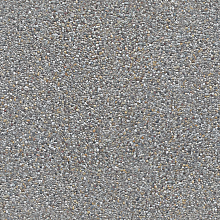 Seamless Concrete Pebble PBR Texture in 4K Resolution
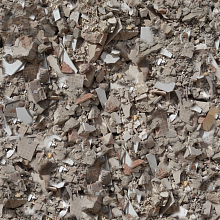 Seamless PBR Concrete Rubble Texture with Debris and Fragments
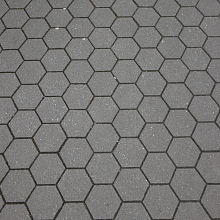 Seamless Hexagonal Concrete Tile PBR Texture 4K
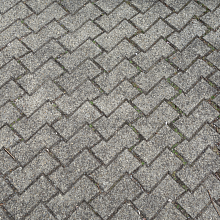 Realistic Concrete Paving Brick Pattern Texture