Advanced Techniques for Creating Realistic PBR Textures of Weathered Leather Surfaces
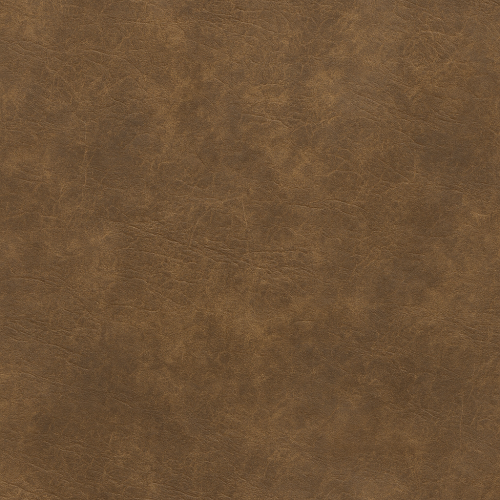
Weathered leather presents a uniquely demanding subject within physically based rendering (PBR) workflows, owing to its complex interplay of material properties, aging phenomena, and environmental interactions. Unlike homogenous or synthetic surfaces, leather evolves over time through a rich palette of wear patterns and microstructural transformations, necessitating a nuanced approach to texture creation that balances scientific accuracy with artistic interpretation. For the 3D artist or technical director aiming to achieve convincing weathered leather materials in games, architectural visualization, or visual effects, an intimate understanding of these subtleties is essential to harness the full potential of PBR pipelines.
Fundamentally, leather is an anisotropic, fibrous organic material whose optical and tactile characteristics shift significantly as it weathers. The aging process alters its surface topology and reflectance behavior in ways that standard PBR parameterizations must carefully capture. Weathering manifests through various phenomena including surface abrasion, micro-cracking, color fading, and localized accumulation of dirt or oils. These changes impact the albedo, roughness, normal, ambient occlusion, and height maps in distinct yet interconnected ways, requiring a layered authoring strategy that respects the underlying physics of light-material interaction.
When considering albedo, weathered leather often exhibits desaturated, uneven pigmentation resulting from ultraviolet exposure and chemical breakdown of natural dyes. This chromatic variation cannot be simply painted as flat color but must integrate subtle gradations and speckled patterns that mimic the heterogeneous fading and staining processes. Employing high-resolution, calibrated photographic references or photogrammetry scans is invaluable for capturing these nuances. Where direct capture is infeasible, procedural noise combined with hand-tuned color variation can simulate the organic randomness inherent in aged hides. In either case, the albedo texture must be linearized and gamma-corrected in accordance with the target engine’s workflow—whether Unreal Engine’s sRGB standard or Blender’s color management settings—to ensure fidelity in the final render.
Roughness, arguably the most critical driver of perceived material condition, demands particular attention. Weathered leather surfaces exhibit a complex roughness distribution: worn areas may become smoother due to repeated polishing and flexing, while cracks, scratches, and grain disruptions introduce localized increases in microfacet roughness. The roughness map should therefore encode spatially varying values that correlate with these physical features. Layering procedural masks generated from curvature or ambient occlusion data can help isolate these regions, allowing for a believable interplay of matte and semi-glossy patches. Calibration against real-world samples using tools like gloss meters or gonioreflectometers can guide the numerical roughness range, ensuring that the roughness values conform to physically plausible reflectance behavior.
Normal and height maps are indispensable for conveying the tactile detail of weathered leather. The fibrous grain structure, wrinkles formed by repeated bending, and micro-cracks all contribute to the surface’s three-dimensional complexity. High-precision normal maps derived from photogrammetry or normal map baking from high-poly sculpts can capture these intricacies. Height maps, although often optional, provide additional depth cues for parallax occlusion or displacement mapping, enhancing realism especially in close-up shots. It is crucial to calibrate the amplitude of height data to avoid exaggerated deformations that disrupt silhouette integrity or cause shading artifacts in real-time engines. In Unreal Engine, for instance, height maps are typically used in combination with tessellation or parallax occlusion shaders, requiring meticulous balancing to optimize performance without sacrificing detail.
Ambient occlusion (AO) maps further enrich the perception of depth by simulating self-shadowing in crevices and folds. For weathered leather, AO must capture subtle shadowing within grain patterns, stitch indentations, and surface depressions caused by wear. Baking AO from high-resolution geometry or generating it through curvature analysis can yield convincing results, but it is important to remember that AO in PBR workflows should never be conflated with global illumination. Instead, its contribution is additive and should be calibrated to avoid over-darkening, especially when the engine’s dynamic lighting system already accounts for environmental shadows.
The metallic map, often trivial or omitted for leather, remains a key consideration in PBR authoring. Leather is inherently non-metallic, but weathering can introduce localized specular anomalies, such as residual metallic fasteners or hardware embedded in the material. In these rare cases, metallic values should be strictly binary or near-zero elsewhere to maintain physical plausibility. Incorrect metallic assignments can lead to unnatural reflections and energy conservation violations, breaking immersion.
Tiling and micro-variation present another significant challenge in authoring weathered leather PBR textures. Leather hides vary widely in grain pattern, color, and wear distribution, making seamless tiling difficult without visible repetition artifacts. Employing large, high-resolution texture sets mitigates this issue but is often impractical due to memory constraints in real-time applications. Instead, techniques such as detail texturing, stochastic tiling, or multi-channel blending can introduce micro-variation that breaks up uniformity. For example, layering a low-opacity noise map or overlaying procedural dirt and scratch masks can simulate subtle surface irregularities. In Blender’s shader editor or Unreal’s material graphs, these approaches can be dynamically controlled to respond to environmental parameters or wear states, enhancing realism and interactivity.
Calibration and optimization are equally critical in achieving performant, physically accurate weathered leather materials. Artists must iteratively test their textures under diverse lighting conditions and viewing angles within target engines. Unreal Engine’s physically based shading model and HDRI environments provide robust testbeds for this purpose, enabling quick validation of roughness response and subsurface scattering effects. Similarly, Blender’s Cycles and Eevee renderers offer flexible previews but require careful configuration of color management and shader nodes to replicate game engine conditions. Profiling texture sizes, shader complexity, and draw calls ensures that the final assets meet the performance budgets of their intended platforms without compromising visual fidelity.
Practical authoring tips include the use of layered masks to isolate distinct weathering effects—such as dirt accumulation in folds, abrasion on edges, and micro-cracking on flat surfaces—allowing artists to independently control the intensity and blending of each phenomenon. Maintaining physically plausible roughness and albedo values reduces the need for excessive post-processing corrections and facilitates consistent integration into diverse lighting environments. Moreover, leveraging non-destructive workflows in tools like Substance Painter or Quixel Mixer enables rapid iteration and fine-tuning based on engine feedback.
In summary, weathered leather in PBR contexts demands a holistic understanding of material science, optical physics, and digital authoring techniques. The interplay between albedo degradation, roughness heterogeneity, normal and height detail, and subtle AO shadowing must be orchestrated with precision to convincingly replicate the nuanced evolution of leather surfaces over time. Mastery of these factors, combined with rigorous calibration and optimization, empowers artists to create visually compelling, physically grounded weathered leather textures that elevate realism across games, archviz, and cinematic VFX pipelines.
Accurate acquisition of reference and source data is foundational for crafting convincing physically based rendering (PBR) textures of weathered leather surfaces. Due to the complex interplay of micro-geometry, anisotropic reflectance, and chromatic nuances inherent in aged leather, a meticulous approach to gathering high-fidelity inputs is essential. This section explores advanced methodologies for capturing the multifaceted character of weathered leather, focusing on photogrammetry workflows, structured light scanning, and the integration of procedural generation techniques to supplement and refine captured datasets. Emphasis is placed on extracting detailed albedo, roughness, normal, ambient occlusion (AO), height, and metallic maps, with attention to calibration and optimization for real-time engines such as Unreal Engine and offline platforms like Blender.
The first step in acquiring reliable source data is establishing a controlled capture environment that minimizes extraneous variables while preserving the natural appearance of leather. Lighting setups should employ diffuse, high-CRI illumination to avoid color casts and specular hotspots, which can distort albedo and roughness data. Cross-polarization filters on both the light sources and the camera lens are strongly recommended to suppress specular reflections, isolating the diffuse component critical for accurate base color extraction. This approach mitigates the common pitfall of conflating specular highlights with albedo, a frequent error that undermines texture authenticity in PBR workflows.
Photogrammetry remains a preferred method for capturing the macro and micro-surface details of weathered leather, thanks to its capacity to generate high-resolution texture maps and detailed normal or displacement data from photographic inputs. When shooting, use a high-resolution DSLR or mirrorless camera with a prime lens to maximize sharpness and minimize distortion. The focal length should be chosen carefully—typically between 50mm and 100mm—to reduce perspective distortion, which can complicate mesh reconstruction and texture projection. Maintain consistent aperture settings (e.g., f/8 to f/11) to ensure adequate depth of field, preserving sharpness across the leather's surface undulations.
To capture the subtle variations in grain, cracks, and surface wear that characterize aged leather, it is critical to acquire images from multiple angles with sufficient overlap—usually 70-80%—to enable robust feature matching during photogrammetric reconstruction. Supplementing standard photographic captures with close-up macro shots can enhance the detail in normal and height maps, although care must be taken to avoid scale inconsistencies. To address this, integrating scale bars or fiducial markers within the capture setup allows for accurate dimensional calibration during processing.
Post-capture, photogrammetry software such as RealityCapture, Agisoft Metashape, or Meshroom can generate dense point clouds and textured meshes. However, raw outputs often require refinement, particularly to isolate texture channels. For albedo extraction, it is advisable to bake textures from mesh models under neutral lighting conditions to remove baked-in shadows and AO, which should be generated separately. This separation is crucial because AO maps influence perceived depth and contact shadows in real-time rendering but should not tint the base color.
Normal maps derived from photogrammetry typically capture macro surface features effectively but often lack the micro-detail essential for realistic leather rendering. To compensate, it is beneficial to augment these maps with high-frequency detail obtained through additional scanning or procedural texturing. Structured light or laser scanning can supplement photogrammetry by delivering precise surface height data, enhancing the fidelity of displacement and normal maps. However, these methods require more specialized hardware and calibration but can resolve fine-scale grain and subtle wrinkles that photogrammetry might blur.
Ambient occlusion maps for leather are best generated from the high-resolution mesh using ray-traced baking techniques within 3D software like Blender or Marmoset Toolbag. It is important to set appropriate ray distances to capture the self-shadowing of fine crevices without producing overly dark or muddy shading, which can detract from realism. Calibration against physical samples or calibrated scans ensures that AO intensity matches real-world shadowing behavior.
Roughness maps are arguably the most challenging aspect of weathered leather texturing. Leather exhibits a complex roughness profile with areas of varied polish, scuffing, and oil saturation. Capturing this variation requires either multispectral imaging setups or visual referencing combined with manual refinement. Multispectral or multisource reflectance capture systems can isolate surface scattering properties, facilitating the creation of physically accurate roughness maps. Alternatively, directional lighting combined with cross-polarization can yield images from which roughness variations can be inferred through intensity analysis. In practice, many artists use a hybrid approach: they extract a base roughness map from photographic data and enhance or sculpt it in software like Substance Painter or Designer to emphasize micro-variations.
Height maps, derived from displacement data, are critical for simulating the relief of cracks, pores, and stitched seams in weathered leather. While photogrammetry and structured light scans provide a solid baseline, procedural generation techniques offer a powerful complement to fill in or extend detail beyond captured regions. Procedural noise functions, such as Perlin or Worley noise, combined with curvature-based masks, can simulate the granular and fibrous texture of leather grain. When layered with actual scan data, these procedural maps introduce micro-variation and avoid perceptible tiling artifacts common in large material surfaces.
Metallic maps in leather texturing are typically uniform black (zero metallic) since leather is a dielectric material. However, in certain cases—such as leather with embedded metal studs, hardware, or highly polished finishes—localized metallic values must be incorporated. This requires careful masking and sometimes additional photogrammetric or photometric data to isolate these regions accurately.
Tiling is a critical consideration when working with PBR leather textures, especially in game engines like Unreal Engine or rendering software such as Blender’s Cycles or Eevee. Weathered leather rarely exhibits perfectly uniform patterns; therefore, introducing micro-variation through detail textures, curvature-aware blending, or decal layering is essential to avoid repetition and enhance realism. Captured textures should be processed to be tileable where necessary, but this often involves advanced blending techniques such as edge padding, seam removal, and normal map stitching to prevent visible seams under dynamic lighting. Tools like Substance Designer excel at combining scanned data with procedural noise to generate seamless and variation-rich texture sets.
Calibration and optimization are pivotal to ensure that acquired data translates faithfully into real-time applications. Calibrating camera color profiles with standardized color charts during capture guarantees consistent albedo reproduction, which is vital for PBR workflows that rely on energy-conserving lighting models. Similarly, normal map encoding should be verified for correct handedness and tangent space orientation to prevent shading anomalies in engines. When importing into Unreal Engine, leveraging the engine’s physically based shading model requires that roughness and metallic maps adhere to expected value ranges and gamma spaces—roughness maps should be linear and clamped between 0 and 1, with no hue shifts.
Optimization often requires balancing resolution and performance. High-resolution scanned textures (4K or above) capture exquisite detail but may hinder runtime efficiency. Artists should consider baking lower-resolution mipmaps, employing adaptive texture streaming, or selectively using detail maps for close-up shots while relying on optimized base textures at distances. Blender’s texture baking tools and Unreal’s virtual texturing systems facilitate these workflows, enabling complex materials to maintain fidelity without overwhelming hardware.
In summary, the acquisition of reference and source data for weathered leather PBR textures demands a multi-faceted strategy that combines high-resolution photogrammetry, supplemental structured scanning, rigorous calibration, and procedural augmentation. Capturing the subtle interplay of albedo, roughness, normal, AO, height, and metallic characteristics with precision and fidelity is paramount to reproducing the tactile and visual complexity of aged leather. By adhering to best practices in lighting, capture methodology, data processing, and engine integration, artists and technical directors can produce texture sets that convincingly translate the nuanced aesthetics of weathered leather into digital environments.
Creating and calibrating core PBR maps for weathered leather surfaces demands a meticulous approach to both acquisition and authoring workflows, paired with rigorous calibration to maintain physical plausibility and cross-engine consistency. The foundational PBR maps—albedo, roughness, normal, ambient occlusion (AO), height, and metallic—each play a distinct role in conveying the complex interplay of light with aged leather, and their accurate generation and fine-tuning are paramount to achieving a believable material.
The albedo map, serving as the base color input devoid of lighting or shadow information, must capture the subtle chromatic variations inherent to weathered leather, such as faded hues, dirt accumulation, and creased patinas. Acquisition often begins with high-resolution, color-calibrated photographs under neutral lighting conditions to avoid specular contamination. When authoring or refining albedo textures, it is critical to remove baked lighting, shadows, or reflections via careful retouching or channel separation, ensuring the map represents only diffuse reflectance. A practical technique involves acquiring multiple image captures with polarized filters to isolate diffuse color, or leveraging multispectral imaging for enhanced color fidelity. In procedural or hand-painted workflows, simulating microscopic discolorations and splotches consistent with natural wear—such as slight desaturation in creases or color shifts near stress points—enhances realism. Calibration entails matching the albedo’s average luminance and hue values to physically plausible leather references; typically, weathered leather albedo reflectance remains below 40% diffuse reflectivity, avoiding artificially bright or saturated results that disrupt energy conservation principles.
Roughness maps encode the microsurface scattering parameters controlling the sharpness and spread of specular reflections, a critical factor for weathered leather’s tactile authenticity. Generating roughness typically involves grayscale interpretation of surface microvariations—more worn or polished regions exhibit lower roughness (glossier), whereas dirtier, scuffed, or cracked areas exhibit higher roughness (matte). Source data may derive from direct surface scans using devices capable of BRDF measurement or from photometric stereo captures that provide spatially resolved glossiness information. When such data is unavailable, roughness can be painted or procedurally generated using noise functions layered with curvature and AO maps to simulate wear patterns. Micro-variation within the roughness map is essential to avoid flat, plastic-looking leather; subtle noise at high frequencies replicates the fine-scale grain of leather fibers, while larger-scale variations map to worn creases and scuffs. Calibration against reference materials involves measuring specular reflectance angles using gonioreflectometers or referencing calibrated textures, then adjusting roughness values to ensure that specular highlights fall within the physically accurate range for leather—typically roughness values between 0.4 and 0.8, depending on the degree of weathering. Calibration is often iterative, requiring render tests in physically based engines like Unreal Engine or Blender’s Cycles/Eevee to validate highlight behavior under varying lighting conditions.
Normal maps contribute vital surface detail by encoding perturbations in surface normals that direct shading calculations, simulating the leather’s grain, wrinkles, and scars without additional geometry. High-quality normal maps can be generated via photogrammetry-derived mesh scans processed through baking workflows in software like Substance Painter or xNormal, or synthesized from high-resolution height maps using tangent space conversion algorithms. For weathered leather, it is crucial to balance micro-detail—such as fine grain and subtle pores—with larger macro features like deep creases or cracks. Care must be taken to avoid normal map artifacts such as seams or inconsistent tangent spaces, which can break immersion. Additionally, layering multiple normal maps—combining a micro-detail map with a macro wrinkle map—can yield richer results. Calibration involves ensuring the normal map’s intensity (strength) aligns with the scale of the surface features and the virtual lighting setup. Overly strong normals can exaggerate details, causing unnatural shadowing, while weak normals flatten the appearance. Testing across engines is necessary since the tangent spaces can differ slightly; for instance, Unreal uses a left-handed tangent basis by default, while Blender’s normal maps may require flipping channels or inverting green channels to match engine conventions. Consistent normal map orientation and strength calibration prevent discrepancies in shading fidelity.
Ambient occlusion maps approximate the self-shadowing effects of occluded crevices and folds, essential for grounding the leather surface in subtle shadow modulation that enhances depth perception. AO maps are often baked from high-poly models or generated using curvature-based algorithms that simulate occlusion in tight corners. For weathered leather, particular emphasis is placed on capturing the occlusion within wrinkles, pores, and seams where dirt and grease accumulate, altering local light absorption. AO intensity must be carefully calibrated; excessive darkening can cause unnatural muddy appearances, while insufficient AO results in flat shading. Because AO is a secondary lighting term, it must be used multiplicatively with other shading components rather than as a standalone shadow map. In practical terms, AO maps often require desaturation and contrast adjustments to balance their contribution without overpowering albedo or roughness effects. Cross-engine calibration involves verifying that AO maps integrate correctly with the engine’s lighting model—Unreal’s deferred renderer handles AO differently than Blender’s path tracer, necessitating testing with both to confirm consistent ambient shadowing.
Height maps encode scalar displacement data to simulate depth variations on the leather surface, primarily used in parallax occlusion mapping, tessellation, or displacement workflows. Generating accurate height maps begins with capturing surface microgeometry using photogrammetry or scanning methods that produce high-resolution meshes or depth maps. Alternatively, height data can be derived from grayscale texture inputs representing leather grain and wear patterns. For weathered leather, height maps must capture subtle undulations of the grain and pronounced creases without introducing unnatural sharp edges or artifacts. It is advisable to smooth height maps to avoid aliasing during parallax or tessellation while preserving critical detail. Calibration involves scaling height values to match the mesh’s UV scale and the virtual camera’s expected viewing distance; excessive displacement can cause silhouette distortion or floating geometry artifacts, while insufficient displacement flattens the effect. Calibration also requires engine-specific tuning—Unreal’s tessellation system often uses height maps differently than Blender’s displacement shaders, requiring adjustments in height map intensity and bias to maintain consistent visual results.
The metallic map, while essential in many PBR workflows, typically plays a limited role in leather texturing as leather is a dielectric material with virtually no metallic content. In most weathered leather surfaces, the metallic map should default to black (zero metallic), ensuring that the specular reflections are handled correctly via the Fresnel dielectric model. However, some weathered leather surfaces may contain metal components such as rivets, buckles, or embedded metallic particles; these should be isolated and assigned metallic values of one (white) in the metal map. Calibration of the metallic map involves verifying that metallic regions produce correct specular intensity and color shifts in the engine’s shader, conforming to energy conservation and Fresnel equations. Misapplication of metallic values can lead to unrealistic reflections or energy gain.
Tiling and micro-variation strategies are crucial for weathered leather textures to avoid visible repetition and enhance realism. The inherent organic randomness of leather surfaces, especially when aged, mandates the incorporation of subtle noise, dirt masks, and curvature-driven variation across all PBR maps. Techniques such as blend-mapping multiple texture sets with randomized offsets, utilizing triplanar projections, or employing detail maps overlaying base textures can effectively mitigate tiling artifacts. Calibration of these methods requires careful attention to texture resolution and UV scale to maintain sharpness and consistency across different mesh regions.
Optimization of PBR maps balances visual fidelity with runtime constraints. Compressing maps using appropriate formats—BC5 for normal maps to preserve two-channel data with high precision, BC7 for albedo to maintain color accuracy, and BC4 for single-channel roughness or AO—can reduce memory usage without degrading quality perceptibly. Mipmapping strategies must preserve small-scale detail in normal and roughness maps to maintain micro-variation under varying camera distances.
Cross-engine calibration is an iterative process involving comparative rendering in target engines such as Unreal Engine 5 and Blender’s Cycles or Eevee. Each rendering engine interprets PBR parameters differently due to variations in BRDF implementations, tone mapping, and GI solutions. To ensure visual coherence, artists should establish consistent lighting setups and use reference materials during calibration. Additionally, validating maps under multiple lighting conditions—diffuse, specular, directional, and ambient—uncovers inconsistencies in roughness or normal maps. Shader parameters such as roughness remapping curves or normal map strength sliders should be adjusted to achieve parity.
In conclusion, generating and calibrating core PBR maps for weathered leather surfaces is a complex, multi-faceted process that integrates precise data acquisition, procedural and manual authoring, and rigorous cross-platform validation. Attention to physical accuracy in albedo reflectance, roughness distribution, normal detail, ambient occlusion subtlety, height displacement scale, and metallic map correctness collectively informs the tactile realism of weathered leather in digital environments. Mastery of these techniques, coupled with optimization and iterative calibration across rendering engines, empowers artists and technical directors to produce compelling, physically plausible leather materials that withstand the scrutiny of advanced PBR workflows.
FAQ
What is covered in this guide?
This guide explains Advanced Techniques for Creating Realistic PBR Textures of Weathered Leather Surfaces with practical notes for seamless PBR materials, texture setup, and production use.
Can I use these texture techniques in Blender, Unreal Engine, and Unity?
Yes. The workflow focuses on standard PBR maps and tileable materials that can be used in Blender, Unreal Engine, Unity, archviz, games, and VFX pipelines.
Where can I find textures for this workflow?
Use the AITextured texture library and the related texture links on this page to find seamless PBR materials and preview them before download.
Related Textures
 Procedural Lime Plaster Wall PBR Texture
 Procedural Stamped Sidewalk Concrete PBR Texture
 Procedural Fine Asphalt Road PBR Texture
 Procedural Pitted Concrete PBR Texture
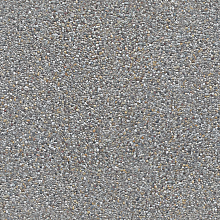 Seamless Concrete Pebble PBR Texture in 4K Resolution
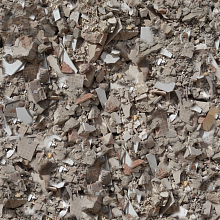 Seamless PBR Concrete Rubble Texture with Debris and Fragments
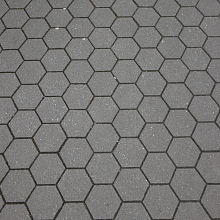 Seamless Hexagonal Concrete Tile PBR Texture 4K
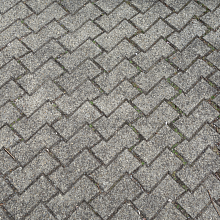 Realistic Concrete Paving Brick Pattern Texture