Expert Guide to Clouds Textures in PBR Workflows for Games Archviz and VFX
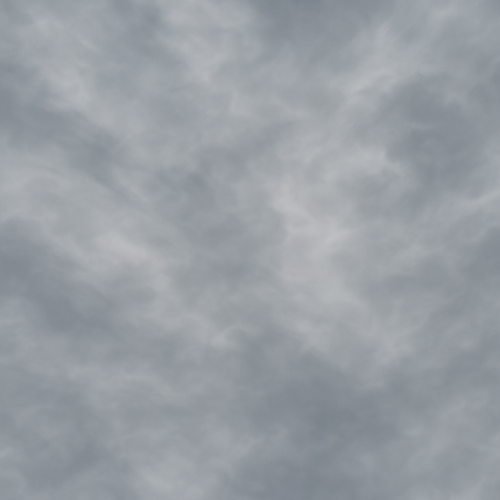
Acquiring high-quality cloud textures for physically based rendering (PBR) workflows presents a unique set of challenges that distinguish them significantly from typical solid or opaque surface materials. Clouds are inherently ephemeral, volumetric, and semi-translucent, qualities that complicate conventional texture capture and authoring techniques. Unlike concrete surfaces with well-defined albedo and roughness characteristics, clouds demand a nuanced approach to capture their softness, light diffusion, and dynamic variability. To generate usable PBR texture maps—albedo, roughness, normal, ambient occlusion (AO), height, and occasionally metallic—it is essential to understand both the limitations of direct capture methods and the necessary post-processing calibrations that bridge real-world reference and virtual material behavior.
Photogrammetry, while a staple in acquiring surface textures for hard surfaces or terrain, has limited direct applicability for clouds. Clouds lack persistent, high-contrast geometry and exhibit continuous volumetric density changes rather than discrete surface details. Photogrammetric reconstruction relies on multi-angle imagery to triangulate spatial points and build depth information, but clouds’ translucency and dynamic forms invalidate many assumptions of traditional photogrammetry pipelines. Nevertheless, photogrammetry can be employed indirectly by capturing cloud formations against a contrasting sky backdrop, focusing on high-resolution reference photography rather than geometric reconstruction. Multi-exposure, high-dynamic-range (HDR) imaging from multiple angles can be combined to sample the cloud’s albedo and light scattering properties, feeding into detailed color and roughness map derivation. However, normal and height maps must be synthesized rather than directly extracted, as clouds lack a solid surface to generate traditional normal maps.
Scanning techniques, such as lidar or structured light scanning, are generally impractical for cloud texture acquisition due to the diffuse, low-density nature of clouds. Lidar pulses scatter unpredictably in cloud volumes, and structured light systems rely on surface reflectance patterns that clouds cannot maintain. Instead, volumetric scanning methods like tomography or specialized atmospheric remote sensing can yield volumetric density fields, but these data sources are typically low resolution and not directly translatable into conventional 2D texture maps for PBR materials. Such volumetric data can inform the creation of 3D volumetric textures or shader volumetrics within engines like Unreal Engine, but for planar cloud textures intended for PBR workflows, these methods offer minimal direct benefit.
Consequently, most high-fidelity cloud texture acquisition relies heavily on meticulous reference photography paired with careful post-processing and authoring. Reference photography should be conducted with calibrated cameras capable of capturing a wide dynamic range to preserve subtle luminance variations within cloud edges and interiors. Shooting under consistent lighting conditions is critical; overcast or diffused sunlight reduces harsh shadows and preserves soft gradients essential for accurate albedo and roughness extraction. Using neutral density filters can help prevent highlight clipping in bright areas of clouds, ensuring that texture data contains accurate brightness information crucial for physically based shading models.
Once high-quality photographic references are obtained, the next step is to isolate and process the cloud textures for PBR map extraction. Albedo maps for clouds are non-trivial because clouds do not possess inherent color in the traditional sense but rather scatter ambient light, often tinted by atmospheric conditions. Albedo extraction involves removing lighting effects, such as shadows and sun glints, to capture the intrinsic color characteristics of the cloud volume. This often requires sophisticated masking and tone-mapping techniques to compensate for translucency and light scattering. The goal is to create an albedo map that represents the cloud’s diffuse color without baked-in lighting, ensuring the texture responds correctly to dynamic lighting in the rendering engine.
Roughness maps for clouds require careful interpretation of the cloud’s microstructure and light diffusion qualities. Unlike hard surfaces where roughness correlates with surface microfacets, in clouds roughness effectively encodes the degree of light scattering and softness. Photographic references can be analyzed using frequency-domain filtering or edge detection to derive roughness approximations from the cloud’s gradient transitions. These maps often exhibit smooth gradients rather than sharp contrast, reflecting the cloud’s soft edges and gradual density changes. It is important to calibrate roughness values to the engine’s material response, as overly high roughness can flatten details, while too low values may introduce unnatural specular highlights inconsistent with cloud behavior.
Normal maps for clouds are generally synthesized rather than captured, since there is no tangible surface geometry to scan. Instead, artists generate normal maps by interpreting the light and shadow patterns within the cloud imagery, using height map approximations derived from luminance gradients. Height maps can be created through edge detection and tonal analysis, emphasizing transitions between denser and more translucent regions of the cloud. These height maps are then converted into normal maps using standard tools or custom shaders, producing subtle surface variations that simulate volumetric depth when lit. This approach enhances the material’s interaction with directional lighting and ambient occlusion, improving realism in the final render.
Ambient occlusion (AO) for clouds is particularly challenging because AO traditionally measures occlusion of ambient light due to surface geometry, yet clouds are volumetric with no discrete occluders. In practice, AO maps for cloud PBR materials are often approximated by modulating the texture’s midtones to simulate light penetration and self-shadowing. Ambient occlusion can be artistically inferred from density gradients within the cloud, with denser regions receiving higher occlusion values. This enhances the perception of volume and depth, especially in real-time engines where volumetric lighting is limited. Calibration of AO intensity must be subtle to avoid visually disconnecting the cloud from its environment.
Height maps, while conceptually useful for simulating volumetric depth, present unique challenges for clouds. Generating accurate height maps involves interpreting cloud density from photographic references and translating this into grayscale displacement values. The lack of hard edges and defined surfaces means these height maps are approximate and primarily serve to drive parallax or subsurface scattering effects within the shader rather than true geometric displacement. Fine-tuning height map contrast and scale is essential to avoid visual artifacts such as sharp discontinuities or unnatural surface bumpiness.
The metallic channel is typically unused for clouds, as their composition lacks metallic properties; however, in certain stylized or hybrid materials, metallic maps may be introduced to simulate reflective moisture droplets or ice crystals within clouds. Such use cases require careful integration and justification based on atmospheric conditions and artistic direction.
Tiling and micro-variation are critical considerations for cloud textures in PBR workflows. Clouds are naturally non-repetitive and highly variable, so seamless tiling is difficult to achieve without visible patterns. To mitigate this, authors often create large, high-resolution texture atlases with randomized cloud formations or employ procedural texturing techniques layered atop photographic bases. Micro-variation can be enhanced by blending multiple cloud texture layers with different scales and opacity, creating a more natural and dynamic appearance. In engines such as Unreal Engine and Blender, shader graphs can incorporate noise functions and animated opacity masks to break repetition and simulate the inherent variability of clouds.
Calibration of cloud textures within rendering engines requires attention to physical light interaction models. Unreal Engine’s physically based material system supports subsurface scattering and translucency parameters that can be harnessed to simulate the semi-transparent, light-diffusing nature of clouds. Adjusting translucency and subsurface scattering inputs in concert with the PBR maps enhances volumetric perception without the computational cost of full volumetric rendering. Blender’s shader nodes, particularly when combined with Eevee or Cycles renderers, allow for custom volumetric shaders where cloud textures serve as density masks, feeding into volume scatter and absorption nodes to approximate realistic cloud lighting.
Optimization is paramount given the large resolution and memory footprint of high-detail cloud textures. Techniques such as mipmapping, texture compression, and streaming are necessary to maintain performance in real-time engines. Pre-filtering roughness and normal maps ensures smooth LOD transitions, preventing popping artifacts. Additionally, leveraging engine-specific features like Unreal Engine's virtual texturing or Blender's adaptive subdivision can balance visual fidelity and resource consumption. Where possible, combining planar cloud textures with volumetric fog or particle systems can offload some visual complexity, allowing the texture maps to focus on surface detail while volumetric effects handle the bulk light scattering.
In summary, acquiring cloud textures for PBR materials demands a hybrid approach emphasizing high-fidelity reference photography, careful post-processing to isolate intrinsic material properties, and creative map synthesis to compensate for the lack of tangible surface geometry. Successful integration of these textures into physically based shaders relies on precise calibration of albedo, roughness, normal, AO, and height inputs, tailored to the rendering engine’s capabilities and optimized for performance. While fully volumetric cloud rendering remains a specialized domain, well-crafted planar cloud PBR textures supported by advanced shader techniques can achieve convincing realism in many real-time and offline workflows.
Creating convincing cloud textures for physically based rendering (PBR) workflows involves a careful synthesis of procedural generation and photographic editing techniques, each bringing distinct advantages in terms of flexibility, realism, and optimization. Clouds, by nature, are amorphous and highly variable, presenting unique challenges for achieving seamless tiling, accurate material response, and suitable micro-variation across texture maps. This section dissects methodologies for authoring cloud textures that integrate albedo, roughness, normal, ambient occlusion (AO), height, and—where relevant—metallic channels, focusing on workflows compatible with modern engines such as Unreal Engine and Blender.
Procedural generation of cloud textures typically begins with noise functions tailored to replicate the stochastic and fractal characteristics of cloud formations. Perlin noise, Simplex noise, and Worley noise often serve as foundational elements, layered and combined through fractal Brownian motion (fBm) to simulate the soft, billowy structures of cumulus clouds or the wispy, diffuse nature of cirrus clouds. The key to procedural cloud texturing lies in controlling frequency bands and amplitude modulation to capture both large-scale shape and fine-scale detail, which directly influence the albedo and roughness maps. For example, broad, low-frequency noise can define the overall cloud silhouette, while high-frequency noise introduces micro-variations that influence the roughness channel, mimicking subtle variations in cloud density and light scattering.
When authoring the albedo (base color) map, procedural techniques often result in grayscale or desaturated noise patterns that require color grading and tonal variation to emulate the typical white-to-gray spectrum of clouds under different atmospheric conditions. This is critical because clouds rarely appear as pure white surfaces; instead, they exhibit a range of soft color gradients influenced by ambient lighting, the sun’s angle, and atmospheric haze. Procedural workflows incorporate gradient mapping and color ramps applied to noise outputs, carefully calibrated to avoid flatness or oversaturation. Calibration can be performed by referencing high-resolution photographic captures of clouds under varied lighting, ensuring the procedural albedo matches the expected luminance and chromaticity ranges.
Photographic editing complements procedural generation by providing high-fidelity detail and natural variation difficult to replicate purely procedurally. High-resolution cloud photos, often captured with telephoto lenses to isolate cloud formations against the sky, serve as source material. These images undergo extensive preprocessing to extract usable PBR channels. The albedo map is obtained by removing direct sunlight highlights or color casts, usually by desaturating the image and adjusting levels to maintain subtle gray gradients. To generate roughness maps from photographs, luminance-based extraction combined with manual retouching can isolate denser cloud regions with lower roughness (smoother, more reflective areas) from more diffused regions with higher roughness (matte, scattered light). This process often requires frequency separation techniques to preserve micro-details while smoothing larger areas.
Normal maps present a particular challenge due to clouds lacking hard surface features; however, normal maps remain essential for adding perceived volume and depth to flat cloud planes, enhancing realism in 3D scenes, especially at grazing angles. Procedural normal generation derives from height or displacement maps created through noise functions. For photographic sources, height maps can be approximated by converting luminance values to grayscale height information, then applying edge detection or Sobel filters to accentuate features suitable for normal map baking. The result is a subtle bump effect that conveys the volumetric fluffiness of clouds without harsh edges or unnatural geometry.
Ambient occlusion (AO) maps for clouds are somewhat unconventional since clouds are volumetric and semi-transparent rather than occlusive solid objects. Nonetheless, AO-like effects can be simulated to enhance the perception of depth within cloud layers, emphasizing shadowed crevices where denser vapor clusters gather. Procedurally, this can be achieved by calculating distance fields or applying curvature-based shading to the noise-generated height map, then inverting and blurring the result to simulate soft occlusion. Photographically, AO maps can be hand-painted or derived from shadow regions in source images, albeit requiring careful blending to avoid breaking the seamless tiling.
Height maps, integral to parallax or displacement workflows in engines like Unreal Engine and Blender, enable dynamic interaction with lighting and camera movement, critical for immersive cloud materials. Procedural height maps are typically built using layered noise with adjusted contrast and bias to define peaks and valleys corresponding to cloud density variations. Photographic height maps necessitate careful contrast enhancement and manual cleanup to remove sky background artifacts and ensure smooth displacement within engine constraints. Height map optimization involves balancing detail with performance; excessive height variance can cause rendering artifacts in tessellation-based displacement, so a moderate range with smooth gradients is preferable.
Metallic maps rarely apply directly to cloud textures, given their non-metallic nature; however, in specific atmospheric or stylized scenarios, subtle metallic channel adjustments might simulate iridescence or moisture droplets on cloud edges. When metallic maps are used, they must be extremely low intensity and balanced against roughness to avoid unrealistic reflectivity or specular highlights.
Seamless tiling remains a critical requirement, especially for large environment textures or skyboxes. Procedural noise inherently lends itself to seamless generation by employing tileable noise functions or domain warping techniques that wrap noise coordinates. When incorporating photographic elements, the challenge is greater. Photographic cloud textures must be carefully edited using offset and clone tools, frequency separation, and blending to remove visible seams. Additionally, blending multiple cloud photographs with procedural noise overlays can mask repetitive patterns and introduce micro-variation, reducing tiling artifacts. In Blender, node-based procedural texturing enables real-time preview and adjustment of these blends, while Unreal Engine’s material editor supports dynamic texture sampling and blending, facilitating runtime variation and LOD-based optimization.
Micro-variation at the texture level is paramount to avoid uniformity that betrays the natural randomness of clouds. This is achieved by layering multiple noise octaves, varying contrast, and applying masks driven by secondary noise maps to modulate roughness and height independently. Photographic textures benefit from subtle procedural overlays that introduce fine-grained detail and break up large homogeneous areas. Calibration against photographic references ensures that these variations remain physically plausible, particularly concerning albedo brightness and roughness values, which influence how light interacts with the cloud surface.
Optimization for real-time engines necessitates careful channel packing and resolution management. Given the semi-transparent and volumetric nature of clouds, texture resolutions can be moderate, typically in the 1K to 2K range, with mipmapping to preserve performance during camera distance changes. Channel packing strategies might combine roughness and AO maps into a single texture’s green and blue channels, respectively, reducing memory footprint. Normal and height maps often require separate textures due to differing filtering needs. In Unreal Engine, utilizing virtual texture streaming and material functions for noise generation can offload some procedural complexity from textures to shaders, improving runtime efficiency without sacrificing quality.
In summary, authoring PBR cloud textures demands a hybrid approach that leverages the generative power of procedural noise for seamless tiling and variation, alongside the fidelity and natural complexity of photographic sources. Each PBR channel—albedo, roughness, normal, AO, and height—must be crafted with an understanding of cloud physics and optical behaviors, ensuring realistic light interaction and volumetric perception. By integrating procedural workflows in Blender’s node editor and fine-tuning the output for engine-specific constraints like Unreal Engine’s material system, artists can create cloud textures that are both visually convincing and performance-optimized for a wide array of 3D applications.
The creation and calibration of PBR texture maps for clouds present unique challenges distinct from those encountered with solid surface materials. Unlike opaque, hard-surface assets, clouds are inherently volumetric, translucent, and highly dynamic, requiring a nuanced approach to texture authoring and map calibration to achieve believable light interaction and depth cues within physically based rendering workflows.
At the core of any PBR material lies the BaseColor map, often referred to as the albedo. For clouds, the BaseColor is not a simple pigment or diffuse reflectance but rather a representation of the subtle color variations caused by light scattering within the cloud volume. Unlike terrestrial surfaces, cloud albedo is characterized by its soft gradients, translucency effects, and interplay between light and shadow dispersed across a semi-transparent medium. When authoring BaseColor textures for clouds, it is critical to avoid traditional solid-color fills or harsh edges. Instead, the map should be generated through either procedural noise functions simulating fractal-like density distributions or from high-resolution volumetric scans or photographs of cloud formations under controlled lighting conditions. The color profile must be desaturated, leaning heavily towards whites, very light grays, and subtle warm or cool tints depending on the atmospheric conditions being simulated (e.g., warm sunset clouds or cold storm clouds). Calibration involves carefully balancing saturation and value to prevent the material from appearing either too flat or overly saturated, which breaks the illusion of translucency. In game engines like Unreal Engine or renderers within Blender’s Eevee or Cycles, it is essential to ensure the BaseColor map’s gamma setting is correct—linear space input is standard for accurate PBR workflows to allow physically plausible light interaction.
Normal maps for clouds are atypical compared to those for solid materials. Since clouds lack hard surface geometry, the normal map’s role shifts from defining surface micro-facets to suggesting volumetric density variations and subtle surface undulations that catch light differently at the micro level. These maps are often generated procedurally using layered noise patterns or derived from volumetric data converted into 2D normal representations. Care must be taken to calibrate the intensity of these normal maps; too strong a normal effect will impart an unrealistic hard surface appearance to the cloud, while too subtle a map fails to convey any depth or detail. The ideal normal map for clouds typically features soft gradients and low-frequency detail to simulate the soft shadows and highlights created by light scattering within the medium. In practice, normal map strength is often attenuated significantly compared to hard surfaces, and artists must tweak the normal influence parameters within the shader or material editor to maintain softness. When working in Unreal Engine, for instance, the normal map should be imported with appropriate compression settings (e.g., BC5 format for high-quality normals) and the normal intensity adjusted via material parameters to avoid harsh shading artifacts.
Roughness maps for cloud materials also require careful consideration, as they influence how light reflects off the cloud volume’s surface or pseudo-surface. Unlike metals or plastics, clouds do not exhibit specular highlights typical of solid surfaces but rather diffuse, soft reflections and subsurface scattering. Thus, the roughness map should generally reflect a high roughness value across most areas, representing the cloud’s diffuse scattering properties. Small-scale micro-variations in roughness can be introduced through noise or fractal patterns to simulate areas where water droplets or ice crystals might cause subtle variations in glossiness, particularly around edges or denser cloud regions. Calibration here involves ensuring the overall roughness values remain high enough to prevent any misleading sharp specular highlights that would break the volumetric illusion. Material authoring in Blender’s Principled BSDF shader or Unreal Engine’s physically based shading model requires that the roughness input be fed as a linear grayscale texture, with values typically between 0.7 and 1.0 for cloud materials, and fine-tuned through real-time preview to maintain consistency under various lighting conditions.
Metallic maps are generally not applicable to clouds because clouds are non-metallic, dielectric media. In most PBR workflows, the metallic channel is binary or near-binary, differentiating metals from non-metals. For clouds, this map should be set to zero or omitted entirely. Introducing metallic values can cause improper specular reflections or highlight behavior inconsistent with atmospheric phenomena, thus breaking realism. This absence is an important calibration step: ensuring the metallic input remains zero throughout the texture stack prevents unintended shading artifacts and simplifies shader complexity.
Ambient Occlusion (AO) maps for clouds are delicate to implement because traditional AO methods presume occlusion occurs between solid surfaces, which is not directly applicable to volumetric, translucent clouds. However, AO can still play a role in enhancing the perception of density and depth in cloud textures by simulating soft shadowing within denser regions where light penetration is partially blocked. AO maps for clouds are typically derived from volumetric density data collapsed into 2D representations or generated via procedural noise that respects the cloud’s internal structure. Calibration of AO maps involves balancing the intensity and radius of occlusion to avoid overly darkening areas that should remain light-transmitting. In practice, blending AO maps as a multiply layer on top of the BaseColor or roughness inputs can add subtle depth without compromising translucency. In engines like Unreal, AO maps are often plugged into the ambient occlusion slot of the material, but artists must adjust the AO contribution weight carefully, as too strong AO can produce unnaturally heavy shadows inconsistent with cloud lighting.
Height or displacement maps for clouds differ from conventional solid surfaces in that they do not represent geometric height differences but instead encode volumetric density variations or cloud thickness. These maps are essential when using parallax occlusion mapping or tessellation techniques to simulate the volumetric depth of cloud formations at the surface level. Height maps can be authored by converting volumetric noise patterns or cloud density data into grayscale textures where brighter values correspond to denser or thicker cloud areas. Calibration focuses on ensuring the height map’s contrast and scale are consistent with the volumetric shader’s expectations to avoid unnatural popping or clipping artifacts during tessellation or displacement. In Blender, displacement can be driven by these height maps in Cycles or Eevee, although care must be taken with performance and sampling quality. In Unreal Engine, height maps can be utilized in parallax occlusion mapping nodes or displacement shaders, with parameters such as height scale and min/max height adjusted to maintain a plausible volumetric silhouette without over-exaggerating the cloud’s form.
Tiling considerations for cloud PBR textures are subtle but important. Clouds, being amorphous and large-scale phenomena, require seamless tiling textures that avoid obvious repetitive patterns or hard edges. Procedural noise functions such as Perlin or Worley noise are often employed to generate base textures that, when converted into PBR maps, inherently tile seamlessly or can be tiled with minimal visible seams. When authoring textures from photographic sources, high-resolution source material must be carefully edited using edge blending, cloning, or specialized seamless tiling algorithms to maintain continuity across UV seams. Micro-variation within the textures—small-scale noise overlays or detail maps—helps break repetition and adds natural complexity, which is crucial for convincing volumetric appearance in real-time engines where texture repetition can quickly betray the illusion of clouds.
Optimization is a critical step in the pipeline for cloud textures, especially for real-time applications. Given the large areas clouds typically cover and the high cost of volumetric rendering, PBR maps must balance resolution and detail. Artists often employ mipmapping strategies, texture compression formats optimized for normal and ambient occlusion maps, and careful channel packing (for example, combining metallic, roughness, and AO into a single texture channel) to reduce memory footprint. Displacement or height maps may be downsampled or procedurally generated on-the-fly to minimize performance costs. Calibration during optimization involves iterative testing of textures under multiple lighting conditions, ensuring that reducing texture resolution or compressing channels does not introduce artifacts or break the volumetric illusion.
In practical engine workflows, such as with Unreal Engine’s Material Editor or Blender’s Shader Editor, cloud PBR textures are often integrated with volumetric shaders or subsurface scattering models. Calibration is a continuous feedback loop: tweaking BaseColor saturation and brightness, adjusting normal map strength, balancing roughness, and fine-tuning AO and height contributions in the shader parameters to achieve a visually consistent cloud material that responds believably to directional sunlight, ambient skylight, and shadowing effects. Utilizing real-time preview tools and HDR lighting environments helps validate these calibrations. Additionally, leveraging engine-specific features like Unreal’s Distance Field Ambient Occlusion or Blender’s volume scatter and absorption nodes can complement the 2D texture maps, further enhancing the volumetric cloud appearance without relying solely on texture data.
In summary, generating and calibrating PBR maps for clouds demands a departure from conventional solid-material texturing paradigms, requiring an emphasis on soft gradients, subtle micro-variations, and careful control of light scattering parameters encoded within BaseColor, Normal, Roughness, AO, and Height maps. Maintaining zero metallic input, ensuring seamless tiling, and iterative calibration within physically accurate shading models are fundamental to producing cloud materials that convincingly simulate volumetric depth and dynamic atmospheric lighting in modern PBR workflows.
FAQ
What is covered in this guide?
This guide explains Expert Guide to Clouds Textures in PBR Workflows for Games Archviz and VFX with practical notes for seamless PBR materials, texture setup, and production use.
Can I use these texture techniques in Blender, Unreal Engine, and Unity?
Yes. The workflow focuses on standard PBR maps and tileable materials that can be used in Blender, Unreal Engine, Unity, archviz, games, and VFX pipelines.
Where can I find textures for this workflow?
Use the AITextured texture library and the related texture links on this page to find seamless PBR materials and preview them before download.
Related Textures
 Procedural Stamped Sidewalk Concrete PBR Texture
 Procedural Fine Asphalt Road PBR Texture
 Procedural Pitted Concrete PBR Texture
 Seamless Concrete Pebble PBR Texture in 4K Resolution
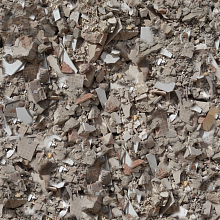 Seamless PBR Concrete Rubble Texture with Debris and Fragments
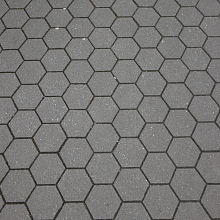 Seamless Hexagonal Concrete Tile PBR Texture 4K
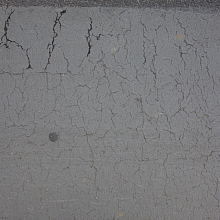 Cracked Asphalt Texture with Weathering