Comprehensive Guide to Brick Textures for PBR Workflows in 3D Projects
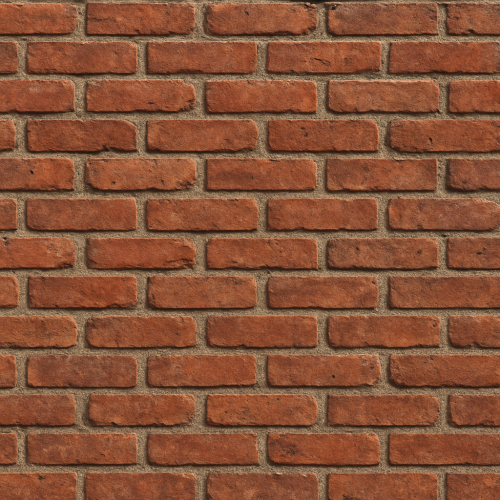
Acquiring high-fidelity brick textures for physically based rendering workflows demands a meticulous approach to capturing the nuanced surface characteristics inherent to brick masonry. The complexity lies not only in reproducing the chromatic and geometric detail of the brick faces themselves but also in preserving the subtle interplay of mortar joints, weathering effects, and micro-variations that contribute to realism. Two predominant acquisition techniques—photogrammetry and high-resolution scanning—offer robust pathways for gathering reference data that supports the extraction of accurate PBR maps, including albedo, roughness, normal, ambient occlusion (AO), height, and where applicable, metallic. Mastery of these methods requires careful consideration of capture parameters, environmental control, and post-processing calibration to ensure consistency and optimal quality for real-time engine integration.
Photogrammetry remains a favored technique for brick texture acquisition due to its accessibility and ability to capture both color and geometric detail simultaneously. The process begins with acquiring a comprehensive set of high-resolution photographs under controlled lighting conditions. Uniform, diffuse lighting is paramount to minimize specular highlights and shadows that can confound albedo extraction and distort surface detail interpretation. Overcast daylight or artificially diffused light sources are typically employed to achieve this effect, reducing the need for extensive post-capture correction of lighting artifacts. Photographs should be taken from multiple angles to encompass the full topology of the brick surface and mortar joints, with particular attention paid to capturing oblique views that reveal depth variation and undercuts in the mortar.
Consistency in camera settings across the capture sequence is crucial. Maintaining fixed aperture, ISO, and shutter speed prevents variations in exposure and depth of field, which can introduce noise and blur that degrade normal and height map fidelity. Using a prime lens with minimal distortion and employing a tripod or stabilizing rig further enhances image consistency and sharpness. In practice, capturing a brick wall segment with 50 to 100 overlapping images at resolutions exceeding 20 megapixels ensures sufficient data density for dense mesh reconstruction and detailed texture baking. Calibrating the camera’s color profile through reference charts or calibration targets during the shoot facilitates accurate albedo map generation by enabling color correction and neutralizing color casts introduced by ambient light.
Following image acquisition, photogrammetry software reconstructs a detailed 3D mesh of the brick surface, from which normal, height, and AO maps can be baked. The reconstructed mesh typically captures micro-geometry such as chipped edges, surface erosion, and mortar texture variations. Baking these maps at high resolution (e.g., 4K or above) onto a clean UV layout is critical to preserve these details without aliasing or blurring, which would diminish the material’s tactile realism. The AO map generated from the geometry highlights crevices and recesses within the mortar and between bricks, enhancing depth cues when composited with the albedo in the shader pipeline.
However, photogrammetry is not without challenges. Variations in lighting, even subtle ones, can manifest as inconsistent shading across photos, complicating albedo extraction. To address this, it is standard to separate color data from shading by employing techniques such as photometric stereo or using software tools that estimate and remove lighting effects to isolate the diffuse color. Additionally, the presence of specular reflections on brick surfaces, especially in polished or glazed bricks, can interfere with albedo capture. Polarizing filters can reduce such reflections during photography, but in some cases, manual retouching or procedural adjustments are necessary during texture authoring to achieve physically accurate albedo maps.
High-resolution scanning, particularly laser scanning and structured light scanning, offers an alternative or complementary approach to photogrammetry, focusing on precise geometric data acquisition. These scanners generate dense point clouds that capture minute surface detail at sub-millimeter accuracy, making them valuable for reproducing the intricate relief of bricks and mortar textures. When combined with calibrated color imaging, scanning facilitates the creation of highly accurate displacement and normal maps necessary for convincing PBR materials. The advantage of scanning lies in its reduced sensitivity to lighting conditions compared to photogrammetry, as geometric data is derived from reflected light patterns rather than relying solely on image texture.
Despite its geometric precision, scanning often requires a separate high-resolution color capture process to acquire albedo information. This can be achieved by mounting DSLR cameras coaxially with the scanner or by capturing color data in a subsequent step, necessitating careful alignment and registration of the color and geometry datasets. Maintaining consistent lighting during color capture remains essential to avoid color shifts and shadows that degrade the albedo texture. Post-processing workflows merge the geometric scan and color data, enabling the extraction of PBR maps. Normal maps derived from the high-density mesh can reveal subtle surface undulations such as brick pitting and mortar roughness, while height maps enable displacement in rendering engines like Unreal Engine and Blender’s Cycles, enhancing realism in close-up views.
Both photogrammetry and scanning workflows benefit from rigorous calibration and optimization processes. Calibration includes verifying scale accuracy, aligning color and geometry data, and adjusting for lens distortions or scanner artifacts. Optimization involves retopologizing the dense mesh to a manageable polygon count suitable for real-time rendering while preserving essential detail for normal and height map baking. UV unwrapping must minimize stretching and seams, especially in the mortar regions, to prevent texture artifacts during tiling. For seamless tiling in game engines, it is common to capture or author texture edges with micro-variations that avoid obvious repetition while maintaining continuity. This can be achieved by capturing larger surface areas to sample multiple brick units or by procedurally blending texture edges during authoring.
Micro-variation is critical for brick textures to avoid artificial uniformity. Real-world bricks exhibit variation in color, roughness, and wear patterns even across a single wall. Capturing these variations enables the creation of detail or variation maps that drive shader parameters to modulate roughness or normal intensity dynamically within the engine, adding richness and realism. Additionally, authoring workflows often involve integrating scanned data with hand-painting and procedural texturing to fill gaps, enhance weathering, or adjust parameters for specific use cases.
When deploying brick PBR textures in engines like Unreal Engine or Blender, the accuracy of acquisition directly influences shader fidelity. Unreal Engine’s physically based shading pipeline benefits from properly linearized albedo maps and carefully calibrated roughness maps that reflect the material’s microfacet distribution. Height maps derived from acquisition can be used with tessellation or parallax occlusion mapping to simulate the depth of mortar joints, while AO maps baked from geometry enhance ambient shading without costly real-time computation. Blender’s node-based system allows fine control over the integration of these maps, supporting both offline and real-time previews to validate capture quality and shader behavior.
In summary, the acquisition of brick textures for PBR requires a balanced approach that captures the full spectrum of visual and geometric detail while maintaining consistency across all input data. Photogrammetry offers comprehensive color and geometry capture but demands stringent lighting control and post-processing to isolate albedo and surface properties. High-resolution scanning excels in geometric fidelity but necessitates complementary color capture and careful data fusion. Both processes rely heavily on calibration, optimization, and thoughtful authoring to produce seamless, tileable, and physically accurate PBR materials that translate effectively into modern rendering engines.
Creating convincing brick materials in a physically based rendering (PBR) workflow demands a careful balance between authenticity, technical control, and efficient use of resources. The dual approaches of procedural generation and photo-based authoring each bring unique strengths to the table, and their fusion often yields the most versatile and realistic results. Understanding how to integrate photographic input with procedural noise and layering techniques is essential not only for replicating the inherent variability of brick surfaces but also for maintaining tileability, optimizing texture maps, and ensuring consistent shading across rendering engines such as Unreal Engine and Blender’s Cycles or Eevee.
At the heart of brick material authoring lies the base color or albedo map, which defines the diffuse reflectance without direct lighting or shading information. Photo-based workflows begin with high-quality captures of brick facades or samples, ideally under diffuse, neutral lighting to minimize shadows and specular highlights. These images provide the rich chromatic variation and subtle imperfections characteristic of bricks—color shifts from iron oxide concentrations, soot deposits, or efflorescence, for example. However, raw photos rarely tile cleanly due to perspective distortion, mortar line alignment, and natural randomness. To address this, photo editing software like Photoshop or GIMP is employed to isolate bricks and mortar, correct perspective, and create seamless tileable patterns through cloning, offsetting, and blending techniques. The mortar lines must be carefully aligned and color-matched to prevent visible seams, and subtle gradients or texture overlays can help mask repetition.
Procedural generation complements and enhances this process by introducing micro-variation and weathering effects that are difficult to capture consistently in photos. Procedural noise functions—such as Perlin, Worley, or cellular noise—can simulate the granular surface texture of bricks, patchy discoloration, or dirt accumulation. These noise layers can be blended with photographic base color maps using mask-driven opacity or blending modes to avoid uniformity and add localized variation. For example, a low-frequency noise map might modulate the hue or saturation subtly across the tile, simulating mineral deposits or sun-bleaching, while a high-frequency noise overlay can introduce tiny surface blemishes and paint flaking. Procedural masks can also isolate mortar from brick, allowing differential applications of weathering or dirt accumulation per material subregion.
In terms of roughness maps, photographic sources often require careful treatment. Photographs taken with polarized filters or under indirect light can help capture more accurate roughness variations, but these are rarely perfect or tileable as-is. Instead, roughness is frequently author-constructed by combining photographic data with procedural noise and hand-painting. For bricks, roughness varies between the relatively matte, porous brick surfaces and smoother, often cementitious mortar joints. Procedural noise can introduce subtle roughness variation within the brick surface to simulate pitting, grain, and erosion, essential for breaking up specular highlights and enhancing realism under dynamic lighting. In photo-based workflows, extracted grayscale images can be adjusted with levels and contrast to define roughness ranges, then blended with noise or detail normal maps to increase microfacet variation.
Normal maps play a critical role in conveying the 3D surface detail of bricks. Photogrammetry and photometric stereo can provide detailed normal maps from photographic sources, capturing fine cracks and chipping. However, these maps often require retouching to ensure tileability and avoid obvious repetition. Tools such as Substance Designer or Blender’s texture nodes facilitate blending of photographic normal data with procedural height- or bump-generated normals. For instance, a base normal map created from a photo can be layered with a procedural cellular noise-based heightmap converted to a normal to simulate mortar joint depth and brick surface roughness. This layered approach maintains high-frequency detail while ensuring the overall pattern repeats seamlessly.
Ambient occlusion (AO) maps further refine the perception of depth and contact shadows in brick materials. Photo-based AO extraction from ambient occlusion passes or baked geometry can provide physically accurate shadowing around mortar joints and brick surface crevices. Yet, these AO maps often need to be integrated with procedural AO baked from a tileable brick model or generated via noise functions to fill subtle crevices and surface irregularities. The procedural AO can be modulated spatially to emphasize weathered or dirt-accumulated areas, contributing to realistic shading without the expense of dynamic global illumination in real-time engines.
Height or displacement maps are essential when bricks require physical surface modulation, particularly for close-up renders or tessellation-based displacement in Unreal Engine or Blender’s adaptive subdivision. Photo-derived height maps are generally created by converting grayscale albedo or extracted from photogrammetry scans but should be refined with procedural noise to simulate surface roughness, erosion, and mortar joint depth. Maintaining tileability here is paramount; procedural noise functions are invaluable for generating seamless height variations that avoid obvious pattern repetition when tiled. Height maps must also be calibrated carefully to ensure the displacement values correspond to realistic brick thickness and mortar depth, preventing exaggerated or flattened geometry across different engine pipelines.
The metallic map is usually trivial or unnecessary for brick materials, as bricks and mortar are non-metallic. However, in cases where bricks have embedded metal particles, painted metal components, or metallic weathering (rare but possible in stylized or post-apocalyptic environments), a procedural mask or photo-based selection can be used to generate a sparse metallic map. This map would typically be binary or near-zero across the entire texture and only highlight small areas where metal is present.
Calibration and optimization of texture maps for brick materials are critical in ensuring consistent results across rendering engines. When authoring in tools like Substance Designer or Blender, artists should frequently preview materials under engine-specific shading models and lighting conditions. Unreal Engine’s physically based shading pipeline expects linear color spaces for roughness and metallic maps and sRGB for albedo; correct color space assignment avoids artifacts and preserves physical accuracy. Tiling must be tested in 3D viewports with varying UV scales to identify seams or unnatural repetition. Using triplanar projection in Blender or Unreal can mask texture repetition to some extent but should not replace proper tileable texture creation.
To optimize performance, especially in real-time applications, brick materials often benefit from channel packing—storing roughness, AO, and metallic maps in the RGB channels of a single texture to reduce draw calls and memory usage. The procedural elements can be baked into these maps or applied dynamically through shader nodes, balancing runtime flexibility and texture memory. For example, procedural dirt accumulation can be driven by world-space noise in Unreal’s material editor, layered over photo-based base textures to simulate environmental effects without additional texture sets.
When integrating photo-based brick textures with procedural noise, maintaining a nondestructive workflow is advantageous. Authoring in node-based environments allows artists to tweak parameters such as noise scale, intensity, and blending modes without repeatedly editing source images. This flexibility is crucial for adapting materials to different asset scales or stylistic requirements while preserving the physical plausibility that PBR demands.
In summary, the successful authoring of brick PBR materials hinges on the synergistic use of photographic data and procedural noise to replicate natural variation, weathering, and surface complexity. Photo editing provides rich, authentic color and base detail, while procedural noise introduces controlled randomness and ensures seamless tiling in height, roughness, and normal maps. Calibration for engine-specific shading models, channel packing optimizations, and iterative previewing within target renderers complete the workflow, enabling artists to create brick materials that are both visually compelling and technically robust.
The creation and integration of physically based rendering (PBR) maps for brick surfaces is a meticulous process that hinges on capturing and reproducing the inherent material properties of bricks with precision. Each map — BaseColor (Albedo), Normal, Roughness, Metallic, Ambient Occlusion (AO), and Height/Displacement — plays a distinct role in simulating the complex interplay of light and surface detail that defines brick masonry. Understanding their generation, calibration, and harmonious integration is essential for achieving realistic, performant brick materials across various rendering engines like Unreal Engine and Blender.
Starting with the BaseColor map, this texture encodes the diffuse reflectance of the brick surface without any lighting or shading information. For bricks, the BaseColor typically captures subtle variations in hue and saturation caused by firing inconsistencies, weathering, and mortar staining. Acquiring a high-quality albedo map often involves calibrated photogrammetry or carefully shot reference photography under diffuse, neutral lighting conditions to avoid baked shadows and highlights. When authoring the BaseColor map, it is crucial to remove any baked lighting or shadows, as these will interfere with the dynamic lighting in the renderer. Color correction workflows should maintain the natural color range of the brick, focusing on preserving micro-variations—small color shifts and imperfections—rather than uniform flat colors. These subtle variations enhance realism by breaking up the tiling pattern and preventing the material from appearing too synthetic or repetitive.
The Normal map encodes fine surface details through perturbations of the surface normals, simulating the intricate bumps and indentations of brick faces, mortar joints, and surface erosion without adding geometry. Generating a high-fidelity Normal map for bricks typically involves either baking from high-poly sculpted models or deriving from photogrammetric height data. When authoring Normal maps, attention must be paid to the scale and intensity of the normal detail. Excessive normal strength can lead to unnatural light behavior and silhouette distortion, while too subtle details flatten the surface visually. In the case of brick, micro-variations such as small chips, scratches, and mortar texture should be conveyed through the Normal map at an intermediate intensity, complementing but not overshadowing the Height map’s macro displacement information. Consistency across the Normal and Height maps ensures coherent surface detail when both are used in displacement workflows, particularly in engines like Unreal Engine 5, which supports virtual displacement tessellation.
Roughness maps control the microsurface scattering of light, dictating how glossy or matte the brick surface appears. Brick is predominantly non-metallic and rough, but its surface roughness is far from uniform; worn or polished areas, mortar joints, and exposed aggregate can exhibit varied roughness levels. When generating Roughness maps, grayscale values should be derived from direct physical observations or photometric measurements where possible, or artistically painted to reflect micro-variations. In practical workflows, roughness maps can be created by blending procedural noise with scanned roughness data, tuned to emphasize the natural heterogeneity of brick surfaces. Calibration of roughness values is essential, as rendering engines interpret roughness differently based on the shading model and energy conservation settings. For instance, Unreal Engine expects roughness in a linear 0 to 1 range where 0 is perfectly smooth and 1 fully rough. In Blender’s Principled BSDF shader, roughness behaves similarly but may require gamma correction or adjustments depending on the texture source and color space. Ensuring that roughness maps are saved in linear color space and calibrated to the renderer’s expected input avoids artifacts like overly shiny bricks or unnaturally dull patches.
The Metallic map is typically trivial for brick materials, as bricks are dielectrics with no metallic components. This map is generally set to zero (black) across the texture, confirming the non-metallic nature within the PBR workflow. However, some workflows may require a metallic map to be present for shader compatibility, so ensuring uniformly black metallic maps can prevent accidental metallic reflections. In rare cases where bricks incorporate embedded metal particles or hardware, localized metallic values can be painted, but this is uncommon and generally unnecessary.
Ambient Occlusion maps simulate the self-shadowing and occlusion of ambient light in recessed areas such as the crevices between bricks and mortar joints. Properly authored AO maps significantly enhance perceived depth and realism by darkening these occluded zones. AO can be generated via baking from high-poly models or extracted from photogrammetric mesh data. When integrating AO maps, it’s important to consider their interaction with other PBR maps and the engine’s lighting setup. In Unreal Engine, AO is often multiplied with the BaseColor or plugged into the AO input of the material node; in Blender, AO can be mixed within the shader or as a multiply factor on diffuse color. Overly strong AO can create unnatural darkening, so calibrating AO intensity—often by controlling its influence through shader parameters or blending—is crucial. Furthermore, AO maps should be tiled and blended carefully, as repetitive AO patterns can betray tiling artifacts.
Height or Displacement maps are invaluable for conveying the macro-geometry of brick surfaces beyond the scope of Normal maps. These grayscale maps represent the relative elevation of surface points, enabling actual geometric displacement or parallax effects. Height maps for bricks typically depict the raised brick faces and recessed mortar joints, including surface erosion and irregularities. Their generation may involve height data extraction from photogrammetry or high-resolution sculpting. When authoring Height maps, it is essential to maintain a consistent scale relative to the real-world dimensions of bricks, as disproportionate displacement can break immersion. Calibration of displacement intensity depends heavily on the engine and rendering pipeline: for example, Unreal Engine’s tessellation displacement requires tuning the displacement scale and bias to prevent geometry clipping or polygon stretching, while Blender’s displacement modifier or shader displacement nodes may demand different scaling. Optimization is also vital; higher subdivision levels can yield better displacement details but at increased performance cost. A common practice is to combine displacement with Normal maps, using displacement for silhouette and macro forms and Normals for fine detail, balancing fidelity and efficiency.
Tiling and micro-variation are critical considerations when integrating these maps into shaders. Brick materials are frequently tiled to cover large surfaces, but straightforward tiling can lead to visible repetition. To mitigate this, micro-variations can be embedded into each map as subtle noise, color variation, and displacement irregularities. Additionally, blending multiple texture sets or using procedural masks can break up repetitive patterns. Careful UV layout and texture scale matching ensure that all PBR maps align spatially, maintaining coherence between color, roughness, normals, and displacement. When preparing textures for engines such as Unreal or Blender, consider the texture resolution and compression settings: brick textures often benefit from resolutions of 2K to 4K to capture fine mortar details, but balancing file size and performance is necessary. Employing texture streaming and mipmaps further optimizes rendering without sacrificing visual fidelity.
Calibration between maps and shaders also involves adherence to consistent color spaces and gamma correction. BaseColor textures should be authored and imported in sRGB space, while Normal, Roughness, Metallic, AO, and Height maps are linear. Misalignment in these settings can cause incorrect shading and highlight artifacts. Rendering engines provide tools and documentation to verify these settings: for instance, Unreal Engine’s texture compression settings allow explicit designation of sRGB or linear usage, and Blender’s import nodes specify color space conversion.
In practice, iterative testing under representative lighting conditions is indispensable for fine-tuning brick PBR materials. Testing in both direct and indirect lighting scenarios, with and without shadows, will reveal the adequacy of roughness calibration, AO strength, and Normal map intensity. Adjustments should be informed by real-world brick references, including observing how light interacts with mortar edges and brick faces at varying angles. Utilizing engine-specific features — such as Unreal Engine’s Material Editor with its complex node graphs and Blender’s shader nodes — enables procedural enhancements like blending edge wear or dirt masks that improve realism further.
In summary, the generation and integration of PBR maps for brick surfaces demand a holistic approach that respects the physical properties of brick as a heterogeneous, non-metallic, rough material with pronounced surface relief and occlusion. Meticulously crafted BaseColor maps preserve natural color variations free from baked lighting; Normal and Height maps complement each other to convey surface detail and macro form; Roughness maps modulate specular response with nuanced heterogeneity; AO maps enrich depth perception; and Metallic maps confirm the dielectric nature of brick. When calibrated carefully and integrated with attention to color space, tiling, and engine-specific requirements, these maps collectively enable the creation of brick materials that withstand close inspection and dynamic lighting, elevating the realism of architectural visualizations, games, and simulations.
FAQ
What is covered in this guide?
This guide explains Comprehensive Guide to Brick Textures for PBR Workflows in 3D Projects with practical notes for seamless PBR materials, texture setup, and production use.
Can I use these texture techniques in Blender, Unreal Engine, and Unity?
Yes. The workflow focuses on standard PBR maps and tileable materials that can be used in Blender, Unreal Engine, Unity, archviz, games, and VFX pipelines.
Where can I find textures for this workflow?
Use the AITextured texture library and the related texture links on this page to find seamless PBR materials and preview them before download.
Related Textures
 Procedural Lime Plaster Wall PBR Texture
 Procedural Stamped Sidewalk Concrete PBR Texture
 Procedural Fine Asphalt Road PBR Texture
 Procedural Pitted Concrete PBR Texture
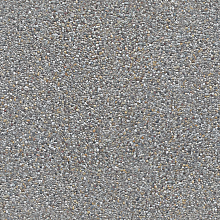 Seamless Concrete Pebble PBR Texture in 4K Resolution
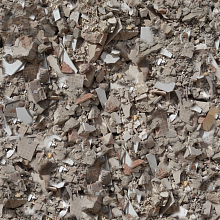 Seamless PBR Concrete Rubble Texture with Debris and Fragments
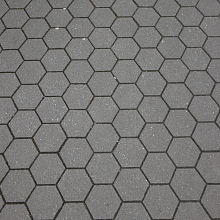 Seamless Hexagonal Concrete Tile PBR Texture 4K
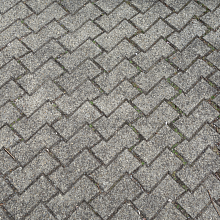 Realistic Concrete Paving Brick Pattern Texture