Seamless PBR Crystal Textures for 3D: Complete Guide to the aiTextured Crystals Collection
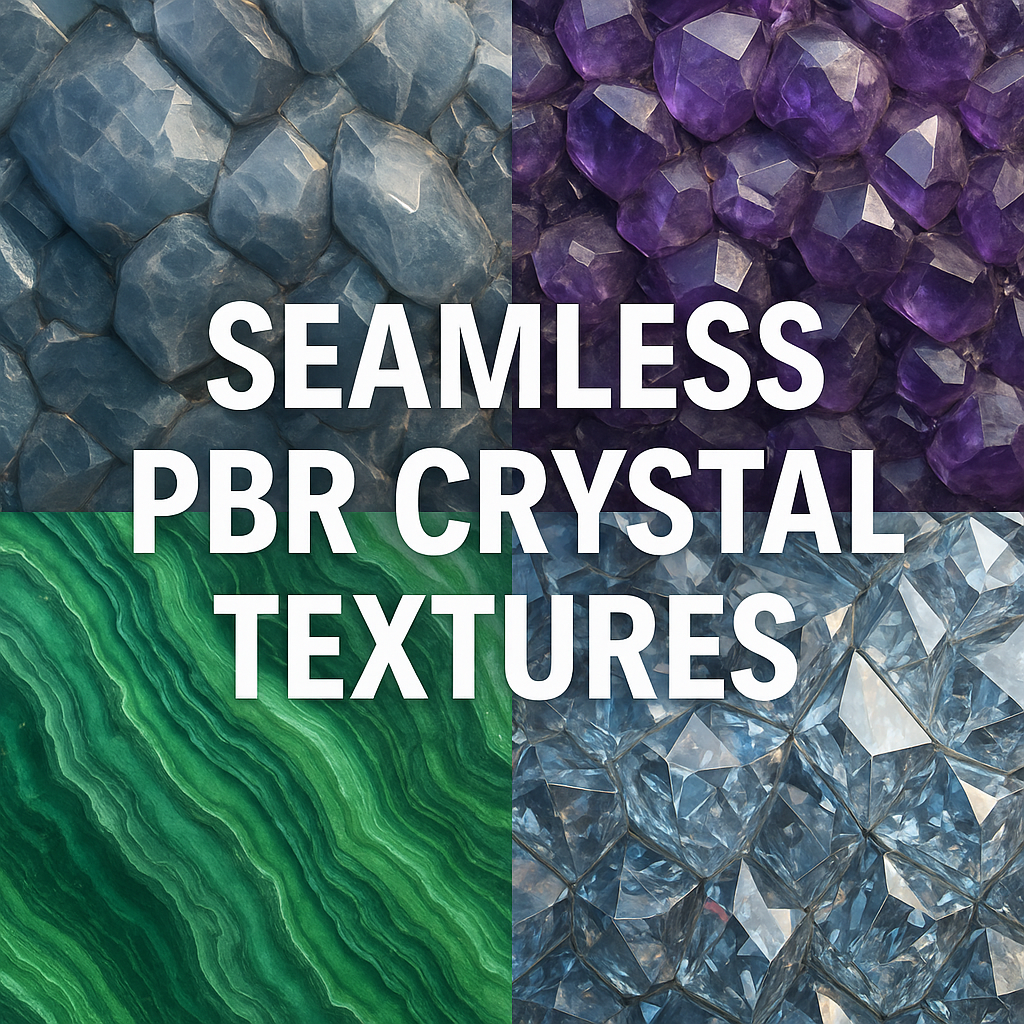
This long-form guide explains what seamless PBR crystal textures are, what you will find inside the aiTextured Crystals category, how the texture maps are structured, and how to set them up correctly in popular engines. You will also find workflow tips, licensing information, and practical use cases — everything you need to get the most from aiTextured’s free crystal materials.
What Are Seamless PBR Crystal Textures?
A seamless PBR crystal texture is a square image (or set of images) that can be tiled in any direction without visible seams, while still following physically based rendering (PBR) principles. “Seamless” means there are no borders when the texture repeats across a surface. “PBR” means the texture set encodes real-world material behavior — how light interacts with the surface, how rough or glossy it is, how deep the microrelief appears, and whether the material behaves like a metal or a dielectric.
Crystalline materials are especially demanding for PBR workflows. Real crystals combine:
- Sharp facet edges and micro-chipping
- Translucent or semi-transparent volume
- Internal inclusions, fractures, and color zoning
- Intense specular highlights and sometimes subtle sparkle
The aiTextured crystal materials approximate this complexity using high-resolution maps: detailed albedo (base color), crisp normal and height maps for facet edges, carefully tuned roughness to balance gloss and diffusion, and (where appropriate) ambient occlusion and packed ORM textures. These maps are optimized for modern PBR pipelines so you can achieve convincing gemstone and mineral surfaces without reinventing the shading from scratch.
Inside the aiTextured Crystals Library
The Crystals category on aiTextured contains a curated set of crystal and gemstone inspired materials. The focus is on seamless, tileable, high-resolution patterns that are easy to reuse across different projects. Within this category you will typically find:
- Quartz-like crystal lattices – Interlocking prismatic shapes, subtle cloudiness and internal fractures, perfect for rock walls, geodes, and magical crystal caves.
- Amethyst-style clusters – Dense clusters of violet crystal points, ideal for fantasy environments, props, and hero assets.
- Sapphire and diamond inspired cuts – Faceted gemstone patterns designed to give a gem-like appearance on surfaces, UI elements, coins, medallions, or decorative props.
- Decorative minerals – Banded or veined patterns reminiscent of malachite, fluorite, agate, and similar minerals, useful for ornaments, surfaces, and abstract art.
- Rough crystalline aggregates – Granular crystal and rock combinations suited to terrain, cliff faces, or stylized environments where hard crystalline shapes are needed.
All textures in the category share consistent naming conventions, PBR map sets, and a similar resolution ladder (1K–8K). This consistency lets you swap materials easily or build a coherent scene with different crystals that still feel like they belong to the same library.
Every texture page typically provides:
- A large preview of the crystal material
- Download options for different resolutions (1K, 2K, 4K, 8K)
- PNG and WEBP formats
- Links or buttons for PBR map downloads
- A detailed description and tags for search and filtering
Resolution, Maps, and File Formats
Each crystal material in the aiTextured library is available in several texture sizes — usually 1024×1024, 2048×2048, 4096×4096, and sometimes full 8K at 8192×8192. Choosing the right resolution is a balance between visual fidelity and performance:
- 1K / 2K – Ideal for background elements, mobile games, VR prototypes, or large-scale objects viewed from a distance.
- 4K – Recommended for most PC and console projects where crystals are visible at mid-range.
- 8K – For cinematic close-ups, hero props, high-resolution still renders, or marketing images where every facet must hold up under scrutiny.
The standard PBR map set for aiTextured crystal materials usually includes:
- Albedo / BaseColor – The crystal’s visible color and pattern (sRGB).
- Normal map – Tangent-space normals describing microrelief, facet edges, and tiny cracks (Non-Color).
- Roughness – Controls how glossy or matte each pixel appears. Darker areas are glossier, brighter areas are rougher (Non-Color).
- Metallic – Usually 0 for crystals (they are dielectrics) but provided to stay compatible with Metallic/Roughness workflows (Non-Color).
- Ambient Occlusion (AO) – Enhances crevices and shadowed areas (Non-Color).
- Height / Displacement – Additional height information for parallax or true displacement.
- Packed ORM map (optional) – A single texture where Red = AO, Green = Roughness, and Blue = Metallic, suitable for engines that expect such packing.
aiTextured provides these maps primarily as PNG for maximum quality and compatibility, and often as WEBP for reduced file size and faster downloads. You can freely choose the format that best fits your pipeline.
Using aiTextured Crystal Textures in Blender
Blender’s Principled BSDF shader is a natural fit for aiTextured’s PBR crystal textures. Here is a straightforward setup workflow:
- Download the crystal texture you want from the Crystals category at a suitable resolution.
- Create a new material and open the Shader Editor.
- Add an Image Texture node for each map (BaseColor, Roughness, Normal, etc.).
- Set Color Space correctly:
- BaseColor → sRGB
- All other maps (AO, Roughness, Metallic, Normal, Height, ORM) → Non-Color
- Connect:
- BaseColor → Base Color of Principled BSDF
- Roughness → Roughness
- Metallic → Metallic (usually near 0 for crystals)
- Normal → Normal Map node → Normal input of Principled BSDF
- Use a Bump or Displacement node for the Height map if you need extra depth. For true displacement, enable “Displacement and Bump” in the material settings.
- Multiply AO with the BaseColor (or plug it into a Multiply node with the albedo) when you want deeper crevices and contact shadows.
For crystals specifically, pay attention to:
- Normal strength – Start with a Normal Map strength of 1.0 and adjust up or down to avoid overly noisy or perfectly flat facets.
- Roughness balance – Real crystals are glossy but not perfect mirrors. Keep some variation across the surface to avoid a synthetic look.
- Texture scale – Use a Mapping node or UV scaling so crystal sizes look believable relative to your scene (ring-scale, rock-scale, or cliff-scale).
If you use the Node Wrangler add-on, you can select your image files in the Image Texture node, press Ctrl+Shift+T, and let Blender auto-connect the maps. You can then fine-tune AO, roughness, and displacement manually for your crystal shader.
Using Crystal Textures in Unreal Engine 5
In Unreal Engine 5, aiTextured crystal materials fit neatly into the standard Base Color + Metallic + Roughness + Normal workflow. When you use a packed ORM map, the setup becomes even cleaner.
- Import BaseColor, Normal, and either separate AO / Roughness / Metallic maps or the ORM map.
- Create a new Material and assign it to your crystal mesh.
- Plug:
- BaseColor → Base Color
- Normal (set compression to Normal map) → Normal
- If using separate maps:
- Roughness → Roughness
- Metallic → Metallic (typically 0)
- AO → Ambient Occlusion input
- If using ORM:
- Use a ComponentMask (R, G, B) or BreakOutFloat3Components.
- R → Ambient Occlusion
- G → Roughness
- B → Metallic
For transparent or translucent gemstones in UE5:
- Set the material’s Blend Mode to Translucent if you need refraction.
- Adjust Refraction to match the crystal’s index of refraction (for example, 1.5–2.4).
- Use the crystal texture’s albedo and roughness as a base, while fine-tuning opacity and specular for realism.
Full volumetric translucency and caustics are expensive, so on real-time projects you can fake extra depth by controlling AO, roughness, and reflection intensity instead of simulating full light transport inside the crystal.
Using Crystal Textures in Unity (Built-in, URP, HDRP)
Unity supports aiTextured’s crystal PBR maps in both the Built-in Render Pipeline and the Scriptable Render Pipelines (URP and HDRP). The general idea is the same: BaseColor, Normal, Metallic, and Roughness (often used as Smoothness) drive a Lit shader.
Unity Built-in (Standard Shader)
- Select the Standard shader in Metallic or Specular mode.
- Plug the BaseColor map into the Albedo slot.
- Plug the Normal map into the Normal Map slot (mark as Normal Map).
- Use either:
- A Metallic map in the Metallic slot, with Smoothness controlled by the alpha channel, or
- A constant metallic value (often 0) with Smoothness controlled by a separate texture or slider.
- Optional: feed AO through a custom shader or multiply it into Albedo for stronger shadows.
Unity URP and HDRP
In URP and HDRP, you generally use the Lit or HDRP/Lit shaders. aiTextured maps can be packed into a Mask Map (Metallic, AO, Detail, Smoothness) if you prefer:
- BaseMap → Base Map
- Normal Map → Normal Map
- Mask Map (if used) → Mask Map with correct channel assignments
- Set the material to Opaque or Transparent depending on your crystal style.
Unity’s post-processing stack (bloom, color grading, vignette) can add a lot to crystal materials. With a well-tuned bloom effect, sparkle and highlights from the texture pop beautifully on screen.
Physically Based Rendering Tips for Gems and Transparent Materials
Crystals and gemstones push PBR to its limits because they merge mirror-like surfaces, partial transparency, and complex internal structure. Keeping a few core principles in mind will help you get the best from aiTextured’s maps.
- Use metallic correctly. Most crystals are dielectrics, which means their metallic value should be 0. Let reflectivity come from their index of refraction and roughness rather than a metallic workflow.
- Respect the roughness map. Avoid replacing a high-quality roughness map with a uniform slider value. The subtle variation encoded in the map is key to realistic highlights.
- Combine normal and height carefully. For close-ups, height or parallax adds depth to crystal edges and chips. For mid-distance shots, normal mapping alone is sufficient.
- Stay consistent with scale. The same texture can represent a small gemstone, a medium-sized rock, or a gigantic crystal wall depending on scaling. Keep the pattern size consistent with other elements in your scene.
- Lighting makes or breaks crystals. High dynamic range environment lighting, good key lights, and subtle rim lights will make your crystals sparkle. Flat lighting kills depth, no matter how good the texture is.
For advanced work, consider adding thin-film, anisotropy, or subsurface scattering on top of the aiTextured maps in engines that support them. The texture set provides believable surface detail, while your shader can handle transmission and advanced optical effects.
Creative Use Cases for Seamless Crystal PBR Textures
Because aiTextured crystal textures are seamless, high-resolution and PBR-ready, they are versatile enough for many different types of projects.
1. Game Environments and Props
Crystals are a classic visual element in fantasy RPGs, sci-fi shooters, puzzle games, and indie adventures. With seamless PBR textures you can:
- Texture entire crystal cave walls without visible tiling seams.
- Reuse the same crystal material across multiple meshes (clusters, shards, pillars) for visual consistency.
- Swap materials (amethyst, quartz, sapphire) quickly during level design without re-authoring UVs.
2. Motion Graphics and Title Sequences
Crystal textures work beautifully in motion graphics:
- Shimmering crystal backgrounds for logo stings and intros
- Abstract crystal-based loops for music videos or visualizers
- UI accents, digital dashboards, or “energy core” panels in trailers
High-resolution aiTextured materials stand up well to heavy post-processing, including glow, blur, color grading, and camera moves that push in very close to the surface.
3. Product Visualization and Jewelry Rendering
Seamless crystal materials help when you need detailed gemstones or decorative crystal surfaces in product shots:
- Rings, necklaces, earrings, and bracelets featuring cut gems
- Watch faces, luxury pens, perfume bottles, and high-end packaging
- Decorative objects such as crystal vases or collectible figurines
With a physically plausible crystal texture and a well-tuned shader, you can simulate reflections, micro-scratches, and subtle imperfections that sell realism.
4. Education, Scientific and Museum Visualizations
Educational and scientific content often needs mineral and crystalline samples for interactive experiences. aiTextured’s PBR crystal textures can be applied to:
- Virtual mineral collections in museums
- AR/VR field trip experiences explaining geology and crystallography
- Interactive textbooks or e-learning platforms with 3D mineral models
The combination of high-resolution detail and realistic shading makes it easier for viewers to understand shape, structure, and optical properties of crystals.
Workflow: From aiTextured Page to Final Render
Here is a practical end-to-end workflow for using the Seamless PBR Crystal Textures collection in your projects:
- Browse the Crystals category. Open the category page and scroll through the previews. Note which materials fit your project (color, pattern, clarity).
- Open an individual texture page. Click on a texture thumbnail to view its dedicated page. Review the preview images, description, and available download options.
- Choose resolution and format. Decide whether you need 1K, 2K, 4K, or 8K and pick PNG or WEBP depending on your engine and storage needs.
- Download the PBR maps. Download the full map set (BaseColor, Normal, Roughness, AO, Metallic, Height, and optional ORM) so you can plug them into your material exactly as intended.
- Optional: Use aiTextured tools. If you want to generate your own crystal variations or convert a photo into a PBR material, use aiTextured’s AI-powered texture generator and PBR map generator tools.
- Preview in the online texture viewer. Test the tiling, lighting, and overall look in aiTextured’s WebGL viewer before importing into your 3D tool. This helps you catch issues early.
- Export engine-specific maps. Use a mapper or your own tools to repack AO, Roughness, and Metallic into ORM or Mask Map formats for Unreal, Unity URP/HDRP, or other engines.
- Integrate into your project. Import the maps into your engine of choice, create a PBR material, and assign it to your gemstone or crystal-covered meshes.
- Polish lighting and post-processing. Adjust your scene’s lights, reflections, and post-processing to make the crystals shine — literally and figuratively.
Licensing, Attribution, and Safe Usage
All textures on aiTextured, including the crystal PBR materials, are covered by the aiTextured Free Commercial License (FCL). This license is designed to be generous for artists, studios, and hobbyists while still protecting the library from abuse.
In simple terms, under the FCL you are allowed to:
- Use the textures in personal and commercial projects.
- Modify, mix, and rebake the textures into your own materials.
- Ship the textures as part of a larger project (games, films, apps, renders, 3D scenes) where they are embedded and not easily extracted as raw assets.
You are not allowed to:
- Resell or redistribute the raw texture files “as is” or with minor changes.
- Package the textures into a competing asset library or marketplace product.
- Claim authorship of the textures or imply that aiTextured endorses your work.
- Use the textures as training data for AI/ML models without explicit written permission from aiTextured.
Attribution is not required but always appreciated. When possible, include a short credit such as “Textures by aiTextured.com” in your project documentation or credits. For full details and any updates to the license, always refer to the official license page on the aiTextured website.
FAQ: Seamless PBR Crystal Textures on aiTextured
Are aiTextured crystal textures really free for commercial use?
Yes. As long as you follow the rules in the aiTextured Free Commercial License, you can use the textures in commercial games, films, visualizations, and other paid projects. The main restrictions are against reselling the textures themselves or building your own texture library from aiTextured content.
Can I sell 3D models that use these crystal textures?
In most cases, yes. If the textures are embedded into a final 3D model or scene and are not being sold as a standalone texture pack, that use is generally allowed. Always ensure that your product does not simply redistribute the original aiTextured maps as raw files.
Do I have to credit aiTextured in my project?
No, credits are not strictly required. However, giving credit where possible is a good way to support the site and make it easier for other artists to discover the library.
Can I modify the crystal textures?
Absolutely. You can recolor them, combine multiple textures, rebake them into new materials, add overlays, or use them as input for your own PBR generation workflows. The license restricts redistribution of the raw maps, not creative use inside your own projects.
Can I use these textures in NFTs or Web3 projects?
In general, yes, as long as the textures are part of a broader creative work and not sold as standalone texture packs. Always make sure your delivery method does not expose the raw textures as easily extractable downloadable files.
Can I train an AI model on aiTextured textures?
No, not by default. Using aiTextured textures as training data for AI/ML models requires explicit written permission from aiTextured. If you have a project in mind, contact the site’s owner for clarification and approval.
Why Choose aiTextured for Crystal PBR Materials?
The aiTextured Crystals collection combines:
- High-resolution, seamless PBR crystal textures
- Consistent map sets and naming conventions
- Broad compatibility with Blender, Unreal, Unity, and other engines
- A clear, artist-friendly free commercial license
Instead of spending hours creating and baking your own crystal materials from scratch, you can select a texture from the Seamless PBR Crystal Textures category, download the ready-to-use PBR maps, and integrate them into your scene in minutes. Combined with aiTextured’s supporting tools (PBR texture generation, PBR map conversion, online texture preview, and engine-specific mapping), the site becomes a powerful hub for building realistic crystalline materials.
Whether you are working on a fantasy crystal cave, a sci-fi power core, a jewelry visualization, or an abstract motion design piece, aiTextured’s seamless PBR crystal textures give you a solid, flexible foundation for high-quality visuals in any modern 3D workflow.
FAQ
What is covered in this guide?
This guide explains Seamless PBR Crystal Textures for 3D: Complete Guide to the aiTextured Crystals Collection with practical notes for seamless PBR materials, texture setup, and production use.
Can I use these texture techniques in Blender, Unreal Engine, and Unity?
Yes. The workflow focuses on standard PBR maps and tileable materials that can be used in Blender, Unreal Engine, Unity, archviz, games, and VFX pipelines.
Where can I find textures for this workflow?
Use the AITextured texture library and the related texture links on this page to find seamless PBR materials and preview them before download.
Related Textures
 Seamless Concrete Pebble PBR Texture in 4K Resolution
 Seamless PBR Concrete Rubble Texture with Debris and Fragments
 Seamless Hexagonal Concrete Tile PBR Texture 4K
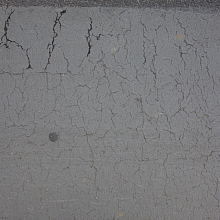 Cracked Asphalt Texture with Weathering
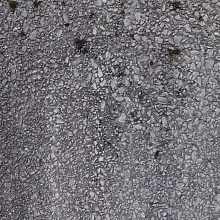 Detailed Asphalt Texture with Embedded Gravel Surface for PBR
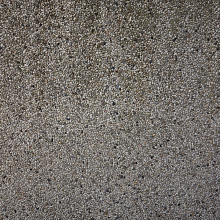 Seamless 4K PBR Pebble Ground Texture with Small Stones
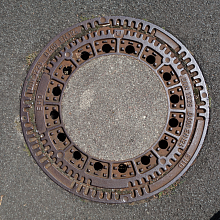 Rusty Cast Iron Manhole Cover Texture for PBR