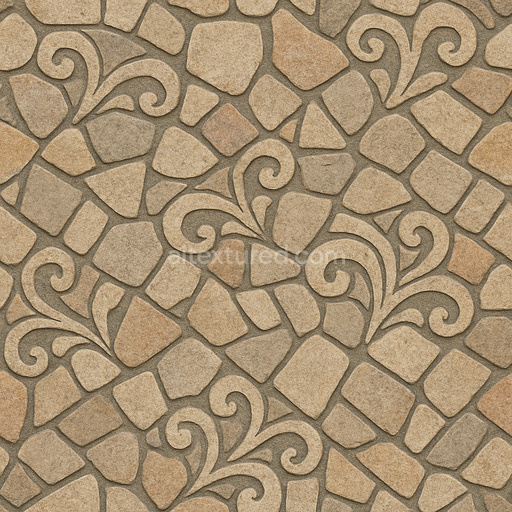
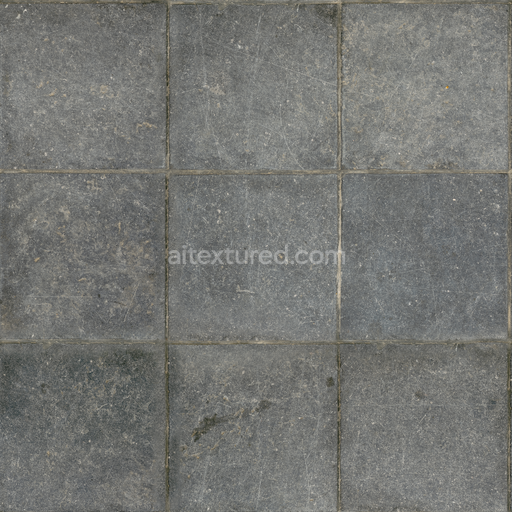
Decorative Stone Floor Seamless Texture
Seamless texture (tileable) · PNG, WEBP, PBR ZIP.
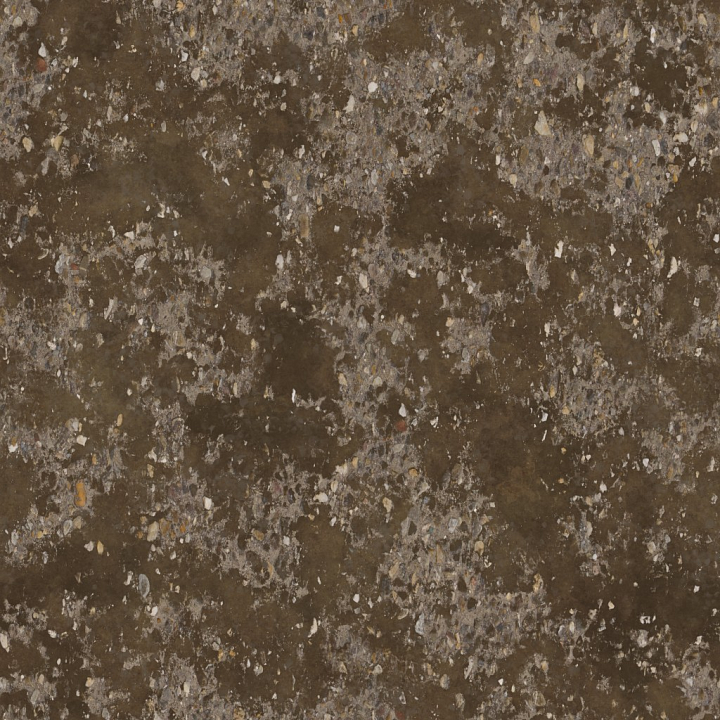
| ID | archviz-concrete-dirt-floor-gravel-ground-pebbles |
|---|---|
| Category | Flooring |
| Formats | PNG, WEBP, PBR ZIP |
| Size | 1k (1024x1024px), 2k (2048x2048px), 4k (4096x4096px), 8k (8192x8192px) |
| Tileable | Yes |
This Archviz Concrete Dirt Floor Gravel Ground Pebbles seamless PBR texture is expertly crafted to deliver outstanding realism in physically based rendering workflows ideal for architectural visualization and game engine environments like Blender Unreal Engine and Unity. The material’s core substrate simulates a rugged weathered concrete base enriched with a natural blend of dirt gravel aggregates and a diverse assortment of small pebbles rocks and stones. These mineral components are embedded within a binder that closely resembles cured cementitious material creating a durable authentic ground surface with subtle porosity and natural wear patterns. The overall finish is matte and unpolished reflecting accumulated dirt and the irregularities characteristic of outdoor concrete floors. Earth-toned pigments and layers of mineral oxides combine to form a harmonious organic color palette that highlights the interplay between exposed concrete grains and scattered gravel enhancing the texture’s visual depth and material complexity.
The texture set includes a complete range of PBR channels at resolutions up to 8K fully optimized for seamless tiling across expansive floor surfaces. The BaseColor (Albedo) map accurately represents the natural hues of concrete dirt and stone without baked lighting ensuring true-to-life color reproduction. Normal and Height (Displacement) maps capture intricate surface details by simulating the uneven relief of embedded pebbles rocks and coarse concrete grains adding tactile quality and realism to close-up renders. The Roughness map balances the matte concrete finish with the subtly glossier appearance of gravel and stones while the Metallic channel remains neutral consistent with the non-metallic nature of this mineral-based ground surface. Ambient Occlusion maps provide soft shadowing around crevices and texture variations increasing perceived depth and enhancing material authenticity. This thoughtfully designed set supports efficient look development for diverse architectural projects requiring natural high-fidelity ground surfaces.
For best results it is recommended to carefully adjust the UV scale to preserve the natural proportions of gravel and concrete patches thereby avoiding noticeable repetition on large floor areas. Additionally fine-tuning the roughness channel can simulate different surface conditions such as wetness or dirt accumulation allowing the material’s appearance to adapt dynamically to various environmental and lighting scenarios. This texture excels as a versatile authentic base material for exterior architectural floors industrial environments and natural ground scenes making it an essential asset for substance designers and visualization artists aiming to enhance realism while maintaining seamless integration across multiple rendering platforms.
Import the texture maps into Blender with sRGB color space for albedo/base color and Non-Color for normal, roughness, metallic, AO, height, and ORM maps. Connect normal maps through a Normal Map node, then adjust UV scale with a Mapping node so the material repeats naturally on your model.
For the full step-by-step setup, see How to Use Seamless Textures in Blender. Browse related material examples in wood, concrete, and metal.
Yes. This texture is designed as a seamless tileable PBR material, so it can repeat across large surfaces without visible borders.
Use the download controls on this page: they expose the available PNG, WEBP or engine ZIP choices and supported resolutions for this asset.
Use the engine ZIP choices to package compatible source maps for Blender, Unreal Engine or Unity, then verify the imported material in the target application.
Commercial-use permission is not verified for this record. Confirm the original source and license before production use.



Generate maps from existing images, preview materials, convert channels, and package compatible inputs for Blender, Unity, and Unreal Engine.
Choose a verified workflow for generating maps, previewing tiling, converting channels, or starting from the texture catalog.
Derive Normal, Roughness, AO, Metallic, Height and optional ORM maps from one or more source images, then review the results.
Instant WebGL viewer: inspect materials on a sphere, plane, and cube. Check tiling and lighting in real time.
Re-packages maps per engine: Unreal (BaseColor + ORM), Unity (Mask/MetallicSmoothness), Blender (separate channels).
PNG ↔ JPG ↔ SVG: fast convert, SVG rasterize, embed/trace options, quality & background controls.