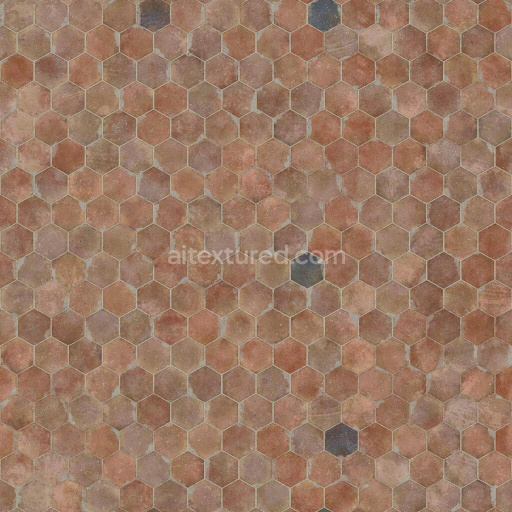
Dusty Hexagonal Orange Terracotta Tiles | Free PBR
Seamless texture (tileable) · PNG, WEBP, PBR ZIP.
| ID | asphalt-rooftop-texture-free-pbr |
|---|---|
| Category | Tile |
| Formats | PNG, WEBP, PBR ZIP |
| Size | 1k (1024x1024px), 2k (2048x2048px), 4k (4096x4096px), 8k (8192x8192px) |
| Tileable | Yes |
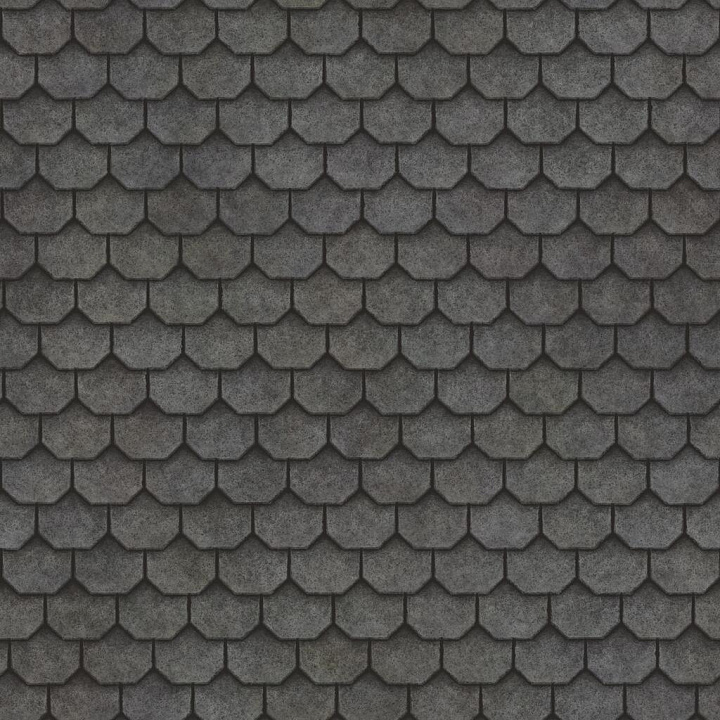
The Asphalt Rooftop Texture (Rooftop 0009) features trapezoid-shaped tiles composed primarily of mineral aggregates bound together with bituminous asphalt, a complex polymeric binder derived from petroleum. The surface exhibits a naturally rough and uneven texture characteristic of aged asphalt, with visible granules and fine gravel embedded within the matrix. Over time, environmental exposure has led to the accumulation of organic matter such as moss and dirt, which adds subtle color variations and enhances the texture’s weathered appearance. This combination of materials results in a porous yet durable rooftop surface that resists water infiltration while allowing for realistic wear patterns.
From a materials perspective, the base substrate consists of crushed stone and sand aggregates providing structural integrity, held together by the viscous asphalt binder. The surface finish is matte and coarse, lacking any polished or metallic qualities, which is reflected in the PBR channels: the BaseColor/Albedo map captures the dark gray to black tones with irregular patches of greenish moss and brown dirt; the Normal map emphasizes the uneven granularity and tile edges; Roughness is high and varied to simulate non-uniform surface friction; the Metallic map is essentially zero since asphalt is non-metallic; Ambient Occlusion highlights crevices and tile separations, enhancing depth perception; and the Height/Displacement map details subtle elevation changes from the aggregate texture and organic growth.
This texture is provided in ultra-high 8K resolution, making it ideal for detailed close-up renders and large-scale architectural visualizations. It is fully compatible and optimized for use in Blender, Unreal Engine, and Unity, ensuring seamless integration into diverse 3D workflows. For practical application, adjusting the UV scale to match real rooftop tile dimensions helps maintain realism, while tuning roughness values can simulate varying weather conditions—lower roughness for newer, cleaner surfaces and higher for older, dirtier roofs. Additionally, subtle height or parallax mapping can enhance the tactile feel of the tiles without heavy performance costs.
Import the texture maps into Blender with sRGB color space for albedo/base color and Non-Color for normal, roughness, metallic, AO, height, and ORM maps. Connect normal maps through a Normal Map node, then adjust UV scale with a Mapping node so the material repeats naturally on your model.
For the full step-by-step setup, see How to Use Seamless Textures in Blender. Browse related material examples in wood, concrete, and metal.
Yes. This texture is designed as a seamless tileable PBR material, so it can repeat across large surfaces without visible borders.
Use the download controls on this page: they expose the available PNG, WEBP or engine ZIP choices and supported resolutions for this asset.
Use the engine ZIP choices to package compatible source maps for Blender, Unreal Engine or Unity, then verify the imported material in the target application.
Commercial-use permission is not verified for this record. Confirm the original source and license before production use.






Generate maps from existing images, preview materials, convert channels, and package compatible inputs for Blender, Unity, and Unreal Engine.
Choose a verified workflow for generating maps, previewing tiling, converting channels, or starting from the texture catalog.
Derive Normal, Roughness, AO, Metallic, Height and optional ORM maps from one or more source images, then review the results.
Instant WebGL viewer: inspect materials on a sphere, plane, and cube. Check tiling and lighting in real time.
Re-packages maps per engine: Unreal (BaseColor + ORM), Unity (Mask/MetallicSmoothness), Blender (separate channels).
PNG ↔ JPG ↔ SVG: fast convert, SVG rasterize, embed/trace options, quality & background controls.