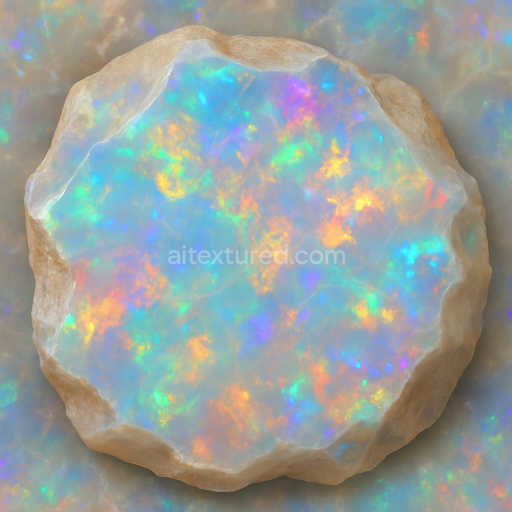
Opal Raw Crystal With Iridescent Sheen And Vitreous Luster Finishes
Seamless texture (tileable) · PNG, WEBP, PBR ZIP. License: AITextured Free Commercial License (FCL) v1.1. Free personal and commercial use. Raw resale, standalone redistribution, mirroring/scraping, competing asset packs, and AI/ML training are not allowed without written permission. Attribution is not required, but appreciated..
| ID | seamless-3d-texture-pbr-8k-opal-crystalline-structure-with-rainbow-sheen-and-translucent-glossy-finish-reflective-surface |
|---|---|
| Category | Crystals |
| Formats | PNG, WEBP, PBR ZIP |
| Size | 1k (1024x1024px), 2k (2048x2048px), 4k (4096x4096px), 8k (8192x8192px) |
| Color | sRGB |
| Tileable | Yes |
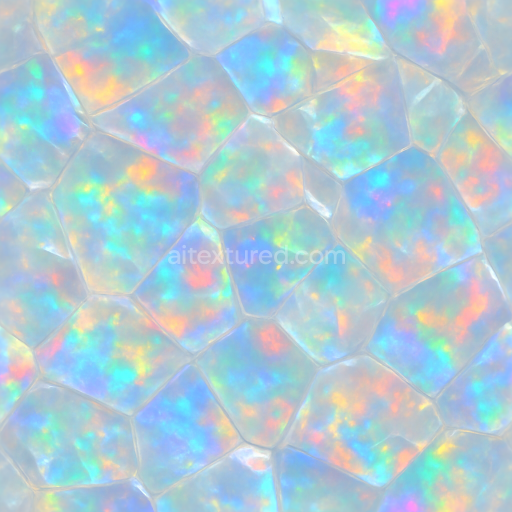
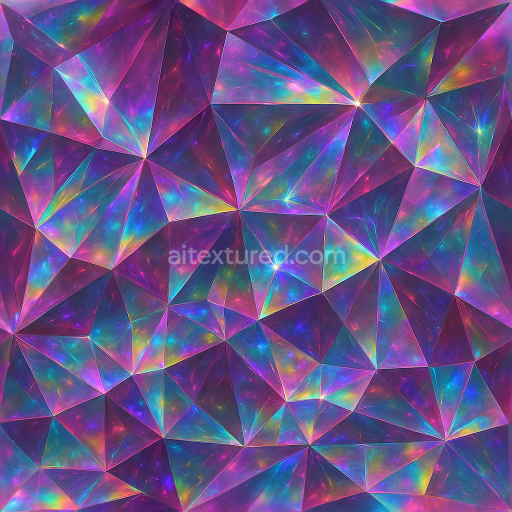
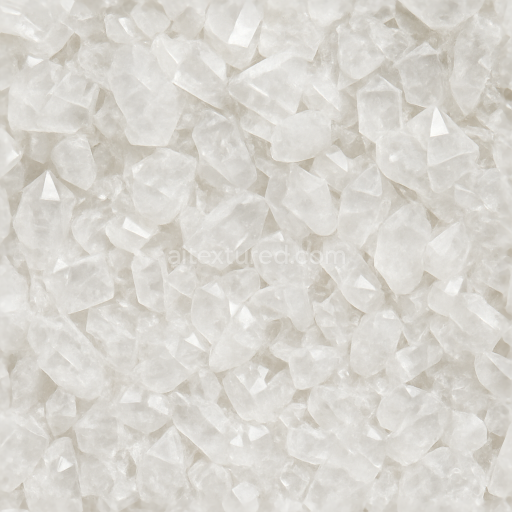
This seamless 3D texture showcases a highly detailed opal crystalline structure rendered in stunning 8K resolution, designed specifically for physically based rendering workflows. The base material simulates natural opal, a hydrated amorphous form of silica known for its intricate internal microstructure composed of tightly packed silica spheres. These spheres create the characteristic play-of-color and iridescence visible as a vibrant rainbow sheen beneath the translucent surface. The texture’s geometric pattern mimics the irregular yet cohesive crystalline formations found in opal veins, with softly undulating layers and subtle fractures that add complexity and realism to the material’s form.
The composition reflects a translucent silica substrate with a glossy, polished finish that enhances light transmission and reflection. Fine structural details within the texture represent the silica spheres acting as aggregates, while the binding matrix is implied by smooth gradients of translucency and color dispersion. The surface exhibits minimal porosity, simulating the natural compactness of opal, yet subtle micro-roughness is introduced to replicate light scattering on microscopic imperfections. Pigments in the form of diffraction-induced rainbow hues are integrated through the normal and base color maps, creating dynamic color shifts depending on viewing angles and lighting conditions.
In terms of PBR channel mapping, the BaseColor (Albedo) map captures the soft white to pale blue opal hues accented by spectral rainbow highlights. The Normal map encodes the fine crystalline relief and subtle surface undulations essential for accurate light interaction and depth perception. Roughness values are finely tuned to maintain the glossy finish with slight variance to emphasize natural imperfections and prevent an overly synthetic appearance. The Metallic channel remains near zero, reflecting the non-metallic nature of opal, while Ambient Occlusion enhances the depth of internal fissures and crystalline boundaries. Height and displacement maps provide additional geometric variation, accurately simulating the mineral’s layered structure and enabling advanced parallax or tessellation effects in real-time engines.
This texture is optimized for seamless tiling, ensuring consistent continuity across surfaces without visible repetition. It is fully compatible with Blender, Unreal Engine, and Unity, supporting complex shader setups that leverage high-resolution detail for photorealistic renders and real-time applications alike. For best results, users are advised to carefully adjust UV scaling to balance pattern repetition and detail visibility. Additionally, fine-tuning the roughness map can help achieve the desired balance between glossiness and subtle surface diffusion, while blending height and normal maps can enhance perceived depth without excessive geometric complexity.
Import the texture maps into Blender with sRGB color space for albedo/base color and Non-Color for normal, roughness, metallic, AO, height, and ORM maps. Connect normal maps through a Normal Map node, then adjust UV scale with a Mapping node so the material repeats naturally on your model.
For the full step-by-step setup, see How to Use Seamless Textures in Blender. Browse related material examples in wood, concrete, and metal.
Yes. This texture is designed as a seamless tileable PBR material, so it can repeat across large surfaces without visible borders.
You can download PNG/WEBP versions and use 1K, 2K, 4K and 8K download options when available on the page.
Yes. The download options and engine-mapped ZIP workflow are designed for Blender, Unreal Engine, Unity Standard, URP and HDRP material pipelines.
Yes. The texture is available under the AITextured free commercial license. Review the license page for redistribution and AI-training restrictions.
Build, preview, and export seamless PBR materials. Generate full map sets from a single image, inspect them in a real-time WebGL viewer, and re-package maps for Unreal, Unity, and Blender—directly in your browser.
AI text-to-texture: type a prompt and get a seamless, tileable base image ready for PBR workflows (great starting point for materials).
Create a full PBR set (Normal, Roughness, AO, Metallic, etc.) from a single image. Seamless and tiling-friendly.
Instant WebGL viewer: inspect materials on a sphere, plane, and cube. Check tiling and lighting in real time.
Re-packages maps per engine: Unreal (BaseColor + ORM), Unity (Mask/MetallicSmoothness), Blender (separate channels).
PNG ↔ JPG ↔ SVG: fast convert, SVG rasterize, embed/trace options, quality & background controls.