
Herringbone Pink Porcelain Tiles | Free PBR
Seamless texture (tileable) · PNG, WEBP, PBR ZIP.
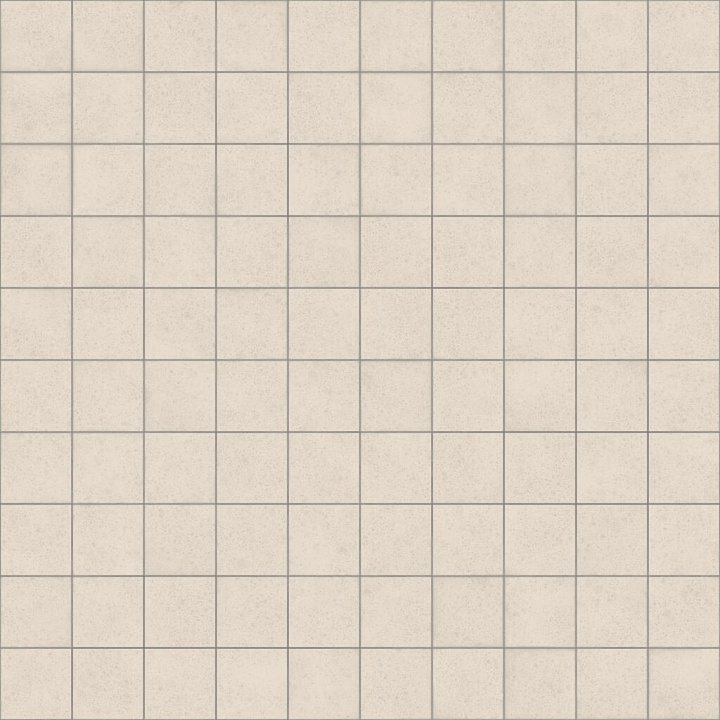
| ID | bumpy-square-beige-clay-tiles-free-pbr |
|---|---|
| Category | Tile |
| Formats | PNG, WEBP, PBR ZIP |
| Size | 1k (1024x1024px), 2k (2048x2048px), 4k (4096x4096px), 8k (8192x8192px) |
| Tileable | Yes |
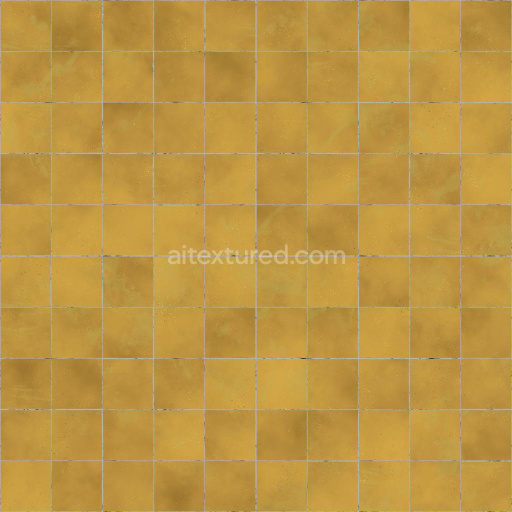
The Bumpy Square Beige Clay Tiles (Tiles 0117) feature a distinct texture characterized by a naturally rough and uneven surface, typical of authentic clay materials. Each tile is carefully shaped into a perfect square and laid at subtle angles, creating a tactile, bumpy feel that enhances visual depth and realism. The base substrate is composed primarily of mineral-rich clay, fired to achieve a durable ceramic composition. This process results in a porous yet sturdy tile body, capable of weathering natural elements while maintaining its structural integrity. The beige coloration arises from a mixture of natural pigments and iron oxide layers, providing a warm, earthy tone that is both versatile and timeless in architectural and design applications. The surface finish retains a matte, unpolished look, emphasizing the tactile roughness and organic nature of the material.
From a physically based rendering (PBR) perspective, the texture maps are thoughtfully designed to replicate the clay tiles’ authentic characteristics. The BaseColor (Albedo) channel captures the subtle variations in beige hues and pigment dispersion across the tile surface. The Normal map highlights the intricate bumps and angled edges, contributing to the realistic surface relief when lighting interacts with the model. The Roughness map reflects the tile’s coarse and unrefined texture, ensuring appropriate light scattering that avoids artificial glossiness. There is minimal to no Metallic influence, as clay is a non-metallic material, while the Ambient Occlusion map accentuates the crevices and shadowed areas between tiles. The Height (Displacement) map further enhances depth perception by simulating the raised and recessed areas created by the angled paving.
Optimized for high fidelity output, this texture is available up to 8K resolution, making it ideal for detailed close-up renders and immersive environments. It is fully compatible and ready for use in Blender, Unreal Engine, and Unity, supporting seamless integration into diverse workflows. For best results, it is recommended to adjust the UV scale moderately to preserve the natural grain and avoid repetitive patterns. Additionally, fine-tuning the roughness channel can help achieve the perfect balance between matte and slightly weathered finishes, enhancing the overall realism and visual appeal in your projects.
Import the texture maps into Blender with sRGB color space for albedo/base color and Non-Color for normal, roughness, metallic, AO, height, and ORM maps. Connect normal maps through a Normal Map node, then adjust UV scale with a Mapping node so the material repeats naturally on your model.
For the full step-by-step setup, see How to Use Seamless Textures in Blender. Browse related material examples in wood, concrete, and metal.
Yes. This texture is designed as a seamless tileable PBR material, so it can repeat across large surfaces without visible borders.
Use the download controls on this page: they expose the available PNG, WEBP or engine ZIP choices and supported resolutions for this asset.
Use the engine ZIP choices to package compatible source maps for Blender, Unreal Engine or Unity, then verify the imported material in the target application.
Commercial-use permission is not verified for this record. Confirm the original source and license before production use.





Generate maps from existing images, preview materials, convert channels, and package compatible inputs for Blender, Unity, and Unreal Engine.
Choose a verified workflow for generating maps, previewing tiling, converting channels, or starting from the texture catalog.
Derive Normal, Roughness, AO, Metallic, Height and optional ORM maps from one or more source images, then review the results.
Instant WebGL viewer: inspect materials on a sphere, plane, and cube. Check tiling and lighting in real time.
Re-packages maps per engine: Unreal (BaseColor + ORM), Unity (Mask/MetallicSmoothness), Blender (separate channels).
PNG ↔ JPG ↔ SVG: fast convert, SVG rasterize, embed/trace options, quality & background controls.