
Seamless 8K PBR 3D Texture Of Glossy Glazed Ceramic Tile With Blue Tones And Fish Scale P…
Seamless texture (tileable) · PNG, WEBP, PBR ZIP.
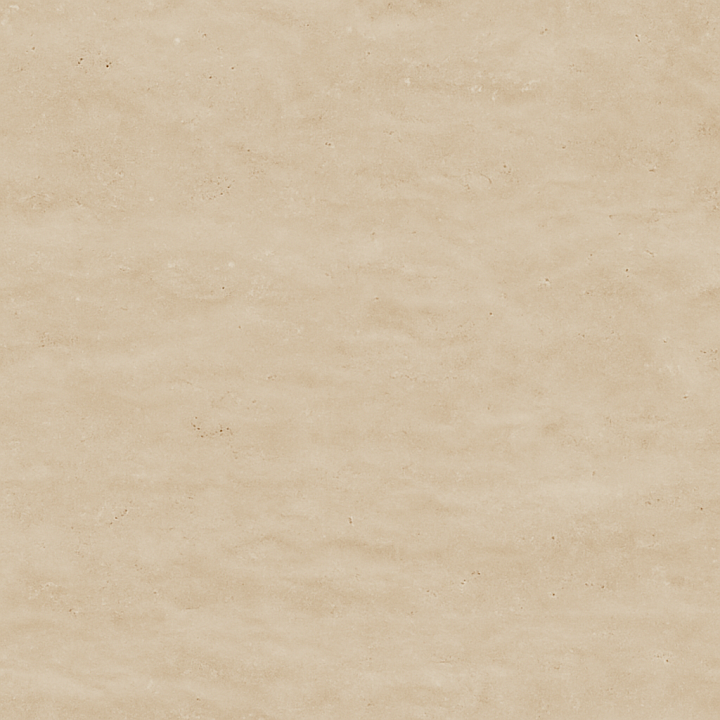
| ID | seamless-8k-pbr-3d-texture-of-smooth-polished-travertine-tile-with-neutral-tones-and-subtle-veining |
|---|---|
| Category | Tile |
| Formats | PNG, WEBP, PBR ZIP |
| Size | 1k (1024x1024px), 2k (2048x2048px), 4k (4096x4096px), 8k (8192x8192px) |
| Tileable | Yes |
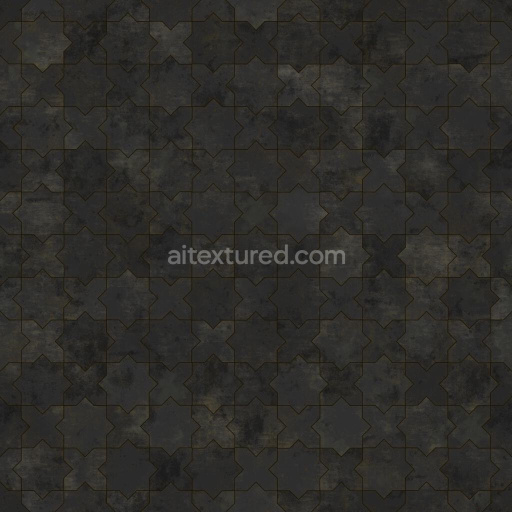
This seamless 8K PBR 3D texture captures the refined appearance of smooth, polished travertine stone tiles, characterized by their natural neutral tones and delicate veining patterns. Travertine, a form of limestone deposited by mineral springs, typically exhibits a porous, fibrous structure, which is carefully sealed and filled during finishing to achieve the polished surface seen here. The tile’s geometric form is a classic square shape, arranged in a uniform grid pattern that emphasizes subtle linear veining and natural variations within each tile, creating a timeless and elegant flooring solution for indoor environments.
The underlying material composition of this texture reflects authentic travertine’s mineral-rich substrate, primarily composed of calcium carbonate aggregates bound by natural cementitious materials. In practical applications, these tiles are often treated with polymeric fillers and sealants to reduce porosity and enhance durability, which is represented in the texture's smooth, low-roughness surface finish. The polished surface finish introduces a gentle gloss, captured through the PBR roughness channel to simulate light reflections accurately. The BaseColor (Albedo) channel conveys the nuanced beige, cream, and soft taupe hues typical of travertine, while the subtle veining is detailed in the Normal and Height maps to provide realistic depth and relief variations without harsh contrasts.
The PBR texture set includes well-calibrated maps for Normal, Roughness, Ambient Occlusion, and Height/Displacement, ensuring photorealistic rendering across multiple platforms. The Ambient Occlusion channel enhances shadowing in the tile grout lines and stone crevices, adding depth to the seamless tiling effect. The Metallic channel is set to zero, as travertine is a non-metallic stone material. The Height map gently accentuates the natural pits and veins characteristic of travertine’s microstructure, allowing for subtle parallax or displacement effects when used in engines such as Blender, Unreal Engine, or Unity. This high-resolution 8K texture ensures detailed close-up views without pixelation, supporting professional-grade visualization in architectural visualization and game environments alike.
For practical usage, it is recommended to adjust the UV scale to maintain natural tile dimensions relative to the scene, as improper scaling can lead to exaggerated or diminished veining details. Additionally, fine-tuning the roughness parameter can help balance the polished glossiness to match lighting conditions or stylistic preferences, while blending height and normal maps can further enhance surface realism by combining micro-detail with overall relief. This texture is optimized for seamless tiling, allowing continuous coverage without visible seams or repetition artifacts, making it an ideal choice for classic indoor floor tile applications requiring authentic stone material representation.
Import the texture maps into Blender with sRGB color space for albedo/base color and Non-Color for normal, roughness, metallic, AO, height, and ORM maps. Connect normal maps through a Normal Map node, then adjust UV scale with a Mapping node so the material repeats naturally on your model.
For the full step-by-step setup, see How to Use Seamless Textures in Blender. Browse related material examples in wood, concrete, and metal.
Yes. This texture is designed as a seamless tileable PBR material, so it can repeat across large surfaces without visible borders.
Use the download controls on this page: they expose the available PNG, WEBP or engine ZIP choices and supported resolutions for this asset.
Use the engine ZIP choices to package compatible source maps for Blender, Unreal Engine or Unity, then verify the imported material in the target application.
Commercial-use permission is not verified for this record. Confirm the original source and license before production use.





Generate maps from existing images, preview materials, convert channels, and package compatible inputs for Blender, Unity, and Unreal Engine.
Choose a verified workflow for generating maps, previewing tiling, converting channels, or starting from the texture catalog.
Derive Normal, Roughness, AO, Metallic, Height and optional ORM maps from one or more source images, then review the results.
Instant WebGL viewer: inspect materials on a sphere, plane, and cube. Check tiling and lighting in real time.
Re-packages maps per engine: Unreal (BaseColor + ORM), Unity (Mask/MetallicSmoothness), Blender (separate channels).
PNG ↔ JPG ↔ SVG: fast convert, SVG rasterize, embed/trace options, quality & background controls.