
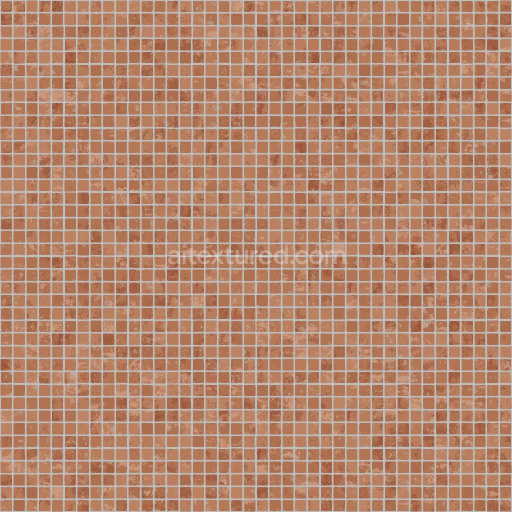
Brown Tile Texture with Scratches | Free PBR
Seamless texture (tileable) · PNG, WEBP, PBR ZIP.
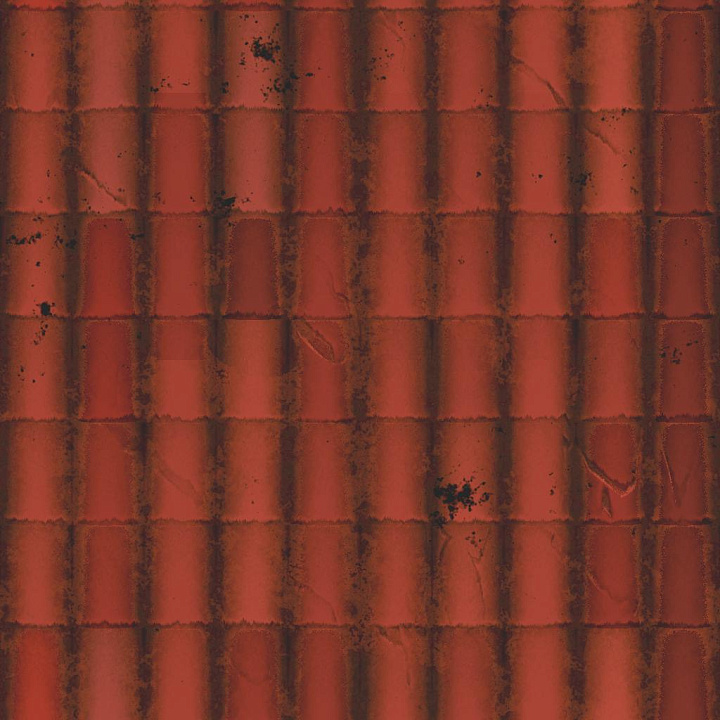
| ID | classical-rooftop-tile-texture-free-pbr |
|---|---|
| Category | Tile |
| Formats | PNG, WEBP, PBR ZIP |
| Size | 1k (1024x1024px), 2k (2048x2048px), 4k (4096x4096px), 8k (8192x8192px) |
| Tileable | Yes |
This classical rooftop tile texture features a high-quality, seamless PBR material crafted to replicate traditional ceramic tiles commonly found on historic buildings. The base substrate consists of fired clay minerals, giving the tiles their characteristic hardness and earthy tone. The surface finish captures subtle weathering effects and natural porosity developed over time, including fine grain orientation and minor surface erosion. Pigments and oxide layers embedded during firing create rich reddish-brown hues with occasional variations, lending authenticity to the color profile. These details translate effectively across the PBR channels: the BaseColor (Albedo) channel portrays the warm, matte ceramic pigment; the Normal map captures the small tile ridges and surface imperfections; Roughness emphasizes the slightly worn, semi-matte finish; while the Metallic channel remains minimal, reflecting the non-metallic nature of fired clay. Ambient Occlusion enhances the tile joints and recessed areas, and the Height map provides subtle depth for realistic displacement effects.
Rendered at an impressive 8K resolution, this texture is optimized for seamless tiling and is fully compatible with popular 3D engines such as Blender, Unreal Engine, and Unity. Its physically accurate representation of classical rooftop tiles allows for versatile use in architectural visualizations, game environments, and historical reconstructions. When applying this texture, adjusting the UV scale to match real-world tile dimensions will ensure the pattern maintains its natural proportions without distortion. Additionally, fine-tuning the roughness parameter can help achieve the desired balance between fresh and weathered surface appearances, enhancing realism under various lighting conditions.
Import the texture maps into Blender with sRGB color space for albedo/base color and Non-Color for normal, roughness, metallic, AO, height, and ORM maps. Connect normal maps through a Normal Map node, then adjust UV scale with a Mapping node so the material repeats naturally on your model.
For the full step-by-step setup, see How to Use Seamless Textures in Blender. Browse related material examples in wood, concrete, and metal.
Yes. This texture is designed as a seamless tileable PBR material, so it can repeat across large surfaces without visible borders.
Use the download controls on this page: they expose the available PNG, WEBP or engine ZIP choices and supported resolutions for this asset.
Use the engine ZIP choices to package compatible source maps for Blender, Unreal Engine or Unity, then verify the imported material in the target application.
Commercial-use permission is not verified for this record. Confirm the original source and license before production use.







Generate maps from existing images, preview materials, convert channels, and package compatible inputs for Blender, Unity, and Unreal Engine.
Choose a verified workflow for generating maps, previewing tiling, converting channels, or starting from the texture catalog.
Derive Normal, Roughness, AO, Metallic, Height and optional ORM maps from one or more source images, then review the results.
Instant WebGL viewer: inspect materials on a sphere, plane, and cube. Check tiling and lighting in real time.
Re-packages maps per engine: Unreal (BaseColor + ORM), Unity (Mask/MetallicSmoothness), Blender (separate channels).
PNG ↔ JPG ↔ SVG: fast convert, SVG rasterize, embed/trace options, quality & background controls.